Salta al contenuto principale
Unisciti alla Community delle riparazioni - Crea un account

iHome IBT16 Power Switch Replacement

Cosa ti serve

  1. iHome IBT16 Power Switch Replacement, Base Plate: passo 1, immagine 1 di 2 iHome IBT16 Power Switch Replacement, Base Plate: passo 1, immagine 2 di 2
    • Make sure to flip the device over to get into the correct orientation

    • Using the Philips #00 Screwdriver, unscrew and remove the four 9mm black screws on the base plate of the device.

    • Make sure to keep these screws in a safe location so you don't lose them

    Chiedi a FixBot
  2. iHome IBT16 Power Switch Replacement: passo 2, immagine 1 di 2 iHome IBT16 Power Switch Replacement: passo 2, immagine 2 di 2
    • Using the plastic opening tool, insert into the crack between the base plate and the main body of the device

    • Using a lever like motion, push the opening tool down thus lifting the plate

    • You will need to use your fingers to lift the base plate off the main body of the device

    • The motherboard is directly underneath the base plate

    Chiedi a FixBot
  3. iHome IBT16 Power Switch Replacement, Power Switch: passo 3, immagine 1 di 2 iHome IBT16 Power Switch Replacement, Power Switch: passo 3, immagine 2 di 2
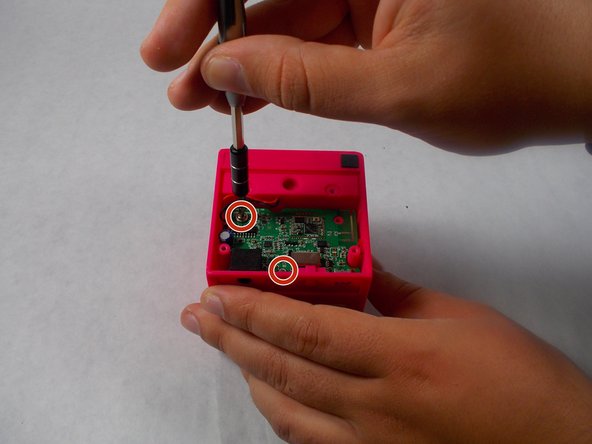
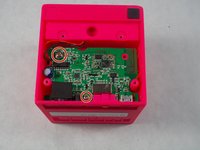
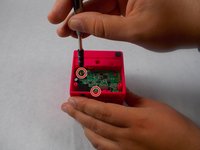
    • Using the Philips #00 screwdriver, unscrew and remove the two silver 10mm screws holding the motherboard

    • Don't misplace the screws! Keep them in a safe place while working on the device

    • Make sure to ground yourself prior to continuing at this point

    Chiedi a FixBot
  4. iHome IBT16 Power Switch Replacement: passo 4, immagine 1 di 1
    • Using the plastic opening tool, pull the motherboard out of the casing

    • Make sure to lift it out at an angle to the back, as the plastic power switch is attached to the board and can be broken

    Chiedi a FixBot
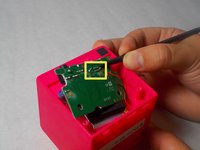
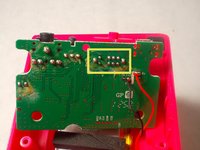
  5. iHome IBT16 Power Switch Replacement: passo 5, immagine 1 di 2 iHome IBT16 Power Switch Replacement: passo 5, immagine 2 di 2
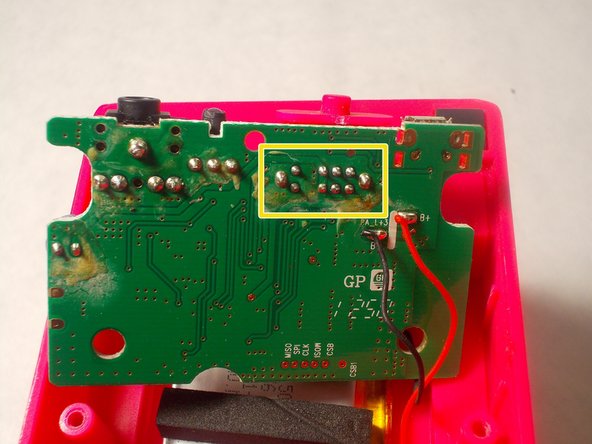
    • Desolder the 10 points holding the power switch to the motherboard

    • Once complete, simply remove the switch from the board

    Chiedi a FixBot
Conclusione

To reassemble your device, follow these instructions in reverse order.

Un'altra persona ha completato questa guida.

0Commenti sulla guida

Aggiungi Commento

Visualizza statistiche:

Ultime 24 ore: 0

Ultimi 7 giorni: 8

Ultimi 30 giorni: 33

Tutti i Tempi: 1,015