Salta al contenuto principale
Unisciti alla Community delle riparazioni - Crea un account

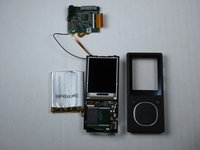
Zune Flash 2nd Generation Center Frame Replacement

Cosa ti serve

  1. Zune Flash 2nd Generation Center Frame Replacement, Back Cover: passo 1, immagine 1 di 2 Zune Flash 2nd Generation Center Frame Replacement, Back Cover: passo 1, immagine 2 di 2
    • Prior to disassembly, verify the hold switch is engaged to ensure the device will not turn on during the procedure.

    • If the device turns on while it is being disassembled it could cause irreversible damage to the device.

    • PICS MAKE NO SENSE.

    Chiedi a FixBot
  2. Zune Flash 2nd Generation Center Frame Replacement: passo 2, immagine 1 di 2 Zune Flash 2nd Generation Center Frame Replacement: passo 2, immagine 2 di 2
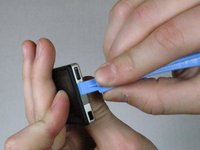
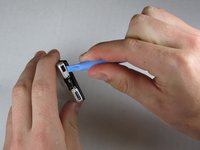
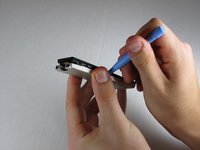
    • Remove the top metal clip by inserting a Zune opening tool in between the faceplate and back cover and pulling gently back as shown in the images.

    • You should hear a 'click' as the clip detaches from the device.

    Chiedi a FixBot
  3. Zune Flash 2nd Generation Center Frame Replacement: passo 3, immagine 1 di 1
    • Remove the two screws shown using a Y00 Tri-Wing screwdriver.

    Chiedi a FixBot
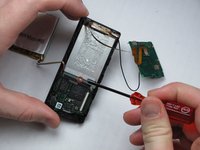
  4. Zune Flash 2nd Generation Center Frame Replacement: passo 4, immagine 1 di 3 Zune Flash 2nd Generation Center Frame Replacement: passo 4, immagine 2 di 3 Zune Flash 2nd Generation Center Frame Replacement: passo 4, immagine 3 di 3
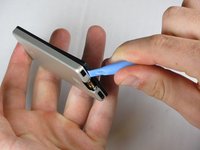
    • Insert the Zune opening tool between the faceplate and the back cover, starting from the top and slowly work your way around the device.

    Chiedi a FixBot
  5. Zune Flash 2nd Generation Center Frame Replacement: passo 5, immagine 1 di 3 Zune Flash 2nd Generation Center Frame Replacement: passo 5, immagine 2 di 3 Zune Flash 2nd Generation Center Frame Replacement: passo 5, immagine 3 di 3
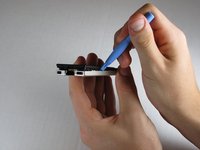
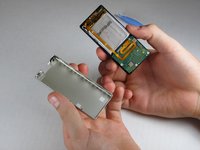
    • Work your way around the Zune until the back cover comes free. Remove the back plate and set it aside.

    Chiedi a FixBot
  6. Zune Flash 2nd Generation Center Frame Replacement, Face Plate: passo 6, immagine 1 di 2 Zune Flash 2nd Generation Center Frame Replacement, Face Plate: passo 6, immagine 2 di 2
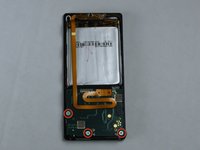
    • Remove the three screws (5.5mm by 3mm) from the backside of the Zune using a Y00 Tri-Wing screwdriver.

    • Be sure to put this set of screws aside since they are a different size than any other screws in the device.

    Chiedi a FixBot
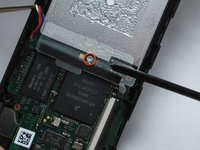
  7. Zune Flash 2nd Generation Center Frame Replacement: passo 7, immagine 1 di 2 Zune Flash 2nd Generation Center Frame Replacement: passo 7, immagine 2 di 2
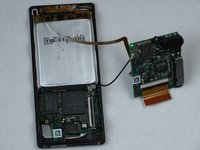
    • Use your finger or a Zune opening tool to pry back the two clear flaps.

    • Next lift the communications board that was being held down by the clear flaps.

    • Be careful not to accidentally detach the slim ribbon that connects between the communications board and the device.

    Chiedi a FixBot
  8. Zune Flash 2nd Generation Center Frame Replacement: passo 8, immagine 1 di 3 Zune Flash 2nd Generation Center Frame Replacement: passo 8, immagine 2 di 3 Zune Flash 2nd Generation Center Frame Replacement: passo 8, immagine 3 di 3
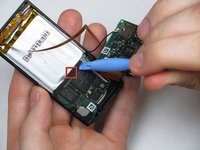
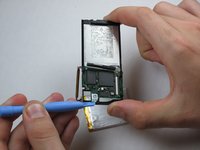
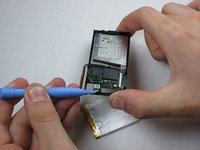
    • Disconnect the ribbon with the plastic opening tool by flipping up the black plastic flap where the ribbon connects to the memory board.

    • Carefully pull the ribbon out of the memory board, ensuring that the black plastic flap is up before removal to avoid the ripping the ribbon.

    Chiedi a FixBot
  9. Zune Flash 2nd Generation Center Frame Replacement: passo 9, immagine 1 di 3 Zune Flash 2nd Generation Center Frame Replacement: passo 9, immagine 2 di 3 Zune Flash 2nd Generation Center Frame Replacement: passo 9, immagine 3 di 3
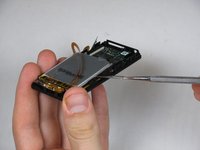
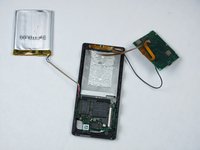
    • Remove the battery by prying the battery off from the bottom with a Zune opening tool.

    • There is an adhesive between the battery and the device, therefore use a metal spudger to finish detaching the battery.

    • Be sure not to puncture the battery in any way when using the metal spudger.

    Chiedi a FixBot
  10. Zune Flash 2nd Generation Center Frame Replacement: passo 10, immagine 1 di 2 Zune Flash 2nd Generation Center Frame Replacement: passo 10, immagine 2 di 2
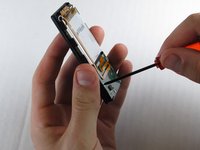
    • Remove the single screw under the battery using a small Tri-Wing screwdriver.

    Chiedi a FixBot
  11. Zune Flash 2nd Generation Center Frame Replacement: passo 11, immagine 1 di 1
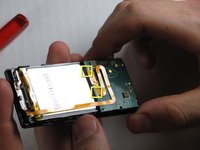
    • Disconnect the faceplate from the device by depressing the two tabs located near the middle of each of the sides using a metal spudger.

    • This will disconnect the last circuit board in the device from the center frame.

    Chiedi a FixBot
  12. Zune Flash 2nd Generation Center Frame Replacement: passo 12, immagine 1 di 3 Zune Flash 2nd Generation Center Frame Replacement: passo 12, immagine 2 di 3 Zune Flash 2nd Generation Center Frame Replacement: passo 12, immagine 3 di 3
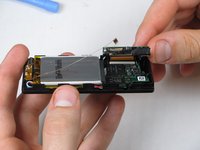
    • Remove the faceplate by using a metal spudger to separate it from the remaining components.

    Chiedi a FixBot
  13. Zune Flash 2nd Generation Center Frame Replacement, LCD Display: passo 13, immagine 1 di 1
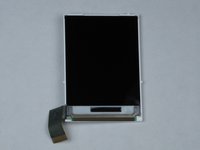
    • Release the LCD connector ribbon by flipping up the black switch. This will disconnect the LCD from the device.

    • At this point the LCD screen should be easily separable from the device.

    Chiedi a FixBot
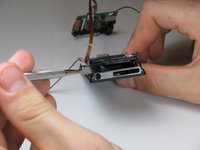
  14. Zune Flash 2nd Generation Center Frame Replacement: passo 14, immagine 1 di 3 Zune Flash 2nd Generation Center Frame Replacement: passo 14, immagine 2 di 3 Zune Flash 2nd Generation Center Frame Replacement: passo 14, immagine 3 di 3
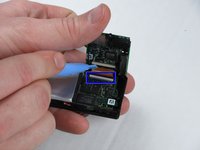
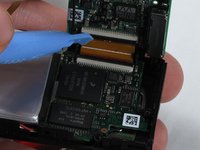
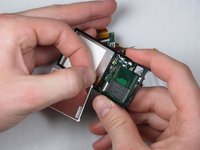
    • The LCD ribbon is adhered to the memory board with a strip of glue.

    • It's safest to flip the display over before removing the ribbon, as shown in the first image.

    • To avoid damage, remove the LCD by pulling slowly and carefully on the ribbon, directly away from the memory board.

    Chiedi a FixBot
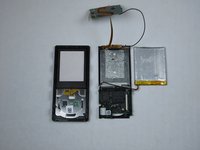
  15. Zune Flash 2nd Generation Center Frame Replacement, Center Frame: passo 15, immagine 1 di 3 Zune Flash 2nd Generation Center Frame Replacement, Center Frame: passo 15, immagine 2 di 3 Zune Flash 2nd Generation Center Frame Replacement, Center Frame: passo 15, immagine 3 di 3
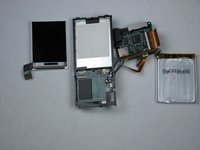
    • Pry up the memory board from center piece with a Zune opening tool and gently pull it off.

    Chiedi a FixBot
Conclusione

To reassemble your device, follow these instructions in reverse order.

Un'altra persona ha completato questa guida.

Team

Cal Poly, Team 9-20, Regan Fall 2009 Membro di Cal Poly, Team 9-20, Regan Fall 2009

CPSU-REGAN-F09S9G20

5 Membri

7 guide realizzate

0Commenti sulla guida

Aggiungi Commento

Visualizza statistiche:

Ultime 24 ore: 0

Ultimi 7 giorni: 12

Ultimi 30 giorni: 76

Tutti i Tempi: 3,245