Salta al contenuto principale
Unisciti alla Community delle riparazioni - Crea un account

Xiaomi Mi Pad Front Camera Replacement

Cosa ti serve

  1. Xiaomi Mi Pad Front Camera  Replacement, Rear Case Assembly: passo 1, immagine 1 di 1
    • Remove the micro SD card slot from the left side of the device using either the metal pin included with the device or a SIM card eject tool.

    Chiedi a FixBot
  2. Xiaomi Mi Pad Front Camera  Replacement: passo 2, immagine 1 di 2 Xiaomi Mi Pad Front Camera  Replacement: passo 2, immagine 2 di 2
    • Use a plastic opening tool and/or opening pick to gently pry the back panel away from the device. Work your way around the device, slowly increasing the gap.

    • The back panel has small clips and light adhesive that easily releases from the device.

    Chiedi a FixBot
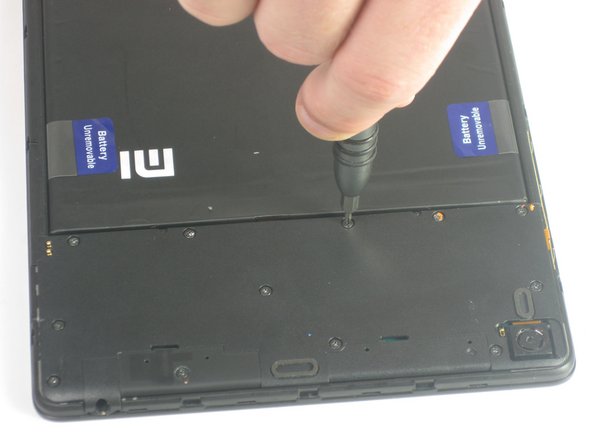
  3. Xiaomi Mi Pad Front Camera  Replacement, Front Camera: passo 3, immagine 1 di 2 Xiaomi Mi Pad Front Camera  Replacement, Front Camera: passo 3, immagine 2 di 2
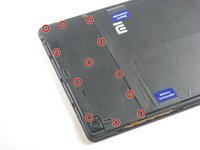
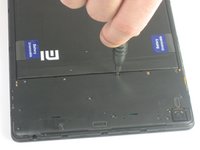
    • Remove the twelve 3.0 mm Phillips #000 screws on the upper cover of the device.

    Chiedi a FixBot
  4. Xiaomi Mi Pad Front Camera  Replacement: passo 4, immagine 1 di 1
    • Remove the upper cover from the device.

    Chiedi a FixBot
  5. Xiaomi Mi Pad Front Camera  Replacement: passo 5, immagine 1 di 1
    • Use a plastic opening tool to gently disconnect the front-facing camera from the motherboard.

    Chiedi a FixBot
  6. Xiaomi Mi Pad Front Camera  Replacement: passo 6, immagine 1 di 1
    • Carefully remove the front camera from the device.

    Chiedi a FixBot
Conclusione

To reassemble your device, follow these instructions in reverse order.

Team

USF Tampa, Team 12-5, Blackwell Fall 2015 Membro di USF Tampa, Team 12-5, Blackwell Fall 2015

USFT-BLACKWELL-F15S12G5

3 Membri

14 guide realizzate

0Commenti sulla guida

Aggiungi Commento

Visualizza statistiche:

Ultime 24 ore: 1

Ultimi 7 giorni: 6

Ultimi 30 giorni: 53

Tutti i Tempi: 1,419