Salta al contenuto principale
Unisciti alla Community delle riparazioni - Crea un account

Xbox One Wireless Controller D-Pad Replacement

Cosa ti serve

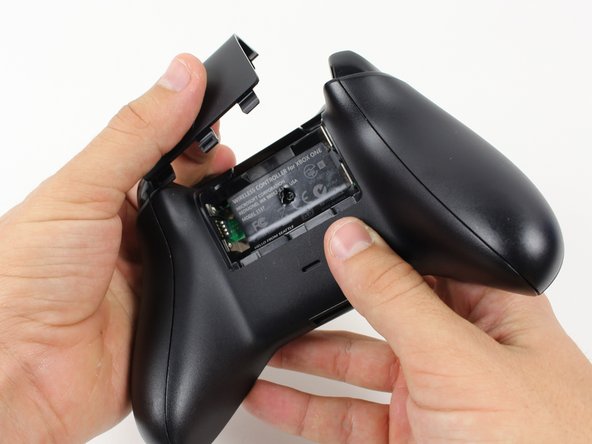
  1. Xbox One Wireless Controller D-Pad Replacement, Battery Pack: passo 1, immagine 1 di 1
    • Remove the battery pack cover.

    • Remove batteries.

    Chiedi a FixBot

    Aggiungi Commento

  2. Xbox One Wireless Controller D-Pad Replacement, Side Handles: passo 2, immagine 1 di 2 Xbox One Wireless Controller D-Pad Replacement, Side Handles: passo 2, immagine 2 di 2
    • We recommend using a nylon spudger for this step. A metal spudger is shown.

    • Grip the controller firmly to remove the side handles, wedging a spudger into the seam between the front and handle plates.

    • Pry the side plate away from the front plate by moving the spudger back and forth. You will need to do this all the way around the side plate's seam.

    Chiedi a FixBot

    Aggiungi Commento

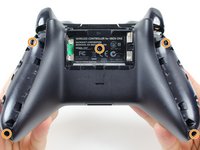
  3. Xbox One Wireless Controller D-Pad Replacement, Screws: passo 3, immagine 1 di 2 Xbox One Wireless Controller D-Pad Replacement, Screws: passo 3, immagine 2 di 2
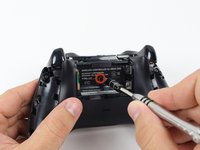
    • There is a hidden screw located in the middle of the controller behind the label.

    • Use a screwdriver and punch a hole directly in the center of the label.

    • You may also lift the label if you do not want to puncture it.

    • Remove the five 10mm screws located on the back of the controller using the TR8 Security Torx Screwdriver.

    Chiedi a FixBot

    Aggiungi Commento

  4. Xbox One Wireless Controller D-Pad Replacement, Backplate: passo 4, immagine 1 di 1
    • Remove the backplate.

    Chiedi a FixBot

    Aggiungi Commento

  5. Xbox One Wireless Controller D-Pad Replacement, Faceplate: passo 5, immagine 1 di 1
    • Remove the faceplate.

    Chiedi a FixBot

    Aggiungi Commento

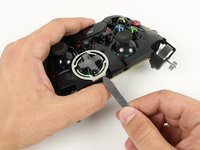
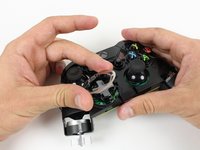
  6. Xbox One Wireless Controller D-Pad Replacement, Metal Frame: passo 6, immagine 1 di 2 Xbox One Wireless Controller D-Pad Replacement, Metal Frame: passo 6, immagine 2 di 2
    • Pry off the metal frame around the D-Pad.

    Chiedi a FixBot

    Aggiungi Commento

  7. Xbox One Wireless Controller D-Pad Replacement, D-Pad: passo 7, immagine 1 di 1
    • Lift the D-Pad out of its housing.

    Chiedi a FixBot

    Aggiungi Commento

Conclusione

To reassemble your device, follow these instructions in reverse order.

Annulla: non ho completato questa guida.

Altre 50 persone hanno completato questa guida.

Team

Cal Poly, Team 20-15, Maness Winter 2015 Membro di Cal Poly, Team 20-15, Maness Winter 2015

CPSU-MANESS-W15S20G15

5 Membri

54 guide realizzate

7Commenti sulla guida

Can you show me how to replace xbox one controller 3.5mm stereo jack dpad

Arief Hidayat - Rispondi Condividi

This model of the xbox one controller does not feature a 3.5mm headphone jack. Please look at the guides for later models of the xbox one controller.

Brandon - Rispondi Condividi

it's exactly the same like shown above :)

David Schmidt - Rispondi Condividi

How do u fix one of the silver things behind the d-pad?

Bob - Rispondi Condividi

How do fix the silver things behind each d-pad

Bob - Rispondi Condividi

Aggiungi Commento

Visualizza statistiche:

Ultime 24 ore: 6

Ultimi 7 giorni: 76

Ultimi 30 giorni: 328

Tutti i Tempi: 71,863