Introduzione
The magnetic screen is an important aspect for the VTech Write and Learn Creative Center because the magnetic screen is one of the interactive ways to engage children to learn by allowing them to write. The following repair guide addresses properly replacing the magnetic screen.
Cosa ti serve
-
-
-
Remove all eleven 9mm PH 2 Phillips screws securing the back of the case.
 Chiedi a FixBot
-
-
-
-
-
Remove the two 7mm PH 0 Phillips screws holding the slider to the slider handle.
-
-
-
-
-
-
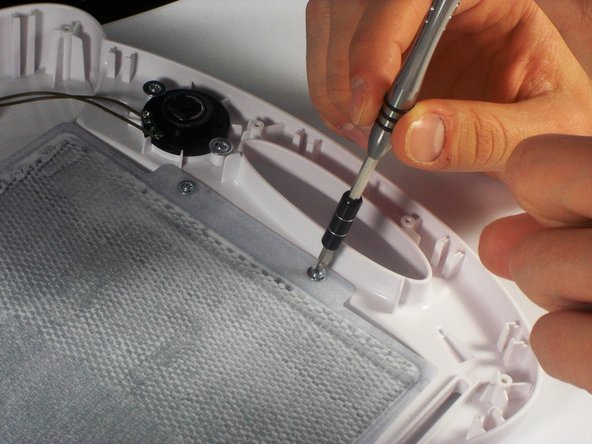
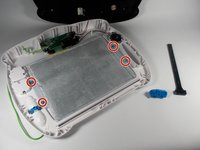
Remove the four 5mm PH 0 Phillips screws with 7mm heads holding the screen to the front of the case.
-
-
-
Gently push the edges of the screen to remove it from the front case.
-
-



To reassemble your device, follow these instructions in reverse order.

Team

UMass Dartmouth, Team 1-2, Miles Spring 2016 Membro di UMass Dartmouth, Team 1-2, Miles Spring 2016
UMASSD-MILES-S16S1G2
3 Membri
12 guide realizzate
2Commenti sulla guida
Thank you for this! Do you have suggestions on how to fix the magnetic screen or get a replacement? I emailed the manufacturer (B. Toys for mine) and unfortunately they replied, “We replace the full toy only, and do not offer the internal parts as replacements.“ But I don’t want all the rest of the plastic - I just want the magnets on the screen to properly appear and disappear. Instead, its like the magnetic powder floats so it’s constantly grey rather than clear or magnetized.
Hello I got the same issue i dont know how to fix ot of you mine is not even an year old but still get that grey screen plz help n let me know how to get rid of it Thankyou
