Salta al contenuto principale
Unisciti alla Community delle riparazioni - Crea un account

SwagTron T1 Gyroscope Replacement

Cosa ti serve

  1. SwagTron T1 Gyroscope Replacement, Back Panels: passo 1, immagine 1 di 1
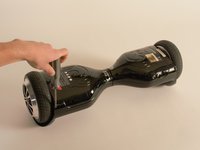
    • Ensure that the SwagTron is off.

    • Turn the SwagTron upside down to see the underside.

    Chiedi a FixBot

    Aggiungi Commento

  2. SwagTron T1 Gyroscope Replacement: passo 2, immagine 1 di 3 SwagTron T1 Gyroscope Replacement: passo 2, immagine 2 di 3 SwagTron T1 Gyroscope Replacement: passo 2, immagine 3 di 3
    • Unscrew the eighteen 10mm screws that secure the back panels using a Phillips #2 screwdriver.

    • The screws are tightly in place. It will take effort to screw them out.

    • The panel is still attached to the SwagTron by wires that go to the motherboard.

    • Carefully lift the panels off

    Chiedi a FixBot

    Aggiungi Commento

  3. SwagTron T1 Gyroscope Replacement: passo 3, immagine 1 di 3 SwagTron T1 Gyroscope Replacement: passo 3, immagine 2 di 3 SwagTron T1 Gyroscope Replacement: passo 3, immagine 3 di 3
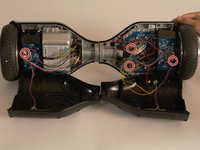
    • Follow the wires from the panels to the motherboard.

    • You may need to cut any zip ties that are holding the wires together.

    • There is one connection on the battery side and three on the other side that must be removed.

    • These connections may be difficult to remove. Try to securely press the connection and pull firmly.

    • Your back panels are now completely removed.

    Chiedi a FixBot

    Aggiungi Commento

  4. SwagTron T1 Gyroscope Replacement, Gyroscope: passo 4, immagine 1 di 2 SwagTron T1 Gyroscope Replacement, Gyroscope: passo 4, immagine 2 di 2
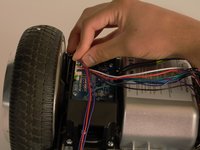
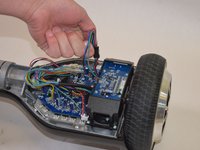
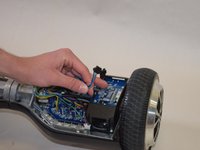
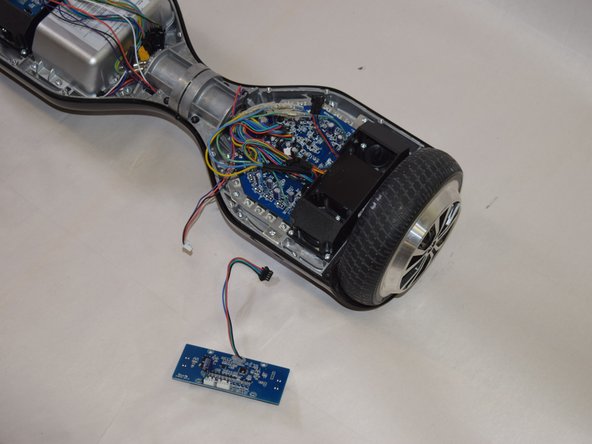
    • Disconnect the gyroscope by disconnecting the wires attached to it. These wires are black, green, blue and red.

    Chiedi a FixBot

    Aggiungi Commento

  5. SwagTron T1 Gyroscope Replacement: passo 5, immagine 1 di 1
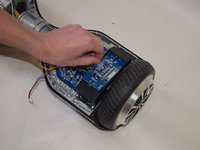
    • Using your Phillips #2 screwdriver, remove the four 8mm screws marked in red from the gyroscope.

    Chiedi a FixBot

    Aggiungi Commento

  6. SwagTron T1 Gyroscope Replacement: passo 6, immagine 1 di 3 SwagTron T1 Gyroscope Replacement: passo 6, immagine 2 di 3 SwagTron T1 Gyroscope Replacement: passo 6, immagine 3 di 3
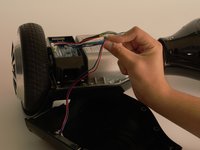
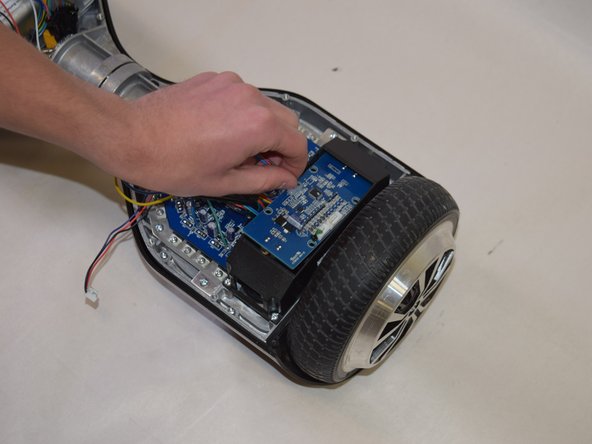
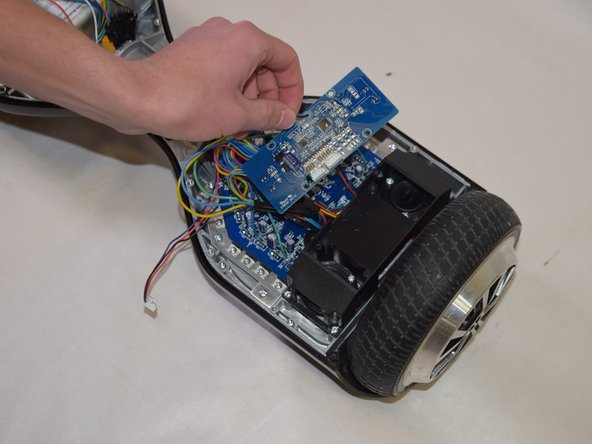
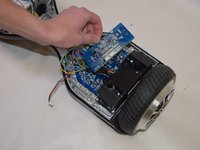
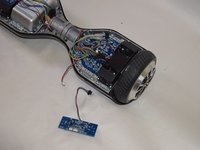
    • Carefully remove the gyroscope component from the SwagTron.

    Chiedi a FixBot

    Aggiungi Commento

Conclusione

To reassemble your device, follow these instructions in reverse order.

Annulla: non ho completato questa guida.

Altre 9 persone hanno completato questa guida.

Team

Cal Poly, Team S17-G5, Banghart Spring 2017 Membro di Cal Poly, Team S17-G5, Banghart Spring 2017

CPSU-BANGHART-S17S17G5

4 Membri

5 guide realizzate

5Commenti sulla guida

I cannot find a Swagtron T1 replacement gyroscope anywhere on the internet. Any help would be extremely appreciated!! Thank you!

Gavin Hosler - Rispondi Condividi

Amazon.com Keyword: CertiCable

Jesse Griffis - Rispondi Condividi

Where do you get the replacement?

Brittany Conner - Rispondi Condividi

Can’t find gyroscope for a t5 hover board please help.

jbswearingen70739 - Rispondi Condividi

I just got mine today and after the first hour I ran into a shoe and then I tried recalibrating it but it was no use. If someone knows what’s going on please tell me! Thank you :)

Elia Leon - Rispondi Condividi

Aggiungi Commento

Visualizza statistiche:

Ultime 24 ore: 1

Ultimi 7 giorni: 15

Ultimi 30 giorni: 88

Tutti i Tempi: 8,306