Questa traduzione è stata generata automaticamente e non è stata ancora revisionata da una persona. Parli questa lingua? Dai un’occhiata.
Cosa ti serve
-
-
-
Puoi rimuovere le placche laterali con uno strumento di apertura.
 Chiedi a FixBot
-
-
-
Svita le cinque viti Torx Security TR9.
-
-
-
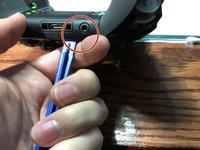
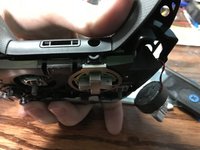
Fai leva sulla scocca posteriore vicino alla porta jack da 3,5 mm.
-
-
-
Ruota verso l'alto l'aletta del connettore per sfilare il cavo a nastro.
-
Cavo a nastro
-
-
-
-
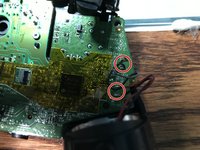
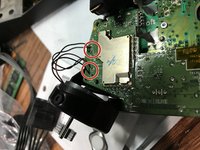
Dissalda gli otto fili, quattro per ogni lato, dei motori di vibrazione e dei grilletti RT e LT.
-
-
-
Tira verso l'alto dal lato "superiore" del controller sulla scheda figlia.
-
-
-
-
-
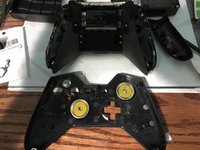
Fai leva sulla sezione centrale dal lato del tasto Home
-
-
-
-
-
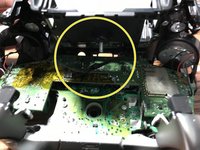
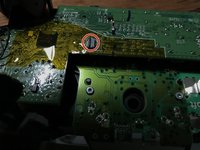
Dissalda il LED originale dalla scheda madre del controller. Esegui l'operazione su entrambi i lati del LED finché non avrai rimosso tutto il vecchio stagno.
-
Salda il tuo nuovo LED.
-
-








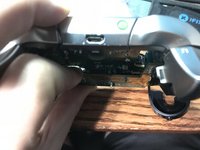
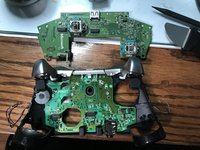


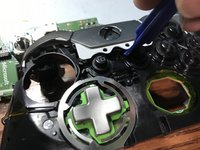
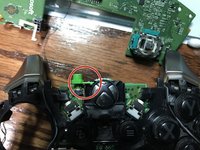
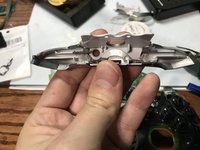


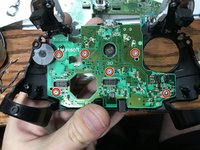
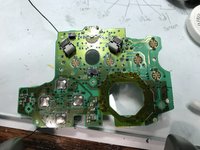

Per rimontare il dispositivo, segui queste istruzioni in ordine inverso.
Annulla: non ho completato questa guida.
Altre 6 persone hanno completato questa guida.

7Commenti sulla guida
So question I’m having troubles with my elite controller every time I go to plug it in and the charging port in the back of the controller it starts to smoke what’s my problem
It sounds like it could be a lot of things…
smoke is obvious a dead stop (stop plugging it in until you repair it).
I would first check the charge port and make sure it is firmly attached if it isn’t you can easily replace the usb port. Next it could be the mainboard charging circuit. if it is this…replace the controller is likely the ideal solution.
I was looking to do this mod for fun. Do you have or know where I can get the led part number? A schematic or bom would be nice. Thanks
0805 SMD LED Diode Lights
i bought these https://www.amazon.com/gp/product/B01CUG...
Thank you. I ordered them so we will see what happens.
