Salta al contenuto principale
Unisciti alla Community delle riparazioni - Crea un account

Sony Alpha 6000 Screen Replacement

Guida Archiviata
Questa guida è mantenuta solo per scopi storici. Usa la versione aggiornata della guida per eseguire la riparazione.

Cosa ti serve

  1. Sony Alpha 6000 Screen Replacement, Battery: passo 1, immagine 1 di 1
    • Make sure the camera is turned off by turning the switch to OFF.

    Chiedi a FixBot
  2. Sony Alpha 6000 Screen Replacement: passo 2, immagine 1 di 1
    • Flip the camera around to access the battery compartment.

    • Slide the battery compartment lock to the left to unlock it.

    Chiedi a FixBot
  3. Sony Alpha 6000 Screen Replacement: passo 3, immagine 1 di 1
    • Locate the blue latch that holds the battery in.

    Chiedi a FixBot
  4. Sony Alpha 6000 Screen Replacement: passo 4, immagine 1 di 1
    • Push the latch back to release battery.

    Chiedi a FixBot
  5. Sony Alpha 6000 Screen Replacement: passo 5, immagine 1 di 1
    • The battery can now be taken out of its compartment.

    Chiedi a FixBot
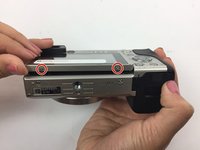
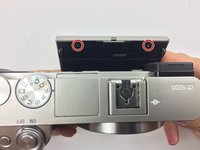
  6. Sony Alpha 6000 Screen Replacement, Screen: passo 6, immagine 1 di 2 Sony Alpha 6000 Screen Replacement, Screen: passo 6, immagine 2 di 2
    • Locate and unscrew the two 3 mm screws on the bottom of the screen.

    • Pull the screen out from the top to reveal the two screws behind the screen; unscrew the two 3 mm screws.

    Chiedi a FixBot
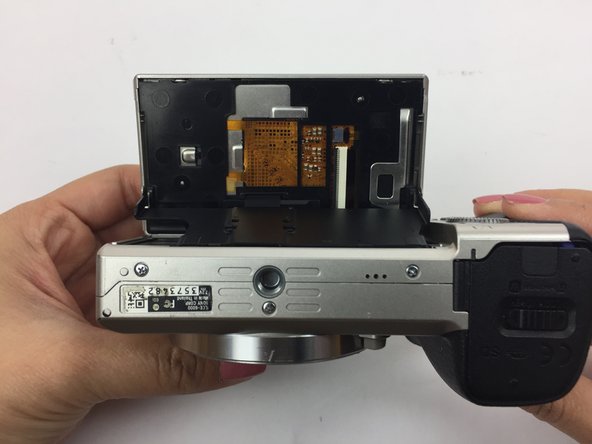
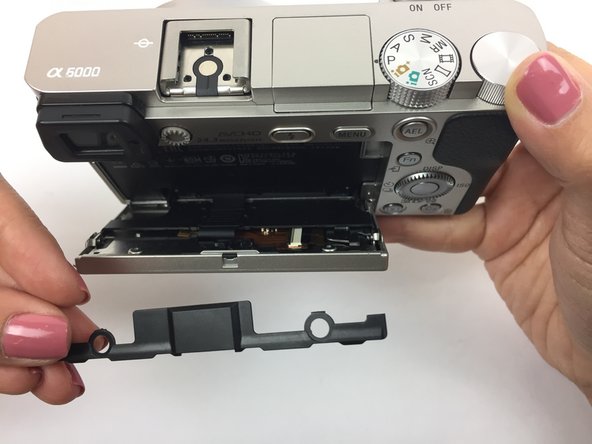
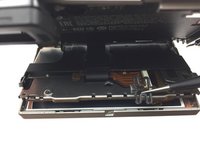
  7. Sony Alpha 6000 Screen Replacement: passo 7, immagine 1 di 3 Sony Alpha 6000 Screen Replacement: passo 7, immagine 2 di 3 Sony Alpha 6000 Screen Replacement: passo 7, immagine 3 di 3
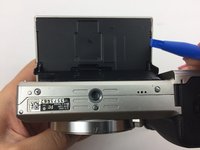
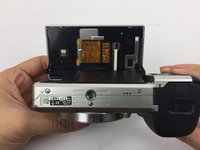
    • Flip the screen so it is facing up and then have the bottom of the camera facing yourself.

    • Using a spudger, remove the larger back panel.

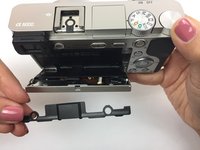
    • Flip the camera right side up and pull back the screen.

    • Remove the smaller black panel on the back of the screen.

    Chiedi a FixBot
  8. Sony Alpha 6000 Screen Replacement: passo 8, immagine 1 di 2 Sony Alpha 6000 Screen Replacement: passo 8, immagine 2 di 2
    Strumento utilizzato in questo passaggio:
    Tweezers
    $4.99
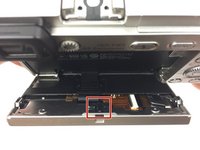
    • Locate the small "H" shaped clip on the back of the screen.

    • Remove the clip with tweezers

    Chiedi a FixBot
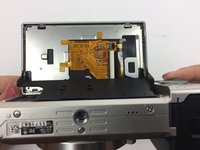
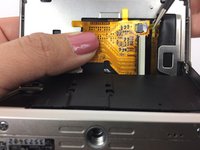
  9. Sony Alpha 6000 Screen Replacement: passo 9, immagine 1 di 3 Sony Alpha 6000 Screen Replacement: passo 9, immagine 2 di 3 Sony Alpha 6000 Screen Replacement: passo 9, immagine 3 di 3
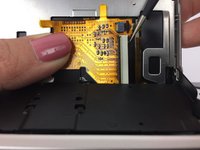
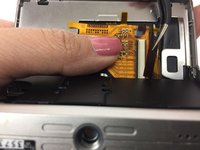
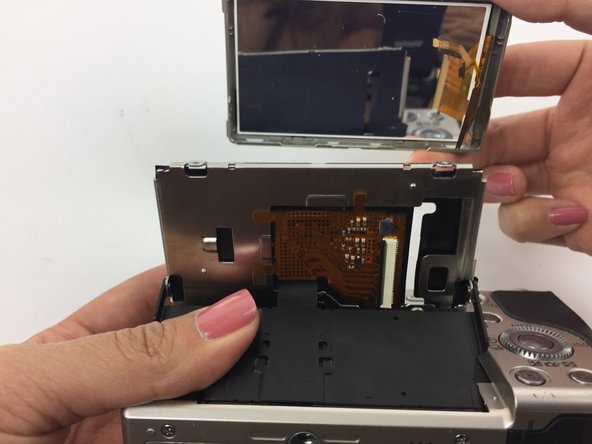
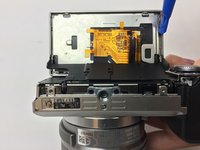
    • Flip the screen back so it is facing up and then have the bottom of the camera facing you. The yellow circuit board should now be exposed.

    • Hold down the yellow circuit board that the ribbon cables are attached to.

    • Using tweezers, remove the smaller ribbon cable. This may require extra force that could damage the ribbon cable.

    Chiedi a FixBot
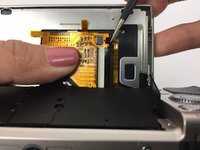
  10. Sony Alpha 6000 Screen Replacement: passo 10, immagine 1 di 2 Sony Alpha 6000 Screen Replacement: passo 10, immagine 2 di 2
    • Remove the larger ribbon cable. This may require extra force that could damage the ribbon cable.

    Chiedi a FixBot
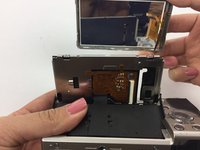
  11. Sony Alpha 6000 Screen Replacement: passo 11, immagine 1 di 2 Sony Alpha 6000 Screen Replacement: passo 11, immagine 2 di 2
    • Using a plastic opening tool, separate the silver panel from the actual screen.

    • Carefully slide the ribbon cables through the narrow opening to fully remove the screen.

    Chiedi a FixBot
Conclusione

Now your screen is ready to be replaced! To reassemble your device, follow these instructions in reverse order.

Un'altra persona ha completato questa guida.

Team

USF Tampa, Team 4-5, Passmore Fall 2016 Membro di USF Tampa, Team 4-5, Passmore Fall 2016

USFT-PASSMORE-F16S4G5

3 Membri

12 guide realizzate

0Commenti sulla guida

Aggiungi Commento

Visualizza statistiche:

Ultime 24 ore: 1

Ultimi 7 giorni: 12

Ultimi 30 giorni: 55

Tutti i Tempi: 1,699