Salta al contenuto principale

Shark ION Robot 750 Sensor Replacement

Cosa ti serve

  1. Shark ION Robot 750 Sensor Replacement, Outer Shell: passo 1, immagine 1 di 3 Shark ION Robot 750 Sensor Replacement, Outer Shell: passo 1, immagine 2 di 3 Shark ION Robot 750 Sensor Replacement, Outer Shell: passo 1, immagine 3 di 3
    • Make sure the device is completely powered off before working.

    • Flip over the vacuum on a flat and uncluttered service with the bottom facing upwards.

    • Remove all seven 9.1mm Torx T15 screws from the device’s front bumper.

    • Remove the nine 9.1mm Torx T6 bolts from outer shell.

  2. Shark ION Robot 750 Sensor Replacement: passo 2, immagine 1 di 2 Shark ION Robot 750 Sensor Replacement: passo 2, immagine 2 di 2
    • Slightly pull front bumper to expose internal wiring.

    • Unplug the device’s front bumper wiring and completely remove front bumper.

  3. Shark ION Robot 750 Sensor Replacement: passo 3, immagine 1 di 2 Shark ION Robot 750 Sensor Replacement: passo 3, immagine 2 di 2
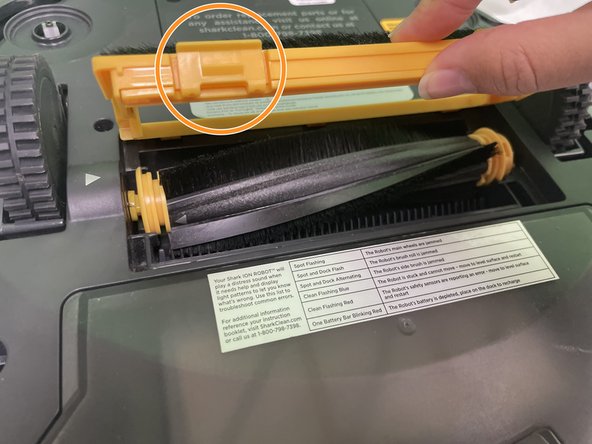
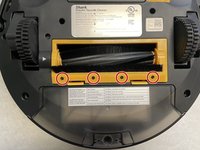
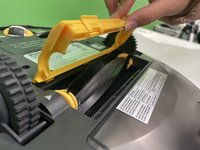
    • Remove the four 9.5mm Torx T6 bolts on the yellow brush frame.

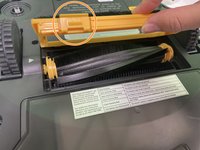
    • Gently depress the two tabs on the frame, then lift the frame to remove it.

  4. Shark ION Robot 750 Sensor Replacement: passo 4, immagine 1 di 2 Shark ION Robot 750 Sensor Replacement: passo 4, immagine 2 di 2
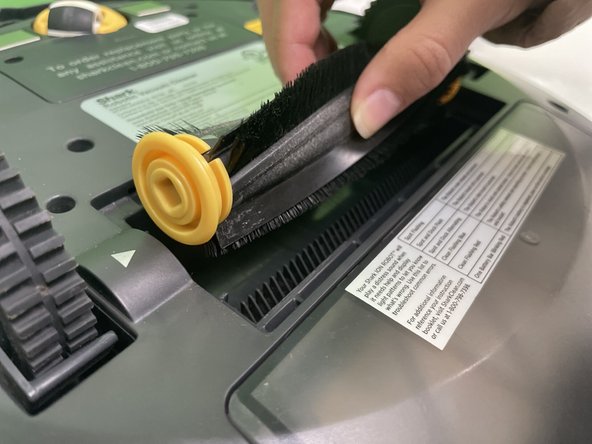
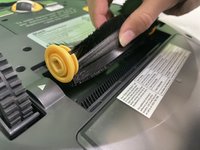
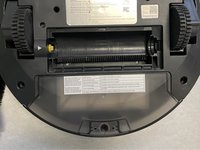
    • Pick up the brush and remove it from the vacuum.

    • Push the brush to your right and lift it.

  5. Shark ION Robot 750 Sensor Replacement: passo 5, immagine 1 di 3 Shark ION Robot 750 Sensor Replacement: passo 5, immagine 2 di 3 Shark ION Robot 750 Sensor Replacement: passo 5, immagine 3 di 3
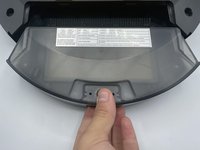
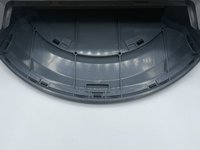
    • Press and hold the dust bin removal button to slide out the dust bin.

  6. Shark ION Robot 750 Sensor Replacement: passo 6, immagine 1 di 1
    • Lift the outer shell to expose the Shark’s interior.

  7. Shark ION Robot 750 Sensor Replacement, Sensors: passo 7, immagine 1 di 2 Shark ION Robot 750 Sensor Replacement, Sensors: passo 7, immagine 2 di 2
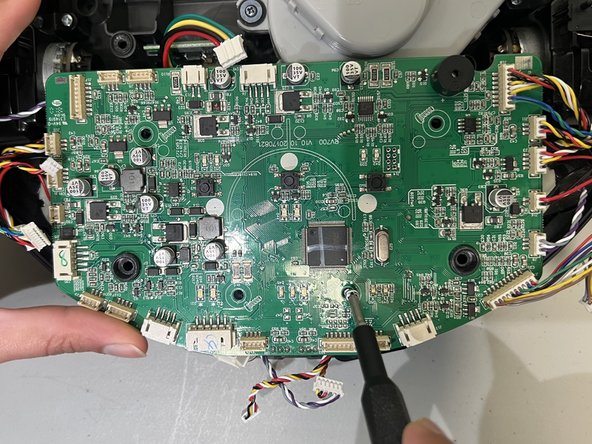
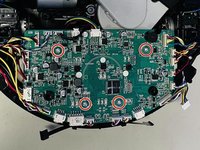
    • Use a Phillips #1 screwdriver to remove the four 11.5 mm screws from the main circuit board.

  8. Shark ION Robot 750 Sensor Replacement: passo 8, immagine 1 di 2 Shark ION Robot 750 Sensor Replacement: passo 8, immagine 2 di 2
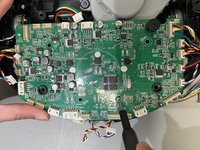
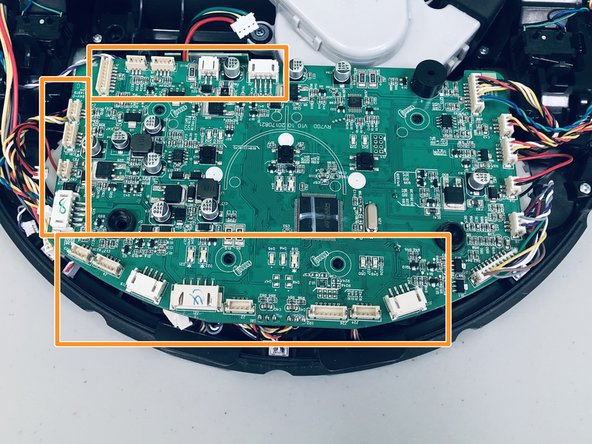
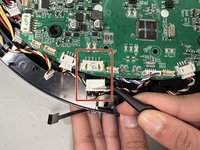
    • Use a spudger or tweezers to disconnect the white cable connector from the socket on the motherboard.

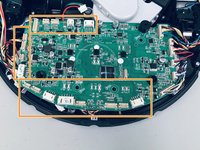
    • Detach the 17 connectors from the motherboard.

    • For helpful details on disconnecting different types of connectors, check out the Recognizing & Disconnecting Cable Connectors guide.

    • Don't pull on the cables as they might get damaged and affect the function of the vacuum.

  9. Shark ION Robot 750 Sensor Replacement: passo 9, immagine 1 di 1
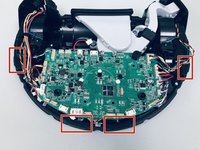
    • Pull the outer case away from the robot vacuum to reveal the sensors.

  10. Shark ION Robot 750 Sensor Replacement: passo 10, immagine 1 di 3 Shark ION Robot 750 Sensor Replacement: passo 10, immagine 2 di 3 Shark ION Robot 750 Sensor Replacement: passo 10, immagine 3 di 3
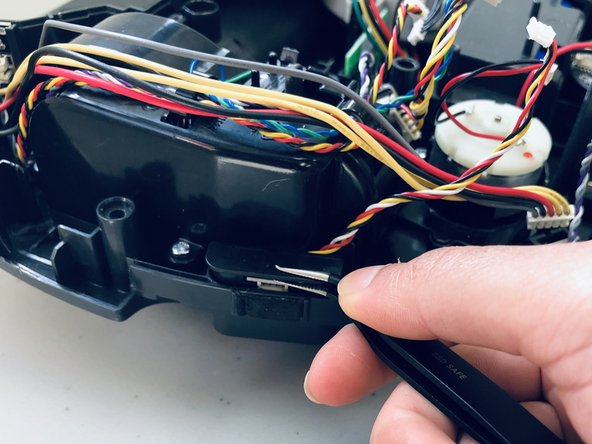
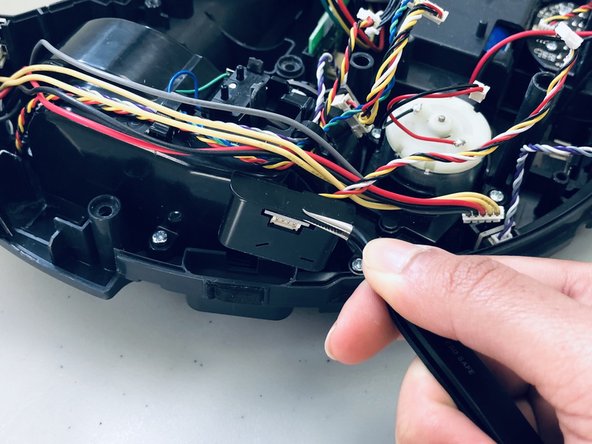
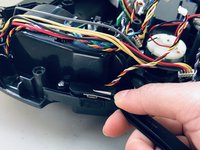
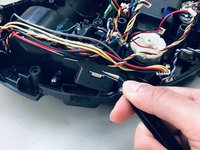
    • Insert the tweezer between the sensor lid and lower shell.

    • Gently lift each sensor up and out using the tweezer.

Conclusione

To reassemble your device, follow these instructions in reverse order. Take your e-waste to an R2 or e-Stewards certified recycler.

Asmitha D

Membro da: 02/08/24

109 Reputazione

1 Guida realizzata

0Commenti sulla guida

Aggiungi Commento

Visualizza Statistiche:

Ultime 24 Ore: 1

Ultimi 7 Giorni: 7

Ultimi 30 Giorni: 28

Tutti i Tempi: 476