Salta al contenuto principale
Unisciti alla Community delle riparazioni - Crea un account

Samsung MV900F Screen Replacement

Cosa ti serve

  1. Samsung MV900F Screen Replacement, Battery: passo 1, immagine 1 di 1
    • Slide the lock towards the middle of the camera, in the same direction of the arrow.

    Chiedi a FixBot

    Aggiungi Commento

  2. Samsung MV900F Screen Replacement: passo 2, immagine 1 di 1
    • Push the blue battery holder up in the direction of the arrow.

    Chiedi a FixBot

    Aggiungi Commento

  3. Samsung MV900F Screen Replacement: passo 3, immagine 1 di 1
    • Pull the battery out of the battery slot.

    Chiedi a FixBot

    Aggiungi Commento

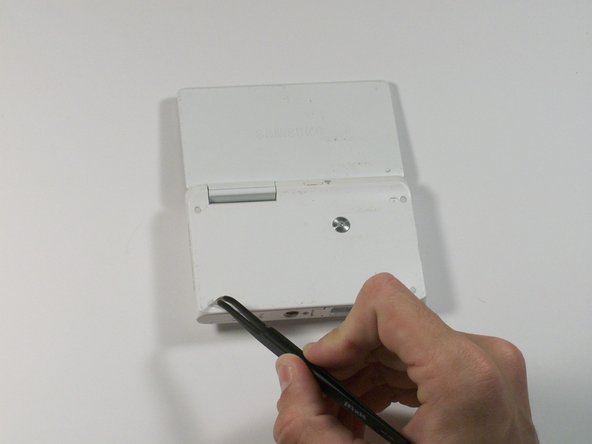
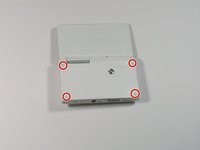
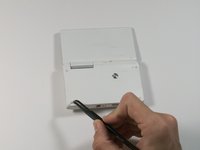
  4. Samsung MV900F Screen Replacement, Screen: passo 4, immagine 1 di 2 Samsung MV900F Screen Replacement, Screen: passo 4, immagine 2 di 2
    Strumento utilizzato in questo passaggio:
    Tweezers
    $4.99
    • Use tweezers to remove the four rubber screw covers.

    Chiedi a FixBot

    Aggiungi Commento

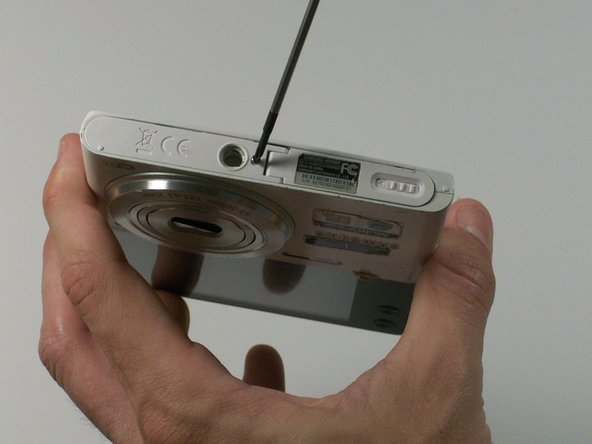
  5. Samsung MV900F Screen Replacement: passo 5, immagine 1 di 2 Samsung MV900F Screen Replacement: passo 5, immagine 2 di 2
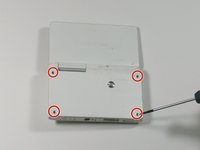
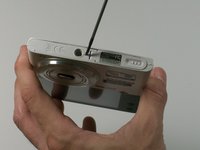
    • Remove the four Phillips 2.381 mm screws on back side of camera and one Phillips 2.381 mm screw on the bottom of the camera, using a Phillips #00 screwdriver.

    Chiedi a FixBot

    Aggiungi Commento

  6. Samsung MV900F Screen Replacement: passo 6, immagine 1 di 1
    • Remove the back casing by just carefully pulling the casing off of the camera.

    Chiedi a FixBot

    Aggiungi Commento

  7. Samsung MV900F Screen Replacement: passo 7, immagine 1 di 1
    • Use the Phillips #00 screw driver to remove the four 2.381 mm screws next to the screen hinge.

    Chiedi a FixBot

    Aggiungi Commento

  8. Samsung MV900F Screen Replacement: passo 8, immagine 1 di 1
    • Use plastic opening tool to disconnect screen connector from the control board.

    Chiedi a FixBot

    Aggiungi Commento

  9. Samsung MV900F Screen Replacement: passo 9, immagine 1 di 1
    • Remove the old screen.

    Chiedi a FixBot

    Aggiungi Commento

Conclusione

To reassemble your device, follow these steps in reverse order.

Annulla: non ho completato questa guida.

1Commento della guida

Anyone an Idea where I can buy a cheap new display for that cam?

Bernhard Prieler - Rispondi Condividi

Aggiungi Commento

Visualizza statistiche:

Ultime 24 ore: 1

Ultimi 7 giorni: 9

Ultimi 30 giorni: 52

Tutti i Tempi: 1,502