Salta al contenuto principale
Unisciti alla Community delle riparazioni - Crea un account

Samsung MV900F Lens Assembly Replacement

Cosa ti serve

  1. Samsung MV900F Lens Assembly Replacement, Battery: passo 1, immagine 1 di 1
    • Slide the lock towards the middle of the camera, in the same direction of the arrow.

  2. Samsung MV900F Lens Assembly Replacement: passo 2, immagine 1 di 1
    • Push the blue battery holder up in the direction of the arrow.

  3. Samsung MV900F Lens Assembly Replacement: passo 3, immagine 1 di 1
    • Pull the battery out of the battery slot.

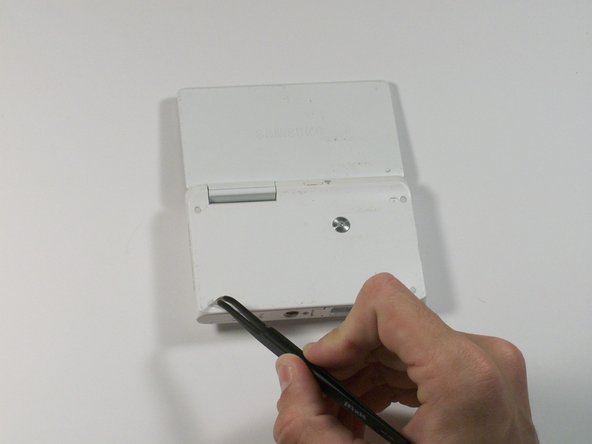
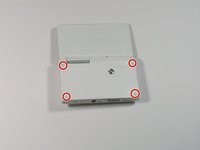
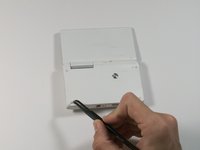
  4. Samsung MV900F Lens Assembly Replacement, Screen: passo 4, immagine 1 di 2 Samsung MV900F Lens Assembly Replacement, Screen: passo 4, immagine 2 di 2
    Attrezzo utilizzato in questo passaggio:
    Tweezers
    $4.99
    • Use tweezers to remove the four rubber screw covers.

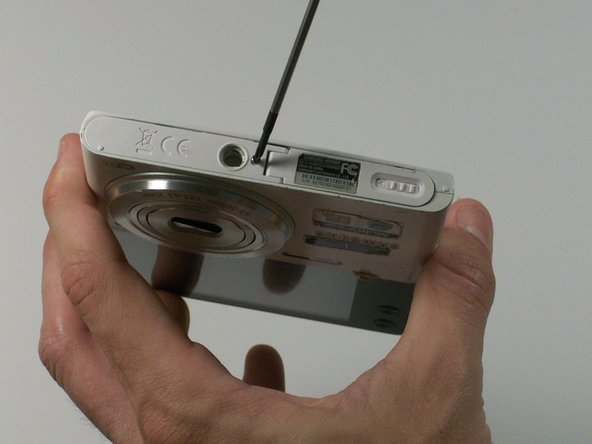
  5. Samsung MV900F Lens Assembly Replacement: passo 5, immagine 1 di 2 Samsung MV900F Lens Assembly Replacement: passo 5, immagine 2 di 2
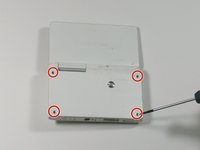
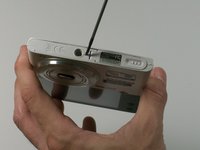
    • Remove the four Phillips 2.381 mm screws on back side of camera and one Phillips 2.381 mm screw on the bottom of the camera, using a Phillips #00 screwdriver.

  6. Samsung MV900F Lens Assembly Replacement: passo 6, immagine 1 di 1
    • Remove the back casing by just carefully pulling the casing off of the camera.

  7. Samsung MV900F Lens Assembly Replacement: passo 7, immagine 1 di 1
    • Use the Phillips #00 screw driver to remove the four 2.381 mm screws next to the screen hinge.

  8. Samsung MV900F Lens Assembly Replacement: passo 8, immagine 1 di 1
    • Use plastic opening tool to disconnect screen connector from the control board.

  9. Samsung MV900F Lens Assembly Replacement: passo 9, immagine 1 di 1
    • Remove the old screen.

  10. Samsung MV900F Lens Assembly Replacement, Lens Assembly: passo 10, immagine 1 di 1
    • Remove the 2.381 mm screw with a Phillips #00 screwdriver.

  11. Samsung MV900F Lens Assembly Replacement: passo 11, immagine 1 di 1
    • Use the plastic opening tool to remove the silver metal lens cover.

  12. Samsung MV900F Lens Assembly Replacement: passo 12, immagine 1 di 1
    Attrezzo utilizzato in questo passaggio:
    Tweezers
    $4.99
    • Use the tweezers to remove the black electrical tape covering the copper connector to the control board.

  13. Samsung MV900F Lens Assembly Replacement: passo 13, immagine 1 di 1
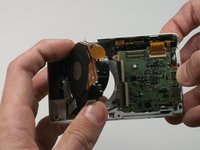
    • From the front of the camera, push the lens through the back of the camer.a

  14. Samsung MV900F Lens Assembly Replacement: passo 14, immagine 1 di 2 Samsung MV900F Lens Assembly Replacement: passo 14, immagine 2 di 2
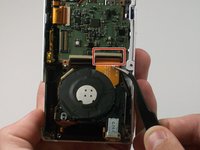
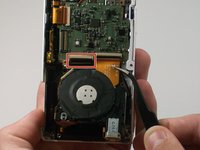
    • Use a pair of tweezers to flip up the black retaining bar on each of the two ZIF connectors.

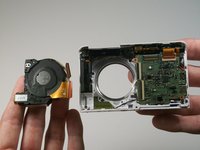
  15. Samsung MV900F Lens Assembly Replacement: passo 15, immagine 1 di 2 Samsung MV900F Lens Assembly Replacement: passo 15, immagine 2 di 2
    • Remove the lens assembly from the camera.

Conclusione

To reassemble your device, follow these instructions in reverse order.

Un'altra persona ha completato questa guida.

0Commenti sulla guida

Aggiungi Commento

Visualizza Statistiche:

Ultime 24 Ore: 2

Ultimi 7 Giorni: 19

Ultimi 30 Giorni: 50

Tutti i Tempi: 1,243