Salta al contenuto principale
Unisciti alla Community delle riparazioni - Crea un account

Samsung Gusto 2 Camera Replacement

Cosa ti serve

  1. Samsung Gusto 2 Camera Replacement, Camera: passo 1, immagine 1 di 1
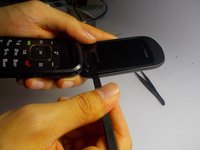
    • Flip open the phone and place it flat as shown.

    Chiedi a FixBot

    Aggiungi Commento

  2. Samsung Gusto 2 Camera Replacement: passo 2, immagine 1 di 2 Samsung Gusto 2 Camera Replacement: passo 2, immagine 2 di 2
    • Remove the two screws near the front screen.

    Chiedi a FixBot

    Aggiungi Commento

  3. Samsung Gusto 2 Camera Replacement: passo 3, immagine 1 di 2 Samsung Gusto 2 Camera Replacement: passo 3, immagine 2 di 2
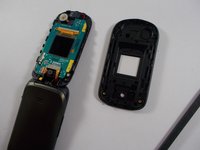
    • Use a spudger to remove the front cover of the phone.

    • Insert the spudger as shown and move slowly around the length of the edge to remove the cover.

    • Then, close the phone so that the front is showing.

    Chiedi a FixBot

    Aggiungi Commento

  4. Samsung Gusto 2 Camera Replacement: passo 4, immagine 1 di 2 Samsung Gusto 2 Camera Replacement: passo 4, immagine 2 di 2
    Strumento utilizzato in questo passaggio:
    Tweezers
    $4.99
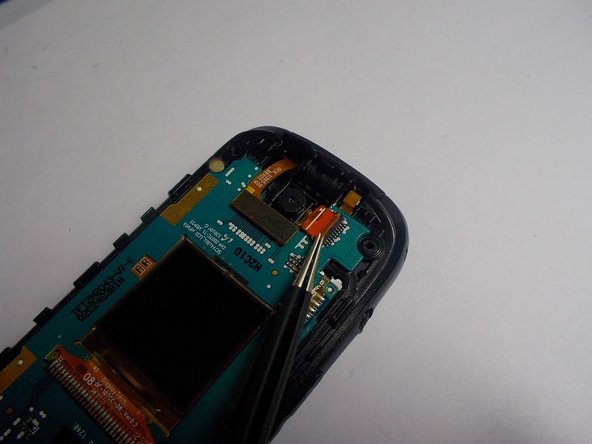
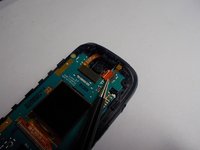
    • Look at the first image to identify the location of the camera.

    • Use tweezers to remove the orange flap keeping the camera in place.

    Chiedi a FixBot

    Aggiungi Commento

  5. Samsung Gusto 2 Camera Replacement: passo 5, immagine 1 di 1
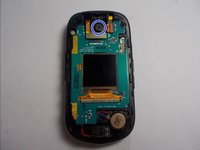
    • Use tweezers to gently remove the camera.

    Chiedi a FixBot

    Aggiungi Commento

Conclusione

To reassemble your device, follow these instructions in reverse order.

Annulla: non ho completato questa guida.

Un'altra persona ha completato questa guida.

Team

0Commenti sulla guida

Aggiungi Commento

Visualizza statistiche:

Ultime 24 ore: 0

Ultimi 7 giorni: 2

Ultimi 30 giorni: 26

Tutti i Tempi: 874