Introduzione
It is possible for the headset's lenses to become scratched, chipped, or simply dirty. The following guide will outline how to access the lenses for replacement or cleaning.
The motherboard partially sits on the inner mask piece of the headset and must be removed in order to remove the inner mask piece.
Caution is required while working on the headset as a wire harness connects the USB adapter to the motherboard. Care should be taken not to put any strain on the wire and to open the headset from right to left.
Cosa ti serve
-
-
-
Remove the front cover to access a plate that holds the phone in place during use.
-
Remove the four corner screw covers with a metal spudger to reveal four screws.
-
Remove the sticker located at the top center to reveal two additional screws.
 Chiedi a FixBot
-
-
-
Using the PH000 tip remove the six 0.5 cm screws that secure the front phone mount.
-
After the six 0.5 cm screws are completely removed lift the front phone mount up and to the left.
-
-
-
-
-
Use the blue plastic opening tool to remove the rest of the the pop connectors from the motherboard.
-
-
-
-
-
-
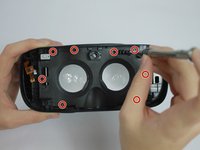
Using the PH000 tip remove the eight 0.5 cm screws from the Inner Mask
-
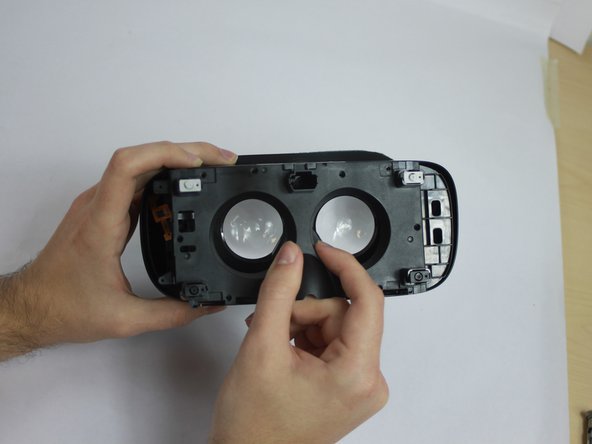
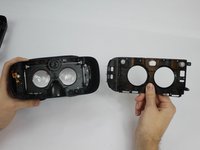
Carefully remove the Inner Mask by pulling it from the inner side of the lenses socket.
-
-
-
-
-
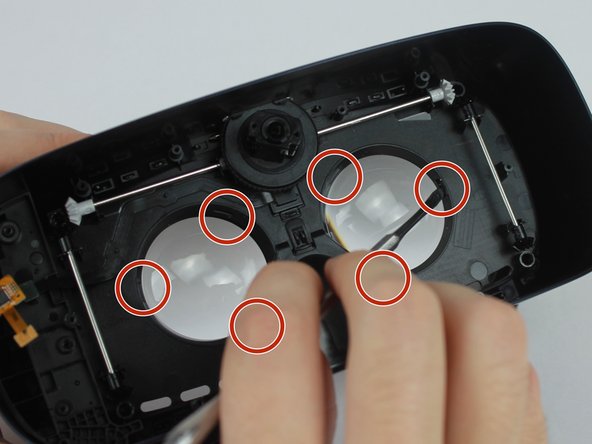
Using the metal spudger, push in the 3 tabs around the lens housing to release the lens. Repeat for both lens for a total of 6 tabs.
-
-
-
Flip the headgear and use your fingers to gently remove lens from mask. Repeat for both lens.
-
-





To reassemble your device, follow these instructions in reverse order.
Annulla: non ho completato questa guida.
Un'altra persona ha completato questa guida.

Team

USF Tampa, Team S4-G6, Eyestone Fall 2017 Membro di USF Tampa, Team S4-G6, Eyestone Fall 2017
USFT-EYESTONE-F17S4G6
4 Membri
14 guide realizzate
1Commento della guida
There are multiple mistakes in this tutorial, which made it hard to follow the steps:
- in step 2.1, you are missing 4 screws below each side of the latching mechanism.
- in step 5, the mask does not come apart after unscrewing the 8 screws. I am currently stuck at this step as I am writing this. Wish me luck.
