Salta al contenuto principale
Unisciti alla Community delle riparazioni - Crea un account

Samsung Gear Fit Screen Replacement

Cosa ti serve

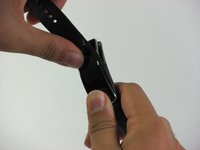
    1. Samsung Gear Fit Screen Replacement, Watch Band: passo 1, immagine 1 di 2 Samsung Gear Fit Screen Replacement, Watch Band: passo 1, immagine 2 di 2
      • Place your thumbs on the ends of the screen.

      • Push the watch outward while pulling the band away from the watch.

      Chiedi a FixBot

      Aggiungi Commento

    1. Samsung Gear Fit Screen Replacement, Screen: passo 2, immagine 1 di 1
      • Heating the device with a hair dryer may warp the screen or damage the device. It it preferable to use an iOpener for this step.

      • For step-by-step instructions on using an iOpener, see the Istruzioni iOpener.

      • Use a hair dryer, heat gun, or an iOpener to heat the Gear Fit for 1-2 minutes until it is hot to the touch.

      Chiedi a FixBot

      Aggiungi Commento

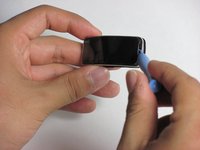
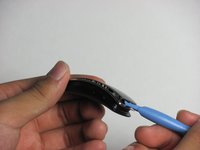
    2. Samsung Gear Fit Screen Replacement: passo 3, immagine 1 di 3 Samsung Gear Fit Screen Replacement: passo 3, immagine 2 di 3 Samsung Gear Fit Screen Replacement: passo 3, immagine 3 di 3
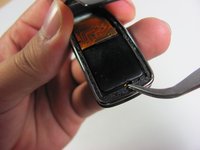
      • The screen is connected to the device by a ribbon cable on the left side with the power button facing you. Do not try to completely separate the screen from the device yet, and be careful.

      • Gently pry the screen loose using a plastic opening tool.

      • If the screen doesn't easily come loose, more heating may be required

      Chiedi a FixBot

      Aggiungi Commento

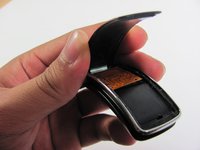
    3. Samsung Gear Fit Screen Replacement: passo 4, immagine 1 di 3 Samsung Gear Fit Screen Replacement: passo 4, immagine 2 di 3 Samsung Gear Fit Screen Replacement: passo 4, immagine 3 di 3
      Strumento utilizzato in questo passaggio:
      Tweezers
      $4.99
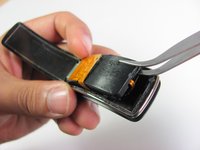
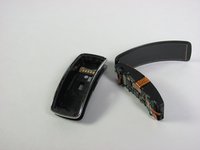
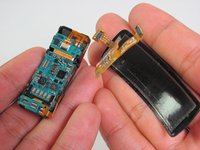
      • Using tweezers as a lever, pry the inner assembly out of the external casing.

      • This will be harder than removing the screen. Moderate force may be required.

      Chiedi a FixBot

      Aggiungi Commento

    4. Samsung Gear Fit Screen Replacement: passo 5, immagine 1 di 3 Samsung Gear Fit Screen Replacement: passo 5, immagine 2 di 3 Samsung Gear Fit Screen Replacement: passo 5, immagine 3 di 3
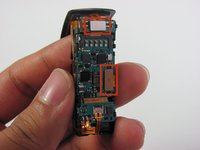
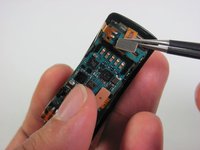
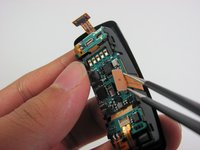
      • Disconnect the ribbon cables connecting the screen to the motherboard by lifting their metal connectors up off of the board with tweezers.

      Chiedi a FixBot

      Aggiungi Commento

    5. Samsung Gear Fit Screen Replacement: passo 6, immagine 1 di 2 Samsung Gear Fit Screen Replacement: passo 6, immagine 2 di 2
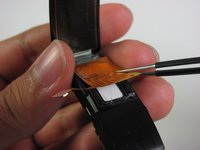
      • Gently peel the screen assembly up and away from the device using tweezers.

      Chiedi a FixBot

      Aggiungi Commento

Conclusione

To reassemble your device, follow these instructions in reverse order.

Annulla: non ho completato questa guida.

Altre 17 persone hanno completato questa guida.

Nathan Powell

Membro da: 04/24/14

1.584 Reputazione

3 guide realizzate

Team

Cal Poly, Team 11-49, Amido Spring 2014 Membro di Cal Poly, Team 11-49, Amido Spring 2014

CPSU-AMIDO-S14S11G49

4 Membri

4 guide realizzate

28Commenti sulla guida

Hi!

Thank you very much for this tuto. But wher can we acquire the screen ???

Thanks a lot.

AB

aaa - Rispondi Condividi

Where can you buy replacement screen?

Yele Olaniyi - Rispondi Condividi

I'm also finding it difficult to buy a replacement screen too. Has anyone discovered some. I thought this website was selling some not too long ago. Any more coming in?

Rochelle - Rispondi Condividi

Hi guys,

is it possible to detach the display unit from the protective plastic cover (I think it's not glass) ?

alexxtodorov - Rispondi Condividi

Does anyone know where to get the replacement screen?

MrGratts - Rispondi Condividi

Aggiungi Commento

Visualizza statistiche:

Ultime 24 ore: 1

Ultimi 7 giorni: 4

Ultimi 30 giorni: 34

Tutti i Tempi: 54,677