Salta al contenuto principale
Unisciti alla Community delle riparazioni - Crea un account

Samsung Blackjack SIM Card Replacement

  1. Samsung Blackjack SIM Card Replacement, Battery Cover: passo 1, immagine 1 di 3 Samsung Blackjack SIM Card Replacement, Battery Cover: passo 1, immagine 2 di 3 Samsung Blackjack SIM Card Replacement, Battery Cover: passo 1, immagine 3 di 3
    • Hold the device with the screen facing away from you and the camera towards you.

    • Place your thumb on the bottom half of the phone and slide the cover off while gently pushing down on the cover.

    Chiedi a FixBot

    Aggiungi Commento

  2. Samsung Blackjack SIM Card Replacement, Battery: passo 2, immagine 1 di 2 Samsung Blackjack SIM Card Replacement, Battery: passo 2, immagine 2 di 2
    • Place your fingers on both sides of the bottom of the battery and lift upwards.

    • Pull the battery away from the phone.

    Chiedi a FixBot

    Aggiungi Commento

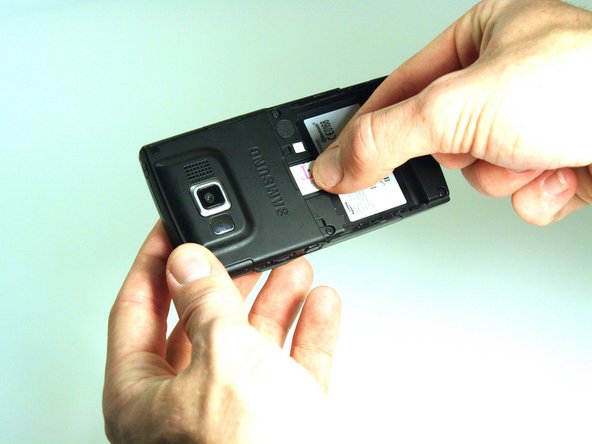
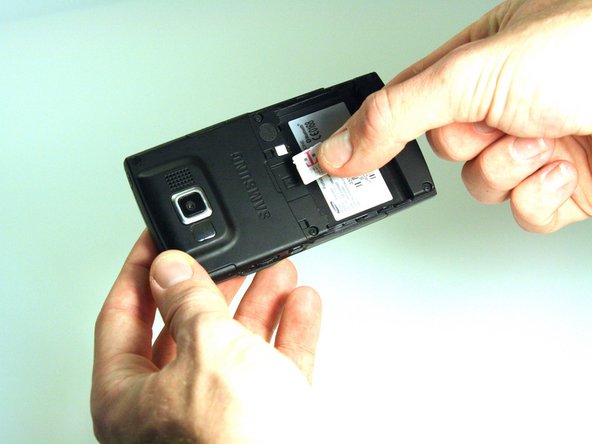
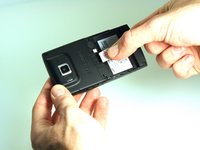
  3. Samsung Blackjack SIM Card Replacement, SIM Card: passo 3, immagine 1 di 3 Samsung Blackjack SIM Card Replacement, SIM Card: passo 3, immagine 2 di 3 Samsung Blackjack SIM Card Replacement, SIM Card: passo 3, immagine 3 di 3
    • Place your thumb on the SIM card.

    • Slide the card out of the slot.

    Chiedi a FixBot

    Aggiungi Commento

Conclusione

To reassemble your device, follow these instructions in reverse order.

Annulla: non ho completato questa guida.

Team

Clemson, Team 14-4, Benson Fall 2012 Membro di Clemson, Team 14-4, Benson Fall 2012

CLEM-BENSON-F12S14G4

3 Membri

26 guide realizzate

0Commenti sulla guida

Aggiungi Commento

Visualizza statistiche:

Ultime 24 ore: 0

Ultimi 7 giorni: 7

Ultimi 30 giorni: 27

Tutti i Tempi: 916