Salta al contenuto principale
Unisciti alla Community delle riparazioni - Crea un account

Samsung Blackjack Keypad Replacement

Cosa ti serve

  1. Samsung Blackjack Keypad Replacement, Battery Cover: passo 1, immagine 1 di 3 Samsung Blackjack Keypad Replacement, Battery Cover: passo 1, immagine 2 di 3 Samsung Blackjack Keypad Replacement, Battery Cover: passo 1, immagine 3 di 3
    • Hold the device with the screen facing away from you and the camera towards you.

    • Place your thumb on the bottom half of the phone and slide the cover off while gently pushing down on the cover.

    Chiedi a FixBot

    Aggiungi Commento

  2. Samsung Blackjack Keypad Replacement, Battery: passo 2, immagine 1 di 2 Samsung Blackjack Keypad Replacement, Battery: passo 2, immagine 2 di 2
    • Place your fingers on both sides of the bottom of the battery and lift upwards.

    • Pull the battery away from the phone.

    Chiedi a FixBot

    Aggiungi Commento

  3. Samsung Blackjack Keypad Replacement, Back Phone Casing: passo 3, immagine 1 di 2 Samsung Blackjack Keypad Replacement, Back Phone Casing: passo 3, immagine 2 di 2
    • Use the spudger to remove the rubber stoppers from the top of the cover.

    • Use the Phillips 00 screw driver to remove the screws from each of the four corners and the two on sides (six total).

    Chiedi a FixBot

    Aggiungi Commento

  4. Samsung Blackjack Keypad Replacement: passo 4, immagine 1 di 3 Samsung Blackjack Keypad Replacement: passo 4, immagine 2 di 3 Samsung Blackjack Keypad Replacement: passo 4, immagine 3 di 3
    • Use the spudger to loosen and separate the front and back covers.

    • Pick up the back cover once loosened.

    • The front and back covers will be attached to each other by a gold wire.

    • Remove the gold wire connecting the back cover to the motherboard to completely separate the covers.

    Chiedi a FixBot

    Aggiungi Commento

  5. Samsung Blackjack Keypad Replacement, Motherboard: passo 5, immagine 1 di 2 Samsung Blackjack Keypad Replacement, Motherboard: passo 5, immagine 2 di 2
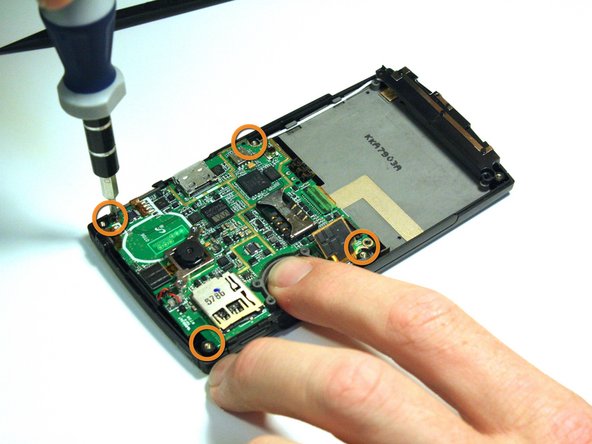
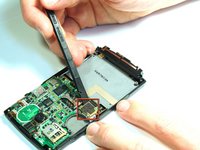
    • Use the spudger to unsnap the black rectangular connection from the motherboard.

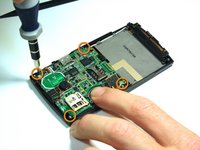
    • Use the Phillips 00 screwdriver to remove all of the screws that hold the motherboard in place.

    Chiedi a FixBot

    Aggiungi Commento

  6. Samsung Blackjack Keypad Replacement: passo 6, immagine 1 di 2 Samsung Blackjack Keypad Replacement: passo 6, immagine 2 di 2
    Strumento utilizzato in questo passaggio:
    Tweezers
    $4.99
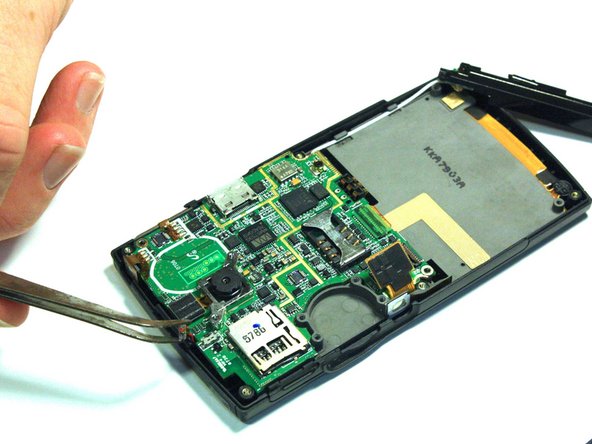
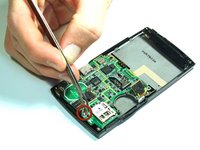
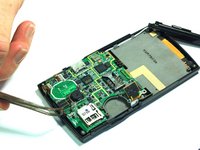
    • Use the tweezers to unsnap the connection between the motherboard and the speaker. The speaker is attached to the front casing.

    Chiedi a FixBot

    Aggiungi Commento

  7. Samsung Blackjack Keypad Replacement: passo 7, immagine 1 di 2 Samsung Blackjack Keypad Replacement: passo 7, immagine 2 di 2
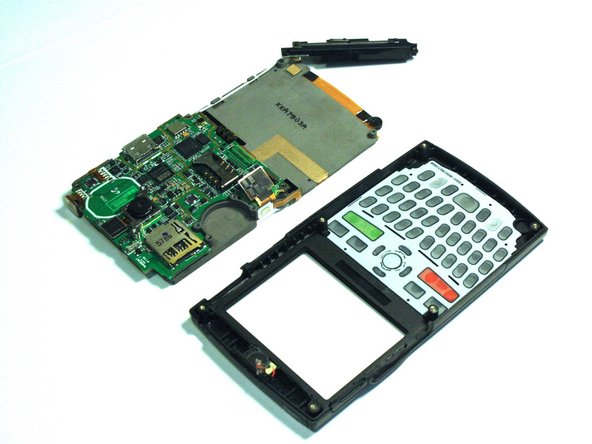
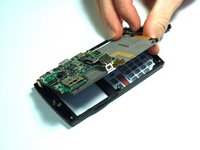
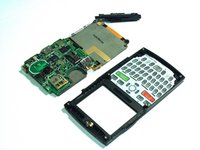
    • Once all of the connections have been snapped off of the motherboard, the motherboard can be removed.

    • Lift up on the motherboard and it will come free of the front casing.

    Chiedi a FixBot

    Aggiungi Commento

  8. Samsung Blackjack Keypad Replacement, Keypad: passo 8, immagine 1 di 1
    • Hold the front cover with the keypad facing you.

    • Push down on the keypad to remove it from the case. The keypad will come right out because there is nothing connecting it to the front casing.

    Chiedi a FixBot

    Aggiungi Commento

Conclusione

To reassemble your device, follow these instructions in reverse order.

Annulla: non ho completato questa guida.

Team

Clemson, Team 14-4, Benson Fall 2012 Membro di Clemson, Team 14-4, Benson Fall 2012

CLEM-BENSON-F12S14G4

3 Membri

14 guide realizzate

0Commenti sulla guida

Aggiungi Commento

Visualizza statistiche:

Ultime 24 ore: 4

Ultimi 7 giorni: 10

Ultimi 30 giorni: 41

Tutti i Tempi: 771