Salta al contenuto principale
Unisciti alla Community delle riparazioni - Crea un account

Rotor Riot Face Button Replacement

Cosa ti serve

  1. Rotor Riot Face Button Replacement, Remove the iPhone mount: passo 1, immagine 1 di 3 Rotor Riot Face Button Replacement, Remove the iPhone mount: passo 1, immagine 2 di 3 Rotor Riot Face Button Replacement, Remove the iPhone mount: passo 1, immagine 3 di 3
    • Use your fingers to remove the screw on the back side of the controller securing the iPhone mount.

    • Remove the iPhone mount.

    Chiedi a FixBot

    Aggiungi Commento

  2. Rotor Riot Face Button Replacement, Unscrew the back cover: passo 2, immagine 1 di 1
    • Use a T6 Torx screwdriver to remove the eight 9.2 mm-long screws securing the back cover.

    • Don't try to remove the back cover all the way yet! It's still connected to the mainboard.

    Chiedi a FixBot

    Aggiungi Commento

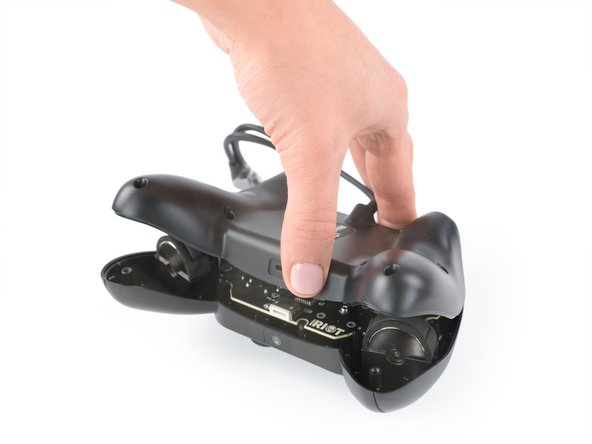
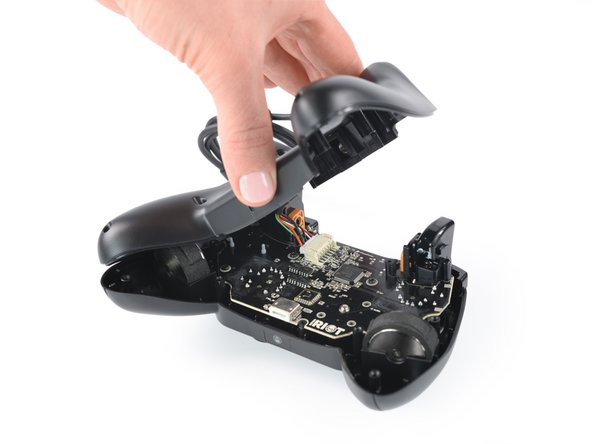
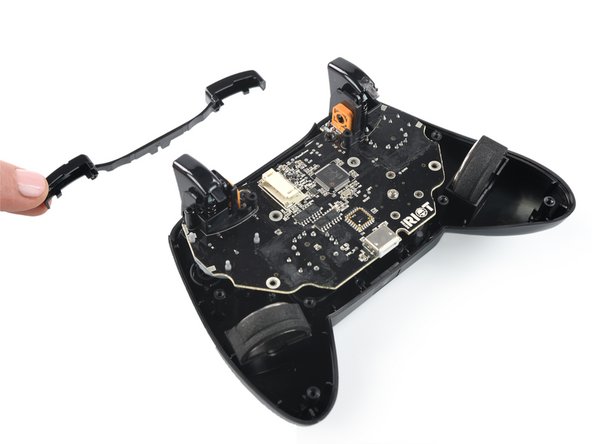
  3. Rotor Riot Face Button Replacement, Swing open the back cover: passo 3, immagine 1 di 3 Rotor Riot Face Button Replacement, Swing open the back cover: passo 3, immagine 2 di 3 Rotor Riot Face Button Replacement, Swing open the back cover: passo 3, immagine 3 di 3
    • Lift up the back cover of the controller.

    • Lift the back cover to a 45 degree angle and place it next to the controller.

    • Don't strain the interconnect cable during this procedure.

    Chiedi a FixBot

    Aggiungi Commento

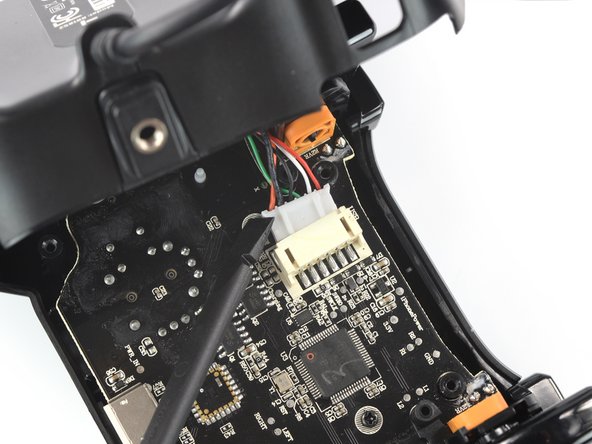
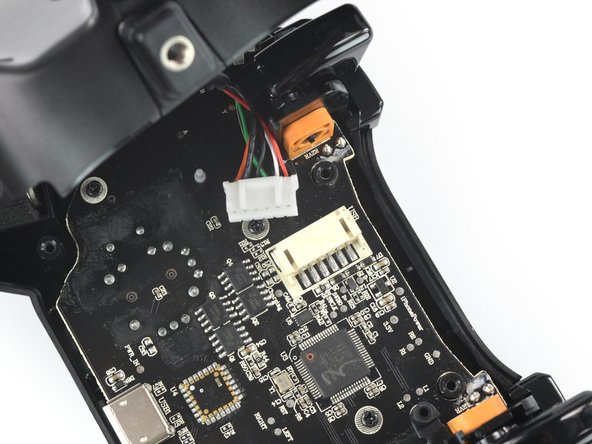
  4. Rotor Riot Face Button Replacement, Disconnect the phone connector cable: passo 4, immagine 1 di 3 Rotor Riot Face Button Replacement, Disconnect the phone connector cable: passo 4, immagine 2 di 3 Rotor Riot Face Button Replacement, Disconnect the phone connector cable: passo 4, immagine 3 di 3
    • Use a spudger to disconnect the phone connector cable from the mainboard.

    Chiedi a FixBot

    Aggiungi Commento

  5. Rotor Riot Face Button Replacement, Remove the back cover: passo 5, immagine 1 di 1
    • Remove the back cover.

    Chiedi a FixBot

    Aggiungi Commento

  6. Rotor Riot Face Button Replacement, Remove the shoulder buttons: passo 6, immagine 1 di 2 Rotor Riot Face Button Replacement, Remove the shoulder buttons: passo 6, immagine 2 di 2
    • Remove the shoulder buttons by lifting them out of the case.

    Chiedi a FixBot

    Aggiungi Commento

  7. Rotor Riot Face Button Replacement, Unscrew the mainboard: passo 7, immagine 1 di 1
    • Use a Phillips screwdriver to remove the four 7.0 mm-long screws securing the mainboard.

    Chiedi a FixBot

    Aggiungi Commento

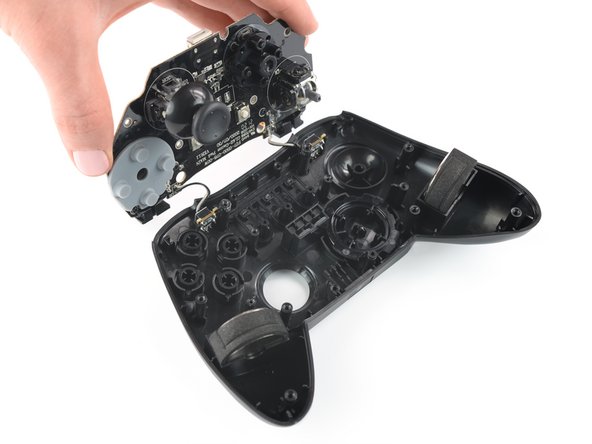
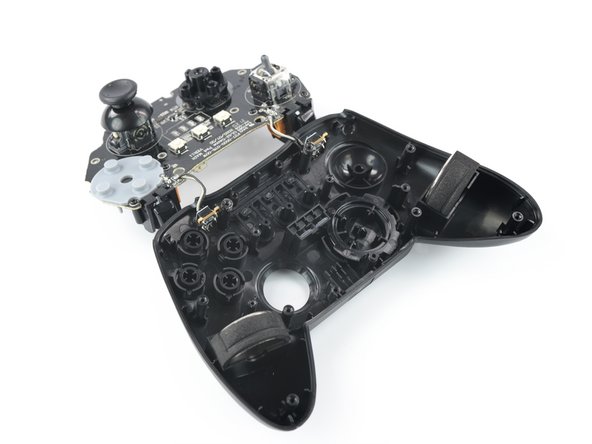
  8. Rotor Riot Face Button Replacement, Flip over the mainboard: passo 8, immagine 1 di 3 Rotor Riot Face Button Replacement, Flip over the mainboard: passo 8, immagine 2 di 3 Rotor Riot Face Button Replacement, Flip over the mainboard: passo 8, immagine 3 di 3
    • Flip over the mainboard and place it above the controller housing.

    • Avoid tensioning the trigger button cables during this procedure and don't try to remove the mainboard all the way yet! It is still connected to the controller housing.

    Chiedi a FixBot

    Aggiungi Commento

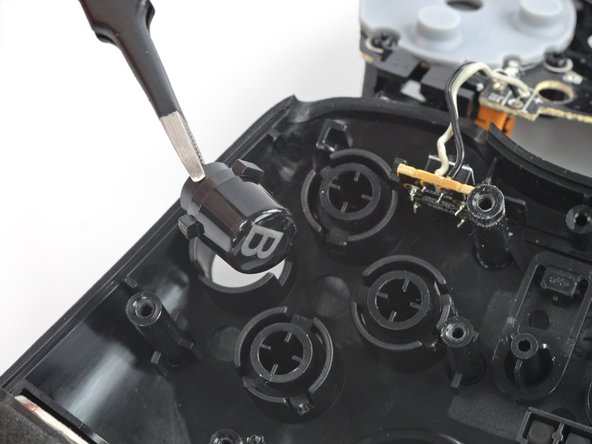
  9. Rotor Riot Face Button Replacement, Remove the face buttons: passo 9, immagine 1 di 2 Rotor Riot Face Button Replacement, Remove the face buttons: passo 9, immagine 2 di 2
    Strumento utilizzato in questo passaggio:
    Tweezers
    $4.99
    • Use a pair of tweezers to remove the face buttons from the housing.

    • The alignment pegs on each button are designed to prevent incorrect installation. Make sure your new buttons fit properly in the controller case.

    Chiedi a FixBot

    Aggiungi Commento

Conclusione

To reassemble your device, follow these instructions in reverse order.

Take your e-waste to an R2 or e-Stewards certified recycler.

Repair didn’t go as planned? Try some basic troubleshooting, or ask our Answers community for help.

Annulla: non ho completato questa guida.

Adriana Zwink

Membro da: 12/18/19

67.717 Reputazione

167 guide realizzate

Team

iFixit Membro di iFixit

Staff

123 Membri

28.237 guide realizzate

0Commenti sulla guida

Aggiungi Commento

Visualizza statistiche:

Ultime 24 ore: 0

Ultimi 7 giorni: 6

Ultimi 30 giorni: 28

Tutti i Tempi: 407