Salta al contenuto principale
Unisciti alla Community delle riparazioni - Crea un account

Rocketfish RF-WHTIB-A Receiver Wireless Audio Module Chip Replacement

Cosa ti serve

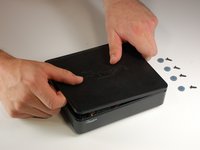
  1. Rocketfish RF-WHTIB-A Receiver Wireless Audio Module Chip Replacement, How to Open the Rocketfish RF-WHTIB-A Receiver: passo 1, immagine 1 di 1
    • Remove the 4 rubber tabs on the bottom side of the receiver.

    Chiedi a FixBot
  2. Rocketfish RF-WHTIB-A Receiver Wireless Audio Module Chip Replacement: passo 2, immagine 1 di 1
    • Unscrew the four 12 mm screws on the bottom side of the receiver.

    • Use a Phillips #1 screwdriver for this step.

    Chiedi a FixBot
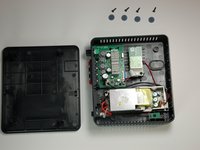
  3. Rocketfish RF-WHTIB-A Receiver Wireless Audio Module Chip Replacement: passo 3, immagine 1 di 2 Rocketfish RF-WHTIB-A Receiver Wireless Audio Module Chip Replacement: passo 3, immagine 2 di 2
    • Remove top casing from the receiver.

    • The receiver top casing is difficult to remove. Internal clasps may have to be broken in order to remove the top casing (this will not effect the device's function)

    Chiedi a FixBot
  4. Rocketfish RF-WHTIB-A Receiver Wireless Audio Module Chip Replacement, Receiver Wireless Audio Module Chip: passo 4, immagine 1 di 1
    • Unscrew the 10 mm screw holding the wireless audio module.

    Chiedi a FixBot
  5. Rocketfish RF-WHTIB-A Receiver Wireless Audio Module Chip Replacement: passo 5, immagine 1 di 2 Rocketfish RF-WHTIB-A Receiver Wireless Audio Module Chip Replacement: passo 5, immagine 2 di 2
    Strumento utilizzato in questo passaggio:
    Tweezers
    $4.99
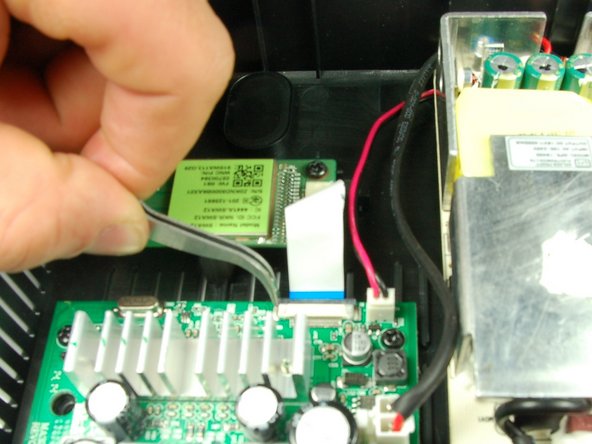
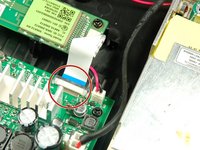
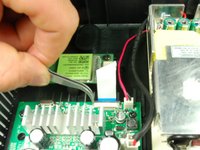
    • Slide the black retaining flap securing the ribbon cable away from the white bar.

    • There should be only a small space between the white bar and black retaining flap.

    • You may want to use tweezers for this step.

    Chiedi a FixBot
  6. Rocketfish RF-WHTIB-A Receiver Wireless Audio Module Chip Replacement: passo 6, immagine 1 di 1
    • Using your fingers, slide the ribbon cable out from the under the black retaining flap to completely disconnect it from the device.

    Chiedi a FixBot
Conclusione

To install the new wireless audio module chip, follow these instructions in reverse order.

Un'altra persona ha completato questa guida.

Team

Baylor, Team 4-2, Williams Spring 2015 Membro di Baylor, Team 4-2, Williams Spring 2015

BU-WILLIAMS-S15S4G2

3 Membri

6 guide realizzate

1Commento della guida

This is a very long time later, but where do you get the receiver chip??? Rocket fish doesn't support the product anymore

Michael Jay - Rispondi Condividi

Aggiungi Commento

Visualizza statistiche:

Ultime 24 ore: 0

Ultimi 7 giorni: 4

Ultimi 30 giorni: 41

Tutti i Tempi: 2,490