Introduzione
This guide is for replacing the rechargeable battery in the Protocol Dronium Two. This repair doesn't require tools. A spare battery is not included in the packaging but can be bought from the Protocol store.
Cosa ti serve
-
-
-
Turn the drone off by moving the selector switch to the left.
 Chiedi a FixBot
-
-
-
On the underside of the drone, gently pull the battery compartment away from the drone.
-
-
-
-
If the power cable of the battery is connected to the drone, remove it by gently pulling it out.
-
-
-
Remove the battery from its compartment by sliding it out away from the drone.
-
-


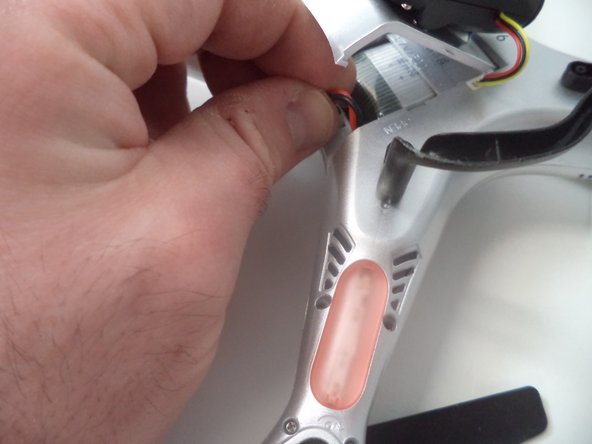

To reassemble your device, follow these instructions in reverse order.
Annulla: non ho completato questa guida.
Altre 2 persone hanno completato questa guida.

Team

Arkansas State University, Team 1-2, Chamberlain Spring 2017 Membro di Arkansas State University, Team 1-2, Chamberlain Spring 2017
ARSU-CHAMBERLAIN-S17S1G2
4 Membri
5 guide realizzate
