Salta al contenuto principale
Unisciti alla Community delle riparazioni - Crea un account

Porter-Cable PCE211 Brush Replacement

Cosa ti serve

    1. Porter-Cable PCE211 Brush Replacement, Rear Housing: passo 1, immagine 1 di 2 Porter-Cable PCE211 Brush Replacement, Rear Housing: passo 1, immagine 2 di 2
      • Remove the four 6 mm screws using a Phillips #2 screwdriver.

      • The screws are tight so you will need to use a bit of arm strength.

      Chiedi a FixBot

      Aggiungi Commento

    2. Porter-Cable PCE211 Brush Replacement: passo 2, immagine 1 di 2 Porter-Cable PCE211 Brush Replacement: passo 2, immagine 2 di 2
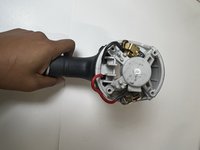
      • Pull the rear housing off the back of the impact wrench.

      • Be careful when removing the rear case that loose parts don't get damaged.

      Chiedi a FixBot

      Aggiungi Commento

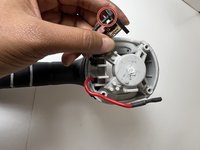
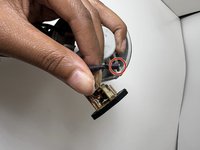
    1. Porter-Cable PCE211 Brush Replacement, Brush: passo 3, immagine 1 di 2 Porter-Cable PCE211 Brush Replacement, Brush: passo 3, immagine 2 di 2
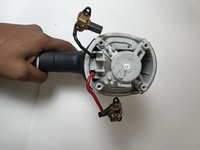
      • Remove the brushes connected to the red and black cords.

      • They are not secured so they made drop out naturally.

      Chiedi a FixBot

      Aggiungi Commento

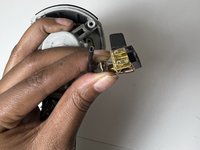
    2. Porter-Cable PCE211 Brush Replacement: passo 4, immagine 1 di 3 Porter-Cable PCE211 Brush Replacement: passo 4, immagine 2 di 3 Porter-Cable PCE211 Brush Replacement: passo 4, immagine 3 di 3
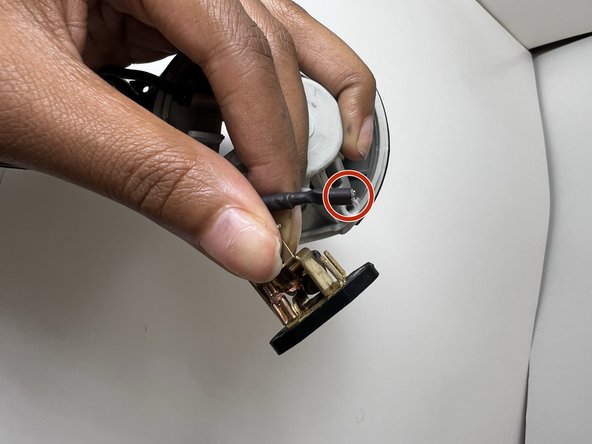
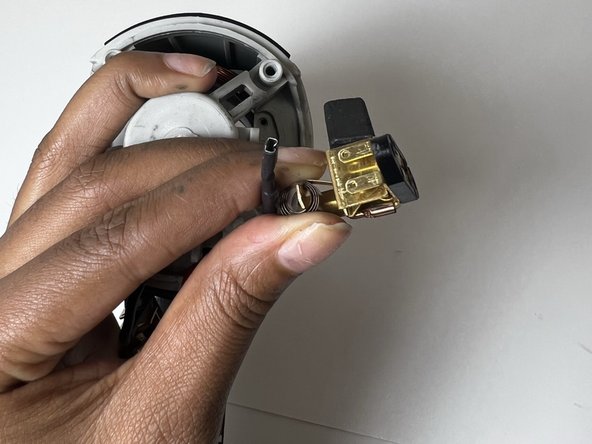
      • Gently pull each brush off the corresponding cable to avoid damaging the cables.

      Chiedi a FixBot

      Aggiungi Commento

Conclusione

To reassemble your device, follow these instructions in reverse order.

Annulla: non ho completato questa guida.

0Commenti sulla guida

Aggiungi Commento

Visualizza statistiche:

Ultime 24 ore: 5

Ultimi 7 giorni: 10

Ultimi 30 giorni: 30

Tutti i Tempi: 702