Salta al contenuto principale
Unisciti alla Community delle riparazioni - Crea un account

Pantech Matrix SIM Card Replacement

Cosa ti serve

  1. Pantech Matrix SIM Card Replacement, Phone Orientation: passo 1, immagine 1 di 1
    • Place phone with screen side facing toward you.

    Chiedi a FixBot
  2. Pantech Matrix SIM Card Replacement, Phone Orientation: passo 2, immagine 1 di 1
    • Flip phone over so screen side is now facing down.

    Chiedi a FixBot
  3. Pantech Matrix SIM Card Replacement, Remove Back Cover: passo 3, immagine 1 di 2 Pantech Matrix SIM Card Replacement, Remove Back Cover: passo 3, immagine 2 di 2
    • Gently slide the backside phone cover off exposing the battery underneath.

    Chiedi a FixBot
  4. Pantech Matrix SIM Card Replacement, Lift Battery: passo 4, immagine 1 di 1
    • Carefully lift the battery up from where the spudger is pointed.

    Chiedi a FixBot
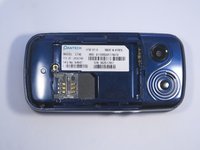
  5. Pantech Matrix SIM Card Replacement, Remove Battery: passo 5, immagine 1 di 1
    • Remove the battery from its dock.

    Chiedi a FixBot
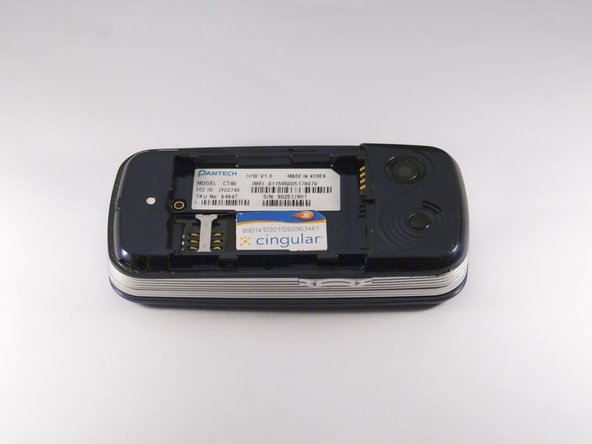
  6. Pantech Matrix SIM Card Replacement, Slide SIM Card Out: passo 6, immagine 1 di 3 Pantech Matrix SIM Card Replacement, Slide SIM Card Out: passo 6, immagine 2 di 3 Pantech Matrix SIM Card Replacement, Slide SIM Card Out: passo 6, immagine 3 di 3
    • Slide the SIM Card out of its dock.

    Chiedi a FixBot
Conclusione

To reassemble your device, follow these instructions in reverse order.

Altre 2 persone hanno completato questa guida.

Zeel Patel

Membro da: 10/13/14

1.096 Reputazione

9 guide realizzate

0Commenti sulla guida

Aggiungi Commento

Visualizza statistiche:

Ultime 24 ore: 0

Ultimi 7 giorni: 6

Ultimi 30 giorni: 32

Tutti i Tempi: 584