Salta al contenuto principale
Unisciti alla Community delle riparazioni - Crea un account

Optoma HD20 Air Filter Replacement

Cosa ti serve

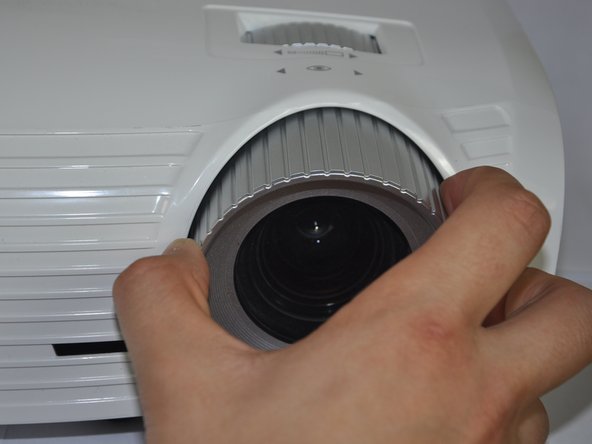
    1. Optoma HD20 Air Filter Replacement, Disassembling Optoma HD20 Cover: passo 1, immagine 1 di 2 Optoma HD20 Air Filter Replacement, Disassembling Optoma HD20 Cover: passo 1, immagine 2 di 2
      • Twist the focal cap clockwise until it is fully extended.

      • Remove the focal cap by pulling it straight out.

      Chiedi a FixBot

      Aggiungi Commento

    2. Optoma HD20 Air Filter Replacement: passo 2, immagine 1 di 1
      • Use a Phillips #1 screwdriver to remove the three 7.5mm screws on the bottom of the device.

      Chiedi a FixBot

      Aggiungi Commento

    3. Optoma HD20 Air Filter Replacement: passo 3, immagine 1 di 1
      • Use a plastic opening tool to gently pry the top cover off of the device.

      • It is easier to pry off the cover from the back side just above the HDMI ports.

      Chiedi a FixBot

      Aggiungi Commento

    4. Optoma HD20 Air Filter Replacement: passo 4, immagine 1 di 1
      • When removing the cover, be cautious of the ribbon connecting the top buttons to the main circuit board. The ribbon must be disconnected before proceeding.

      • Remove the ribbon by disconnecting it from the main circuit board.

      • Lift up the clip holding it down and pull the ribbon out.

      Chiedi a FixBot

      Aggiungi Commento

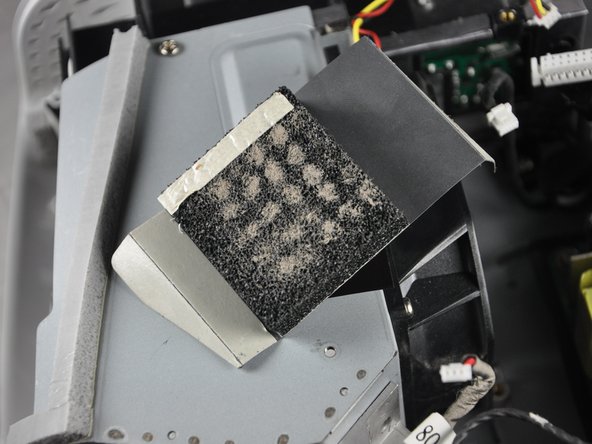
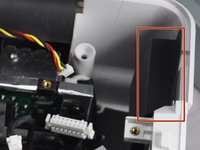
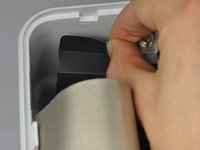
    1. Optoma HD20 Air Filter Replacement, Air Filter: passo 5, immagine 1 di 3 Optoma HD20 Air Filter Replacement, Air Filter: passo 5, immagine 2 di 3 Optoma HD20 Air Filter Replacement, Air Filter: passo 5, immagine 3 di 3
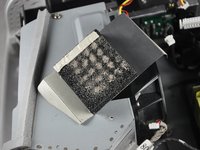
      • Carefully peel off each air filter from the device

      • Pull up on the air filter to remove it.

      Chiedi a FixBot

      Aggiungi Commento

    2. Optoma HD20 Air Filter Replacement: passo 6, immagine 1 di 1
      • Remove the air filter from the device.

      • Try not to deposit dirt from the air filter into the inside of the device.

      Chiedi a FixBot

      Aggiungi Commento

Conclusione

To reassemble your device, follow these instructions in reverse order.

Annulla: non ho completato questa guida.

Altre 2 persone hanno completato questa guida.

Trever

Membro da: 01/22/15

1.282 Reputazione

6 guide realizzate

Team

Cal Poly, Team 21-23, Maness Winter 2015 Membro di Cal Poly, Team 21-23, Maness Winter 2015

CPSU-MANESS-W15S21G23

4 Membri

13 guide realizzate

1Commento della guida

There were no filters where the photos indicate.

Michael - Rispondi Condividi

Aggiungi Commento

Visualizza statistiche:

Ultime 24 ore: 3

Ultimi 7 giorni: 13

Ultimi 30 giorni: 55

Tutti i Tempi: 13,595