Salta al contenuto principale
Unisciti alla Community delle riparazioni - Crea un account

Olympus D590 LCD Screen Replacement

Cosa ti serve

  1. Olympus D590 LCD Screen Replacement, Face Plate: passo 1, immagine 1 di 1
    • Remove five baseplate screws using a Phillips #00 screwdriver.

    Chiedi a FixBot
  2. Olympus D590 LCD Screen Replacement: passo 2, immagine 1 di 1
    Strumento utilizzato in questo passaggio:
    Tweezers
    $4.99
    • Press and slide the battery cover retainer clip to the left. Use tweezers to lift the battery cover away.

    Chiedi a FixBot
  3. Olympus D590 LCD Screen Replacement: passo 3, immagine 1 di 1
    • Remove the single screw from the battery housing using a Phillips #00 screwdriver.

    Chiedi a FixBot
  4. Olympus D590 LCD Screen Replacement: passo 4, immagine 1 di 1
    • Using tweezers, lift the rubber plate to expose the ports.

    Chiedi a FixBot
  5. Olympus D590 LCD Screen Replacement: passo 5, immagine 1 di 1
    • Remove two screws from the ports using a Phillips #00 screwdriver.

    Chiedi a FixBot
  6. Olympus D590 LCD Screen Replacement: passo 6, immagine 1 di 1
    • Use a spudger to pry the faceplate away from the rest of the camera.

    Chiedi a FixBot
  7. Olympus D590 LCD Screen Replacement: passo 7, immagine 1 di 1
    • To avoid disconnection of the connector line to the motherboard, use caution when pulling faceplate away from camera case.

    • Damage to the connector line will prevent the on/off power switch's operational function.

    Chiedi a FixBot
  8. Olympus D590 LCD Screen Replacement, Backplate: passo 8, immagine 1 di 1
    • Using a Phillips #00 screwdriver, remove three screws fastened to the camera backplate edge.

    Chiedi a FixBot
  9. Olympus D590 LCD Screen Replacement: passo 9, immagine 1 di 1
    • Using a Phillips #00 screwdriver, remove the two camera flash screws secured to either side of bulb housing component.

    Chiedi a FixBot
  10. Olympus D590 LCD Screen Replacement: passo 10, immagine 1 di 1
    • Using an iFixit opening tool, pry the backplate from the camera internal housing component.

    Chiedi a FixBot
  11. Olympus D590 LCD Screen Replacement: passo 11, immagine 1 di 1
    • Pull the backplate away from the camera internal housing component.

    Chiedi a FixBot
  12. Olympus D590 LCD Screen Replacement, LCD Screen: passo 12, immagine 1 di 1
    • Remove one screw Phillips #00 from the right side of the LCD screen camera internal housing component.

    Chiedi a FixBot
  13. Olympus D590 LCD Screen Replacement: passo 13, immagine 1 di 2 Olympus D590 LCD Screen Replacement: passo 13, immagine 2 di 2
    • To check that all screws are removed from the exterior side panel, gradually slide and lift no more than 3cm away from the camera internal component body.

    Chiedi a FixBot
  14. Olympus D590 LCD Screen Replacement: passo 14, immagine 1 di 2 Olympus D590 LCD Screen Replacement: passo 14, immagine 2 di 2
    Strumento utilizzato in questo passaggio:
    Tweezers
    $4.99
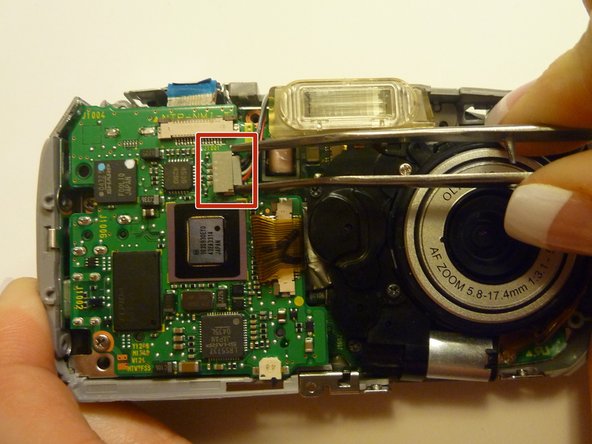
    • View the front of the camera internal housing component.

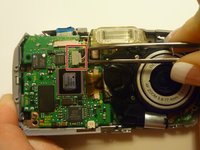
    • Using tweezers, detach the gray connector and blue wiring tape.

    • Be cautious to gently wiggle and pull blue wiring tape and gray wire connector during detachment.

    Chiedi a FixBot
  15. Olympus D590 LCD Screen Replacement: passo 15, immagine 1 di 2 Olympus D590 LCD Screen Replacement: passo 15, immagine 2 di 2
    • View the top of the camera internal housing component.

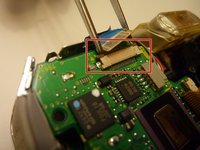
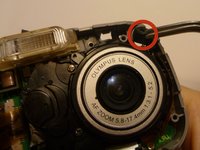
    • Using tweezers, gently lift the black tape exposing all connector wires.

    Chiedi a FixBot
  16. Olympus D590 LCD Screen Replacement: passo 16, immagine 1 di 1
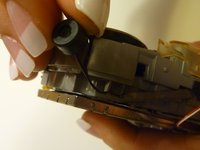
    • View the bottom of the camera internal housing component.

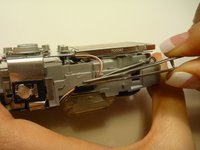
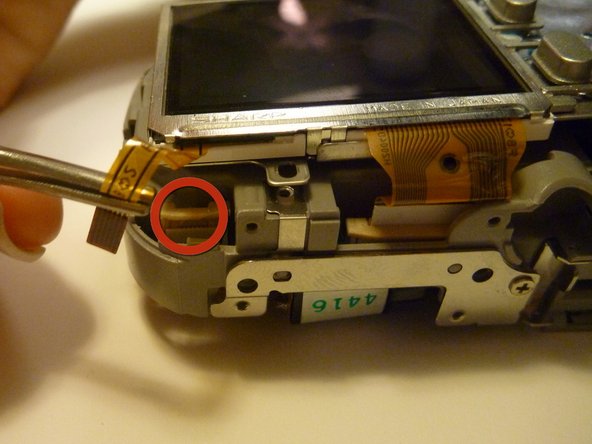
    • Caution: Keep yellow taped wire attached to the LCD screen.

    • Use tweezers to gently wiggle, pull, and detach tape from the surface of the camera internal housing component.

    Chiedi a FixBot
  17. Olympus D590 LCD Screen Replacement: passo 17, immagine 1 di 3 Olympus D590 LCD Screen Replacement: passo 17, immagine 2 di 3 Olympus D590 LCD Screen Replacement: passo 17, immagine 3 di 3
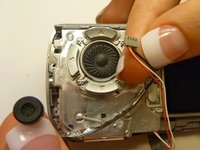
    • View the front of the camera internal housing component.

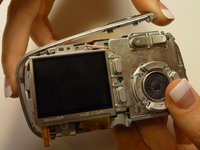
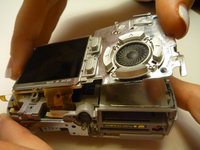
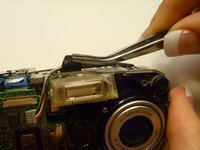
    • Using tweezers, gently lift the speaker, cautiously maneuvering the wire away from the side of the internal housing component toward the front of the camera internal housing component.

    Chiedi a FixBot
  18. Olympus D590 LCD Screen Replacement: passo 18, immagine 1 di 2 Olympus D590 LCD Screen Replacement: passo 18, immagine 2 di 2
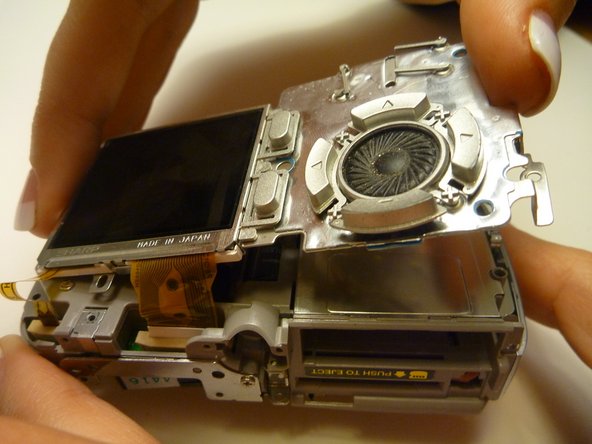
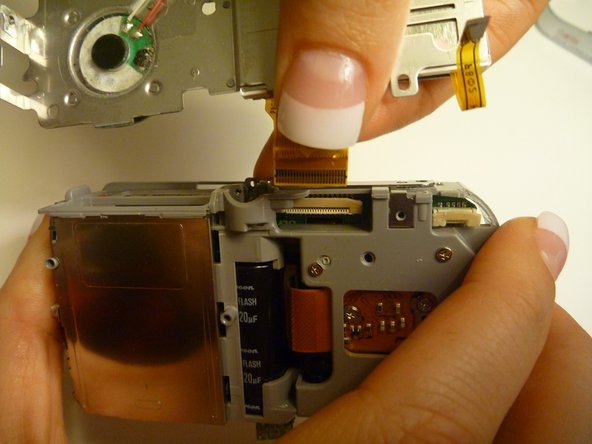
    • Gently lift the LCD screen away from the camera internal housing component hinging the thick yellow wiring tape attached to the camera internal housing component.

    • Use a forefinger and thumb to gently pull the thick yellow wiring tape out of the camera internal housing component.

    Chiedi a FixBot
Conclusione

To reassemble your device, follow these instructions in reverse order.

Sara

Membro da: 04/15/10

84 Reputazione

2 guide realizzate

Team

Cal Poly, Team 28-23, Regan Spring 2010 Membro di Cal Poly, Team 28-23, Regan Spring 2010

CPSU-REGAN-S10S28G23

4 Membri

14 guide realizzate

0Commenti sulla guida

Aggiungi Commento

Visualizza statistiche:

Ultime 24 ore: 0

Ultimi 7 giorni: 11

Ultimi 30 giorni: 73

Tutti i Tempi: 2,365