Introduzione
Ensure you have a fully charged battery, and that it is the correct battery if you have purchased a new one. This camera will accept a rechargeable Olympus LI-42B Lithium-Ion battery.
Cosa ti serve
-
-
-
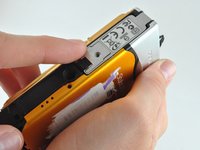
Locate the battery compartment on the bottom panel of the camera.
 Chiedi a FixBot
-
-
-
Using a PH00 Phillips Screwdriver, unscrew the one screw located on the latch.
-
-
-
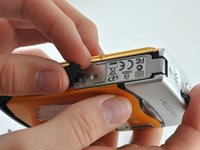
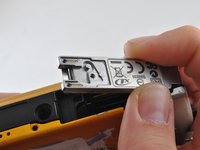
Find the arrows on the compartment, remove the small black plastic piece, and release the latch.
-
-
-
-
Allow the latch to completely open and insert the battery, with the writing side up.
-
-
-
Close the latch. You will hear a click when the compartment is fully closed.
-
-
-
Place the metal cover back over the closed latch, and screw the screw back in.
-
-




To reassemble your device, follow these instructions in reverse order.
Annulla: non ho completato questa guida.
Un'altra persona ha completato questa guida.

Team

University of Kentucky Louisville, Team 1-3, Rountree Winter 2015 Membro di University of Kentucky Louisville, Team 1-3, Rountree Winter 2015
LOUISVILLE-ROUNTREE-W15S1G3
3 Membri
18 guide realizzate
