Questa traduzione è stata generata automaticamente e non è stata ancora revisionata da una persona. Parli questa lingua? Dai un’occhiata.
Introduzione
Dopo molti cicli di ricarica, la batteria può usurarsi e perdere col tempo la capacità di mantenere la carica. Quando ciò accade, dovrai utilizzare una batteria sostitutiva per continuare a usare il tuo MiFi.
Cosa ti serve
-
-
-
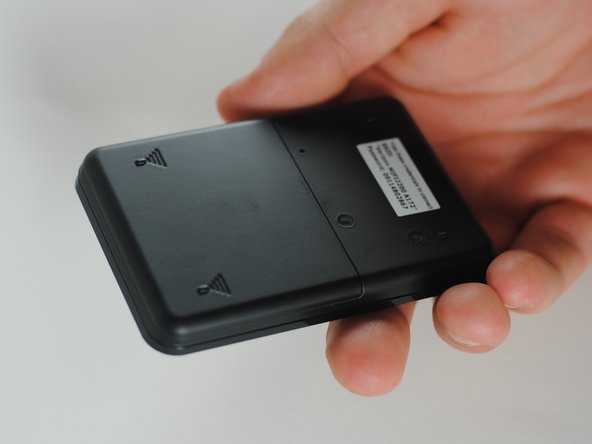
Rimuovi la cover posteriore premendo sulla copertura e tirandola via dal dispositivo.
 Chiedi a FixBot
-
-
-
Appoggia il dito sul retro della batteria vicino al bordo del dispositivo.
-
Spingi il dito sulla batteria e solleva per estrarla dal dispositivo.
-
-
-
-
Inserisci la nuova batteria nell'alloggiamento della batteria.
-
Assicurati di inserire la batteria con le frecce bianche rivolte verso l'interno.
-
-
-
Reinstalla la cover posteriore inserendo l'estremità interna nel suo alloggiamento.
-
Premi sulla cover mentre la fai scorrere nell'alloggiamento per farla scattare nuovamente in posizione.
-
-


Carica la nuova batteria e sarai pronto per utilizzare di nuovo il tuo MiFi.
Annulla: non ho completato questa guida.
Un'altra persona ha completato questa guida.

Team

Cal Poly, Team 7-36, Maness Spring 2012 Membro di Cal Poly, Team 7-36, Maness Spring 2012
CPSU-MANESS-S12S7G36
5 Membri
60 guide realizzate
