Introduzione
The Nokia 6590i was released in 2002, so the battery health may be running low. This means your battery may need to be replaced. Please be cautious while replacing the battery in your Nokia 6590i, as to not further damage the device. During the replacement process, if you notice any scratches or unusual markings in the battery port, please consult a professional and halt the battery replacement.
A punctured battery may lead to a serious fire hazard. Please be careful, and follow this guide to not ruin the battery and/or phone.
Completely power off your Nokia 6590i before starting your replacement.
Cosa ti serve
-
-
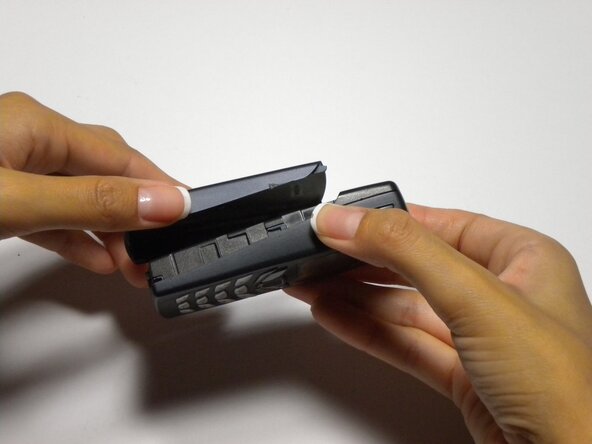
Press the button on the bottom of the rear cover.
-
Keep the button pressed while pulling the cover downward to remove the back cover.
-
Lift the cover off.
 Chiedi a FixBot
-
-



To reassemble your device, follow these instructions in reverse order.
Annulla: non ho completato questa guida.
Un'altra persona ha completato questa guida.

Team

Cal Poly, Team 22-3, Maness Fall 2010 Membro di Cal Poly, Team 22-3, Maness Fall 2010
CPSU-MANESS-F10S22G3
4 Membri
16 guide realizzate
