Introduzione
This guide provides instructions on how to install a new SIM card for a Nokia 6030.
This project is intended for Nokia 6030 users who want to replace an old SIM card for a variety of reasons, such as switching to a different carrier or having a defective SIM card. Installation of a new SIM card on the Nokia 6030 allows users to continue using the phone if he or she wants to switch to a different carrier without having to purchase a new phone.
In order to successfully perform all the instructions below, no special skills or requirements are needed. Please keep in mind that this guide requires close attention to detail and caution when performing the tasks to avoid injuries. Make sure to power off your phone completely and disconnect from any external power source prior to beginning this guide.
-
-
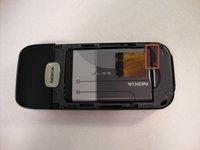
Press down on the grip on the back of the phone and slide the rear housing down towards the bottom of the phone.
 Chiedi a FixBot
-
-
-
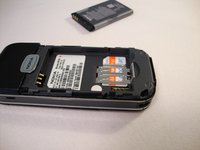
Use your finger to gently pull the bottom of the battery up by using the slip found at the bottom of the phone.
-
Lift out battery and remove.
-
-
-
-
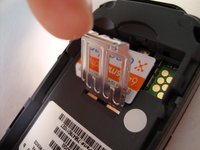
Use your finger to lift the metal cage up.
-
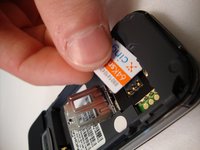
Remove SIM card.
-





To reassemble your device, follow these instructions in reverse order.
Annulla: non ho completato questa guida.
Un'altra persona ha completato questa guida.

Team

Cal Poly, Team 23-63, Johann Spring 2010 Membro di Cal Poly, Team 23-63, Johann Spring 2010
CPSU-JOHANN-S10S23G63
3 Membri
17 guide realizzate
