Salta al contenuto principale
Unisciti alla Community delle riparazioni - Crea un account

Nokia 1010 Screen Replacement

Cosa ti serve

  1. Nokia 1010 Screen Replacement, Battery: passo 1, immagine 1 di 2 Nokia 1010 Screen Replacement, Battery: passo 1, immagine 2 di 2
    • Using your thumbs, press and slide down the back cover of the Nokia 1010.

    Chiedi a FixBot
  2. Nokia 1010 Screen Replacement: passo 2, immagine 1 di 3 Nokia 1010 Screen Replacement: passo 2, immagine 2 di 3 Nokia 1010 Screen Replacement: passo 2, immagine 3 di 3
    • Insert the prying tool in the notch above the battery.

    • Once the prying tool is inserted, lift up the battery.

    Chiedi a FixBot
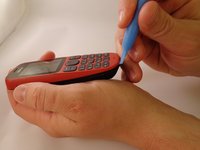
  3. Nokia 1010 Screen Replacement, Faceplate: passo 3, immagine 1 di 2 Nokia 1010 Screen Replacement, Faceplate: passo 3, immagine 2 di 2
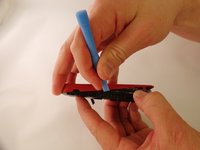
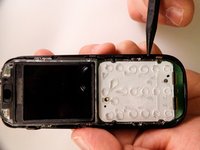
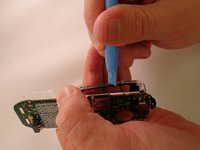
    • Insert the prying tool between the seam of the faceplate and the body.

    Chiedi a FixBot
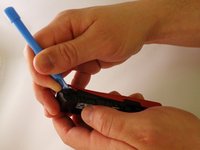
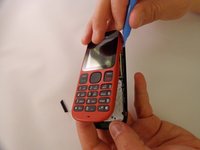
  4. Nokia 1010 Screen Replacement: passo 4, immagine 1 di 3 Nokia 1010 Screen Replacement: passo 4, immagine 2 di 3 Nokia 1010 Screen Replacement: passo 4, immagine 3 di 3
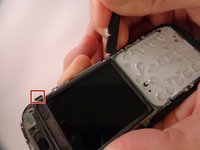
    • Starting from the bottom of the phone, begin prying around the base of the phone alternating form left to right.

    Chiedi a FixBot
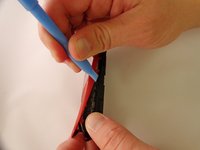
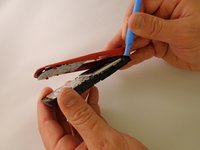
  5. Nokia 1010 Screen Replacement: passo 5, immagine 1 di 3 Nokia 1010 Screen Replacement: passo 5, immagine 2 di 3 Nokia 1010 Screen Replacement: passo 5, immagine 3 di 3
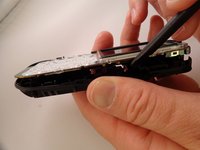
    • As the base loosens, slowly increase the separation between the plates and the body of the phone.

    Chiedi a FixBot
  6. Nokia 1010 Screen Replacement, Motherboard: passo 6, immagine 1 di 3 Nokia 1010 Screen Replacement, Motherboard: passo 6, immagine 2 di 3 Nokia 1010 Screen Replacement, Motherboard: passo 6, immagine 3 di 3
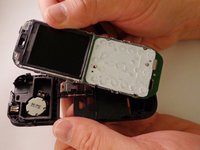
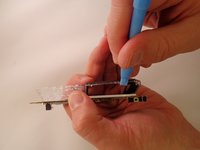
    • Using the spudger, pry back three tabs located on the left edge and three tabs located on the right edge of the body.

    Chiedi a FixBot
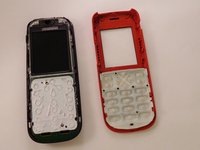
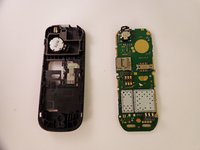
  7. Nokia 1010 Screen Replacement: passo 7, immagine 1 di 3 Nokia 1010 Screen Replacement: passo 7, immagine 2 di 3 Nokia 1010 Screen Replacement: passo 7, immagine 3 di 3
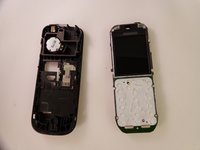
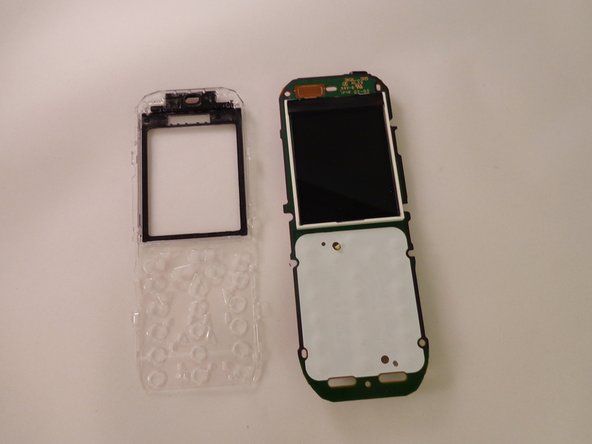
    • Once detached, lift and remove the faceplate from the motherboard.

    Chiedi a FixBot
  8. Nokia 1010 Screen Replacement, Screen: passo 8, immagine 1 di 3 Nokia 1010 Screen Replacement, Screen: passo 8, immagine 2 di 3 Nokia 1010 Screen Replacement, Screen: passo 8, immagine 3 di 3
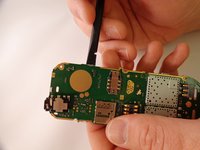
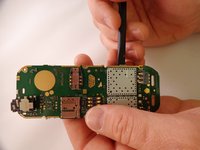
    • Locate the four clear tabs that connect the screen to the motherboard.

    Chiedi a FixBot
  9. Nokia 1010 Screen Replacement: passo 9, immagine 1 di 3 Nokia 1010 Screen Replacement: passo 9, immagine 2 di 3 Nokia 1010 Screen Replacement: passo 9, immagine 3 di 3
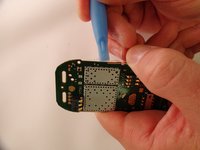
    • Insert the prying tool between the tabs and the motherboard. Loosen and separate slowly.

    Chiedi a FixBot
Conclusione

To reassemble your device, follow these instructions in reverse order.

Altre 15 persone hanno completato questa guida.

3Commenti sulla guida

يبقه على الشعار مال النوكيه بس

حيدر حمود - Rispondi Condividi
You didn't even removed the screen you just removed the glass.

Macro Man - Rispondi Condividi

To be very honest 😅

Eniang Innocent - Rispondi Condividi

Aggiungi Commento

Visualizza statistiche:

Ultime 24 ore: 4

Ultimi 7 giorni: 11

Ultimi 30 giorni: 71

Tutti i Tempi: 2,803