Salta al contenuto principale
Unisciti alla Community delle riparazioni - Crea un account

Nokero SunRay Pro Power Panel USB Assembly Replacement

Cosa ti serve

  1. Nokero SunRay Pro Power Panel USB Assembly Replacement, Front and Back Case: passo 1, immagine 1 di 1
    • Turn over the device so that the back of the device is facing up.

    Chiedi a FixBot
  2. Nokero SunRay Pro Power Panel USB Assembly Replacement: passo 2, immagine 1 di 3 Nokero SunRay Pro Power Panel USB Assembly Replacement: passo 2, immagine 2 di 3 Nokero SunRay Pro Power Panel USB Assembly Replacement: passo 2, immagine 3 di 3
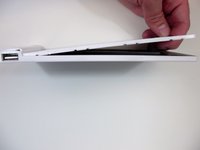
    • Insert the first plastic opening tool along the side to pry open the case.

    • Sliding the plastic opening tool, while inserted, along the seam may help the removal process.

    • Use a second plastic opening tool to help separate the remaining seams.

    Chiedi a FixBot
  3. Nokero SunRay Pro Power Panel USB Assembly Replacement: passo 3, immagine 1 di 2 Nokero SunRay Pro Power Panel USB Assembly Replacement: passo 3, immagine 2 di 2
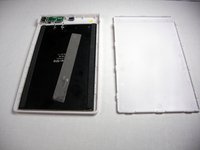
    • There is a long strip of double sided adhesive foam tape that prevents the back case from easily being removed.

    • Pull the back case off by applying steady pressure to remove it from the adhesive foam tape.

    Chiedi a FixBot
  4. Nokero SunRay Pro Power Panel USB Assembly Replacement: passo 4, immagine 1 di 2 Nokero SunRay Pro Power Panel USB Assembly Replacement: passo 4, immagine 2 di 2
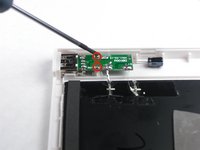
    • Use the Phillips precision screwdriver to unscrew the two 5.0 mm Phillips screws from the circuit board.

    • Remove the solar panel and circuit board from the front case.

    Chiedi a FixBot
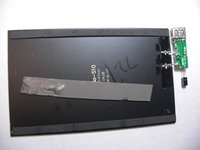
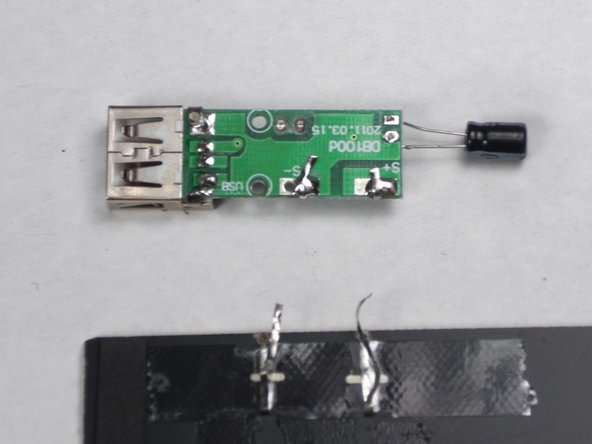
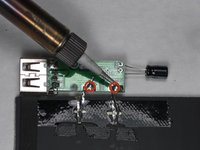
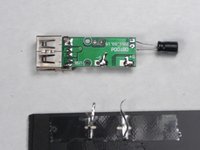
  5. Nokero SunRay Pro Power Panel USB Assembly Replacement, USB Assembly/ Solar Panel: passo 5, immagine 1 di 2 Nokero SunRay Pro Power Panel USB Assembly Replacement, USB Assembly/ Solar Panel: passo 5, immagine 2 di 2
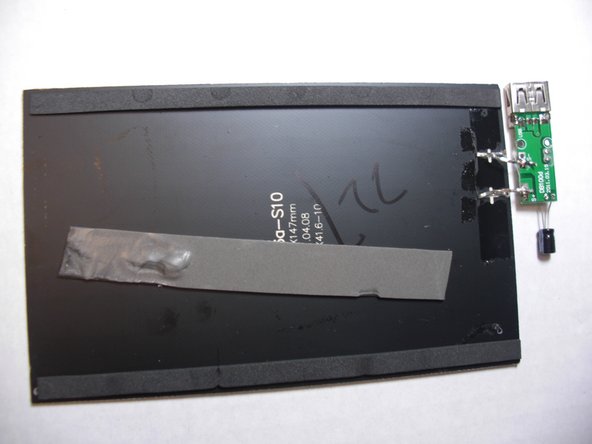
    • Solder the two contact points identified by the "S+" and "S-" to disconnect the USB assembly.

    Chiedi a FixBot
Conclusione

To reassemble your device, follow these instructions in reverse order.

Un'altra persona ha completato questa guida.

0Commenti sulla guida

Aggiungi Commento

Visualizza statistiche:

Ultime 24 ore: 0

Ultimi 7 giorni: 3

Ultimi 30 giorni: 40

Tutti i Tempi: 469