Salta al contenuto principale
Unisciti alla Community delle riparazioni - Crea un account

Nexus Q LED Board Replacement

Cosa ti serve

    1. Nexus Q LED Board Replacement, Ball Bearing Ring: passo 1, immagine 1 di 1
      • Squeeze and pull the cap to remove it from the Nexus Q.

      Chiedi a FixBot

      Aggiungi Commento

    2. Nexus Q LED Board Replacement: passo 2, immagine 1 di 1
      • Use a spudger to disconnect the Taoglas Wi-Fi Dual Band Antenna.

      Chiedi a FixBot

      Aggiungi Commento

    3. Nexus Q LED Board Replacement: passo 3, immagine 1 di 1
      • Undo the ZIF connector by prying it with a spudger.

      Chiedi a FixBot

      Aggiungi Commento

    4. Nexus Q LED Board Replacement: passo 4, immagine 1 di 1
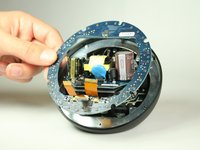
      • Use a Phillips #0 screwdriver to unscrew the four 1.3 mm screws.

      • After removing the screws, there will be two parts. The top part contains the daughterboard. Store it safely. It will not be used.

      Chiedi a FixBot

      Aggiungi Commento

    5. Nexus Q LED Board Replacement: passo 5, immagine 1 di 1
      • View the bottom half of the Nexus Q.

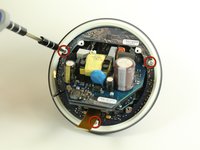
      • Use a Phillips #0 screwdriver to remove the four 0.8 mm screws holding the ball bearing ring in place.

      Chiedi a FixBot

      Aggiungi Commento

    6. Nexus Q LED Board Replacement: passo 6, immagine 1 di 1
      • Remove the ball bearing ring.

      • When placing a new ring in its place, make sure to orient it right or the top will not close.

      Chiedi a FixBot

      Aggiungi Commento

    1. Nexus Q LED Board Replacement, LED Board: passo 7, immagine 1 di 2 Nexus Q LED Board Replacement, LED Board: passo 7, immagine 2 di 2
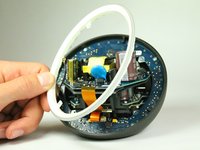
      • Once you remove the ball bearing ring from the bottom half of the Nexus Q, you will be exposed to a diffuser (white ring) held in with three T6 Torx screws.

      • Use a #0 Philips head screwdriver to remove the three 0.8 mm screws holding the diffuser in place.

      Chiedi a FixBot

      Aggiungi Commento

    2. Nexus Q LED Board Replacement: passo 8, immagine 1 di 2 Nexus Q LED Board Replacement: passo 8, immagine 2 di 2
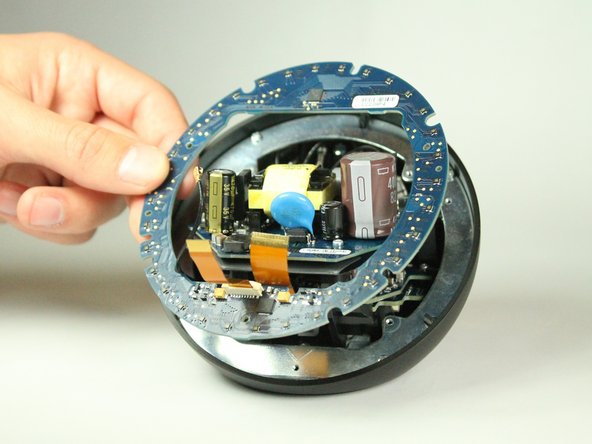
      • With the diffuser out, we are exposed to the LED Board.

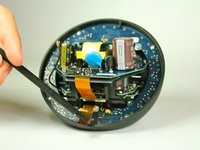
      • Use a spudger to lightly lift the LED board out.

      Chiedi a FixBot

      Aggiungi Commento

Conclusione

To reassemble your device, follow these instructions in reverse order.

Annulla: non ho completato questa guida.

Taewan Kim

Membro da: 01/31/13

22 Reputazione

2 guide realizzate

Team

Cal Poly, Team 7-10, Maness Winter 2013 Membro di Cal Poly, Team 7-10, Maness Winter 2013

CPSU-MANESS-W13S7G10

4 Membri

15 guide realizzate

0Commenti sulla guida

Aggiungi Commento

Visualizza statistiche:

Ultime 24 ore: 0

Ultimi 7 giorni: 5

Ultimi 30 giorni: 27

Tutti i Tempi: 851