Salta al contenuto principale
Unisciti alla Community delle riparazioni - Crea un account

Motorola V551 Keypad Key Replacement

Cosa ti serve

  1. Motorola V551 Keypad Key Replacement, Battery: passo 1, immagine 1 di 2 Motorola V551 Keypad Key Replacement, Battery: passo 1, immagine 2 di 2
    • Press down on the chrome button on the bottom of the chassis. Simultaneously slide the back cover down, away from the phone.

    Chiedi a FixBot
  2. Motorola V551 Keypad Key Replacement: passo 2, immagine 1 di 1
    • Lever the battery out by pressing upwards on the bottom corners of the battery.

    Chiedi a FixBot
  3. Motorola V551 Keypad Key Replacement, Circuit Board: passo 3, immagine 1 di 3 Motorola V551 Keypad Key Replacement, Circuit Board: passo 3, immagine 2 di 3 Motorola V551 Keypad Key Replacement, Circuit Board: passo 3, immagine 3 di 3
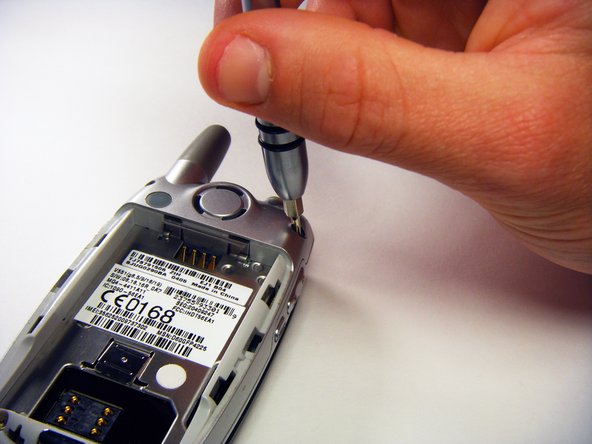
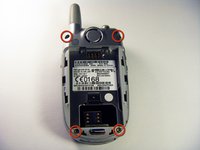
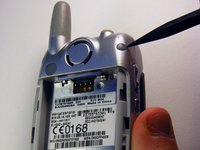
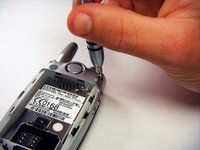
    • Remove the rubber screw covers using a plastic spudger.

    • Use a T6 Torx screwdriver to remove the screws underneath the rubber screw covers.

    Chiedi a FixBot
  4. Motorola V551 Keypad Key Replacement: passo 4, immagine 1 di 1
    • Unscrew the antenna.

    Chiedi a FixBot
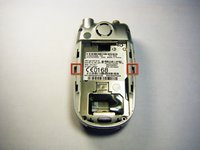
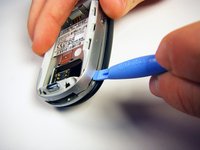
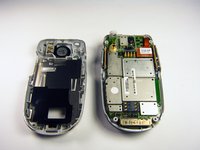
  5. Motorola V551 Keypad Key Replacement: passo 5, immagine 1 di 3 Motorola V551 Keypad Key Replacement: passo 5, immagine 2 di 3 Motorola V551 Keypad Key Replacement: passo 5, immagine 3 di 3
    • Gently release the two latches using an opening tool.

    • The plastic latches are very fragile. Don’t use excessive force or they might break.

    • Pry off the back panel by wedging an opening tool into the crevice between the back panel and the circuit board.

    • Lift the back panel off of the phone.

    Chiedi a FixBot
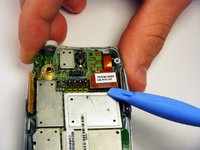
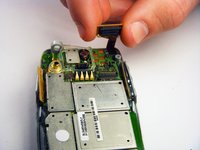
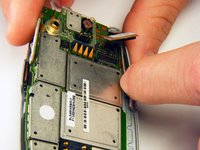
  6. Motorola V551 Keypad Key Replacement: passo 6, immagine 1 di 2 Motorola V551 Keypad Key Replacement: passo 6, immagine 2 di 2
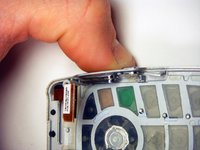
    • Loosen the copper circuit board connection with an opening tool.

    • Gently lift the copper connection.

    Chiedi a FixBot
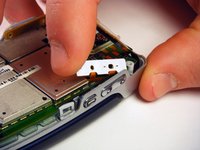
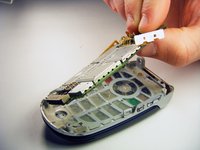
  7. Motorola V551 Keypad Key Replacement: passo 7, immagine 1 di 3 Motorola V551 Keypad Key Replacement: passo 7, immagine 2 di 3 Motorola V551 Keypad Key Replacement: passo 7, immagine 3 di 3
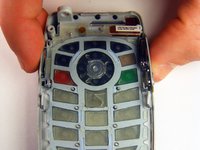
    • Lift up and pull out the pressure pad from under the buttons on the side of the chassis.

    • Gently lift the motherboard off of the front panel.

    Chiedi a FixBot
  8. Motorola V551 Keypad Key Replacement, Keypad: passo 8, immagine 1 di 3 Motorola V551 Keypad Key Replacement, Keypad: passo 8, immagine 2 di 3 Motorola V551 Keypad Key Replacement, Keypad: passo 8, immagine 3 di 3
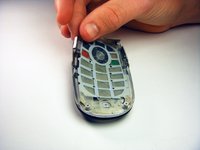
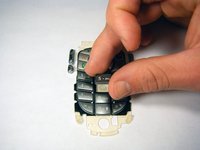
    • Push both side keys in so they are not sticking out of the phone.

    • Remove the keypad.

    Chiedi a FixBot
  9. Motorola V551 Keypad Key Replacement, Keypad Key: passo 9, immagine 1 di 2 Motorola V551 Keypad Key Replacement, Keypad Key: passo 9, immagine 2 di 2
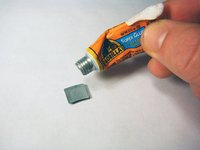
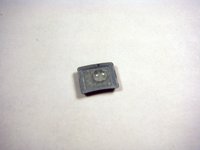
    • Gently squeeze the bottle of super glue so that only a small amount (about 1/3 pinky width) is a applied to the back side of the key.

    • Be careful while applying the super glue as it can be quite strong.

    Chiedi a FixBot
  10. Motorola V551 Keypad Key Replacement: passo 10, immagine 1 di 2 Motorola V551 Keypad Key Replacement: passo 10, immagine 2 di 2
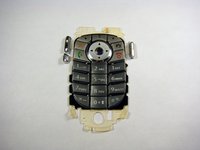
    • Carefully place key onto the key pad so that it will be properly oriented and in line with the other keys.

    Chiedi a FixBot
Conclusione

To reassemble your device, follow these instructions in reverse order.

Un'altra persona ha completato questa guida.

gregatron

Membro da: 10/29/09

105 Reputazione

6 guide realizzate

Team

Cal Poly, Team 6-6, Maness Fall 2009 Membro di Cal Poly, Team 6-6, Maness Fall 2009

CPSU-MANESS-F09S6G6

4 Membri

12 guide realizzate

0Commenti sulla guida

Aggiungi Commento

Visualizza statistiche:

Ultime 24 ore: 2

Ultimi 7 giorni: 13

Ultimi 30 giorni: 83

Tutti i Tempi: 2,300