Questa traduzione è stata generata automaticamente e non è stata ancora revisionata da una persona. Parli questa lingua? Dai un’occhiata.
Introduzione
Aggiorna o sostituisci il combo o il SuperDrive.
Cosa ti serve
-
-
-
Spegni il tuo Mac mini, scollega tutti i cavi e capovolgilo.
-
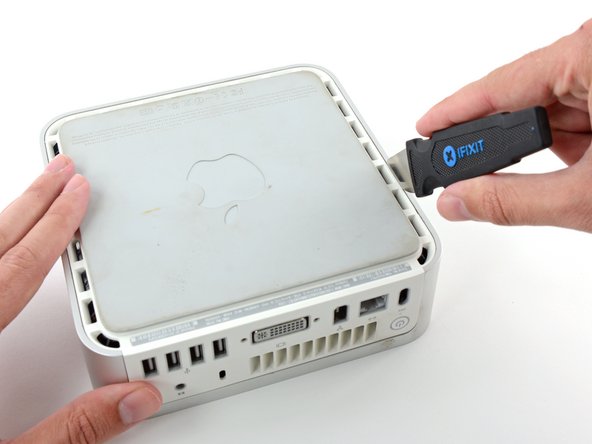
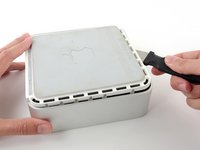
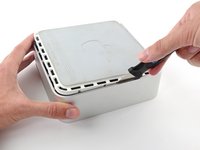
Inserisci il Jimmy nella fessura tra la copertura superiore in alluminio e la copertura inferiore in plastica.
-
Il Jimmy dovrebbe fermarsi a circa 1 cm di profondità.
 Chiedi a FixBot
-
-
-
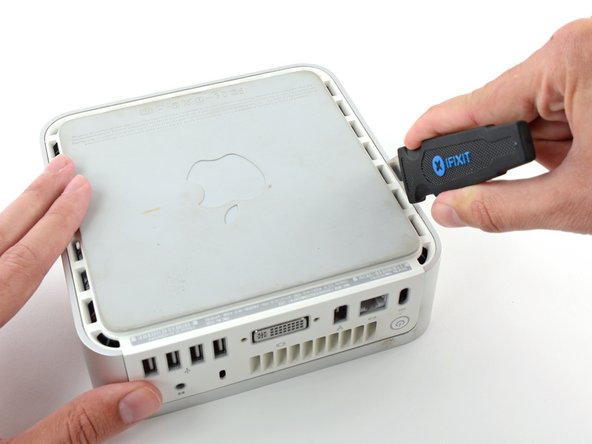
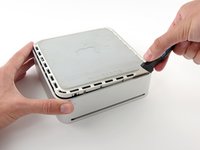
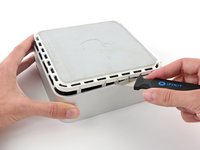
Piega delicatamente il Jimmy verso l'esterno per allargare un po' la fessura e sollevare leggermente la copertura inferiore.
-
-
-
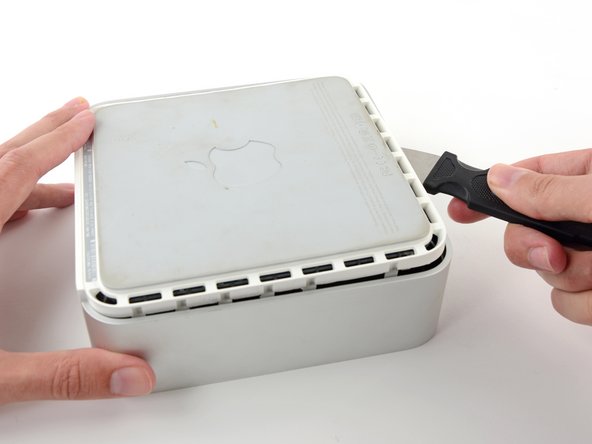
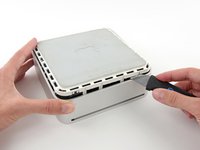
Una volta liberato il primo lato, ruota il Mac mini e inizia a fare leva sul bordo frontale.
-
Usa lo stesso movimento di leva per piegare entrambe le clip verso l'interno e solleva la copertura inferiore da quella superiore.
-
-
-
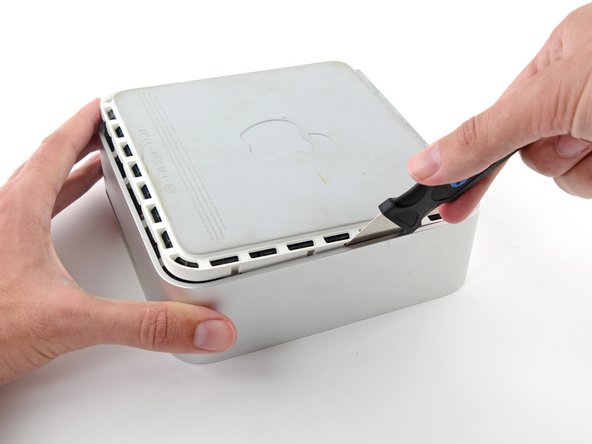
Potresti aver bisogno di muovere il Jimmy lungo il bordo e staccare tutte le clip. Sii paziente e fa poco alla volta.
-
-
-
Continua a lavorare intorno al perimetro, liberando le clip lungo il bordo finale.
-
-
-
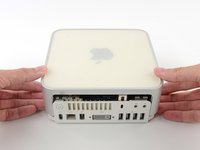
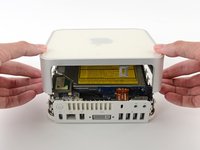
Capovolgi nuovamente il Mac mini e solleva la parte superiore della copertura da quella inferiore.
-
-
-
-
-
Per prima cosa rimuoveremo l'antenna AirPort, situata nell'angolo in basso a sinistra in questa immagine.
-
-
-
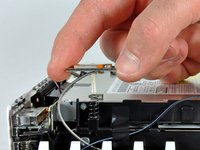
Schiaccia leggermente i due bracci di ritenzione l'uno verso l'altro e solleva l'antenna AirPort dal suo perno.
-
-
-
-
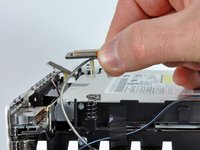
Afferra l'antenna Bluetooth più vicina al lato della porta del computer dai bordi della scheda e tirala verso l'alto per staccarla dal telaio interno.
-
-
-
Rimuovi la scheda dell'antenna vicino alla parte anteriore del mini tirandola dritto verso l'alto dal telaio interno.
-
Se necessario, rimuovi il pezzo di nastro adesivo che fissa i cavi dell'antenna al telaio interno.
-
-
-
Usa l'estremità piatta di uno spudger per fare leva sul connettore del cavo a nastro audio e staccarlo dalla scheda audio.
-
-
-
Rimuovi le seguenti quattro viti che fissano il telaio interno all'alloggiamento inferiore:
-
Tre viti a croce Phillips da 6,7 mm
-
Una vite a croce Phillips da 9,5 mm
-
-
-
Solleva il telaio interno dall'alloggiamento inferiore, iniziando dal bordo posteriore, finché non senti il connettore a bordo nascosto sulla scheda madre scollegarsi. Quindi solleva direttamente verso l'alto, facendo attenzione ai cavi dell'antenna Bluetooth e 802.11.
-
-
-
-
-
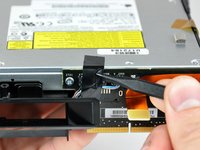
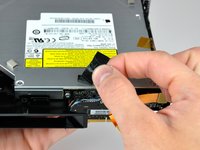
Usa la punta di uno spudger per rimuovere il nastro isolante nero che copre la scheda di interconnessione e l'unità disco ottico.
-
-
-
Usa l'estremità piatta di uno spudger per scollegare il cavo a nastro audio dalla scheda di interconnessione.
-
-
-
Se necessario, rimuovi il nastro Kapton giallo che copre il telaio interno e l'unità disco ottico.
-
-
-
Rimuovi le due viti a croce Phillips che fissano l'unità disco ottico al telaio interno.
-
-
-
Ruota il mini di 180 gradi e rimuovi le due viti a croce Phillips che fissano l'unità disco ottico al telaio interno sull'altro lato.
-
-
-
Rimuovi le due viti a croce Phillips che fissano la scheda di interconnessione all'unità disco ottico.
-
-
-
Inserisci l'estremità piatta di uno spudger nella fessura tra l'unità disco ottico e la scheda di interconnessione.
-
Allarga con attenzione la fessura per scollegare l'unità disco ottico dalla scheda di interconnessione.
-
-
-
-
-
Trasferisci i quattro pulsanti dorsali in schiuma sull'unità disco ottico sostitutiva.
-
-













Per rimontare il dispositivo, segui queste istruzioni in ordine inverso.
Annulla: non ho completato questa guida.
Altre 65 persone hanno completato questa guida.

6Commenti sulla guida
I found that it's entirely possible to remove the optical drive without removing the whole subframe. You can remove the four screws on the sides of the drive quite easily, remove the other end of the audio cable then unscrew the two screws on the back of the drive holding the interconnect board to the drive (the only fiddly bit as it's hard to get a a good angle onto those two screws), then gently lift the front of the drive and pull it forward.
Can anyone tell me now that I have replaced the optical drive, why if only accepts dvd's being put into it when I have first turn on the computer?? If I do it when the computer is already on, no matter how far I try and push in the DVD it doesn't grab it and pull it in properly. No trouble playing them once in.
Please help! Can anyone tell me now that I have replaced the optical drive, why if only accepts dvd's being put into it when I have first turn on the computer?? If I do it when the computer is already on, no matter how far I try and push in the DVD it doesn't grab it and pull it in properly. No trouble playing them once in.
Hi!
Is is correct about the optibay i need to replace a DVD up to SSD:
- the inside connector of this optibay is SATA 3 witch is compatible for a modern SSD, like this one - https://ru.aliexpress.com/item/Newest-Go...
- the outside that goes to a motherboard - what is it - i can't really understand - is it eSATA or it it mSATA or smth else?
Thanks for your reply in advance!
I also had n0o need to remove the frame. To use a screwdriver that is magnetized made some undesirable problems. Overall, the optical drive was replaced -that is , put in as the former drive was removed by someone else.
