Salta al contenuto principale
Unisciti alla Community delle riparazioni - Crea un account

Mac Pro First Generation RAM Replacement

  1. Mac Pro First Generation RAM Replacement, Case Panel: passo 1, immagine 1 di 1
    • Lift the lever to unlock the case.

    Chiedi a FixBot

    Aggiungi Commento

  2. Mac Pro First Generation RAM Replacement: passo 2, immagine 1 di 1
    Strumento utilizzato in questo passaggio:
    Anti-Static Wrist Strap
    $7.95
    • Remove the side panel of the Mac Pro.

    • Discharge any static electricity by touching a grounded surface prior to working on any internal components. Touching the metal PCI slot covers works great, or any other grounded metal surface. You can also wear a anti-static wrist strap.

    Chiedi a FixBot

    Aggiungi Commento

  3. Mac Pro First Generation RAM Replacement, RAM: passo 3, immagine 1 di 1
    • Locate the two RAM trays at the bottom of the Mac Pro.

    Chiedi a FixBot

    Aggiungi Commento

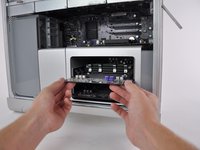
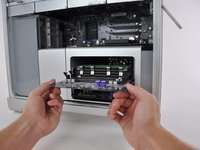
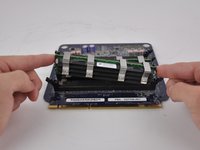
  4. Mac Pro First Generation RAM Replacement: passo 4, immagine 1 di 2 Mac Pro First Generation RAM Replacement: passo 4, immagine 2 di 2
    • Pull the RAM tray out of the case by using both hands holding the edge of the ram board as shown.

    • Make sure you give enough time for the computer to cool down before you remove any internal hardware parts.

    Chiedi a FixBot

    Aggiungi Commento

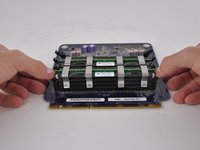
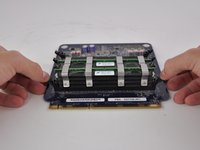
  5. Mac Pro First Generation RAM Replacement: passo 5, immagine 1 di 3 Mac Pro First Generation RAM Replacement: passo 5, immagine 2 di 3 Mac Pro First Generation RAM Replacement: passo 5, immagine 3 di 3
    • Push down on the ejectors on each side of a ram stick firmly and lift the RAM stick straight out carefully by holding each side.

    • To insert a new RAM stick, place the RAM into the slot with the correct orientation and push on the stick using both hands until the ejectors are clicked into place.

    Chiedi a FixBot

    Aggiungi Commento

Conclusione

To reassemble your device, follow these instructions in reverse order.

Annulla: non ho completato questa guida.

Altre 22 persone hanno completato questa guida.

Andrew Kim

Membro da: 10/12/14

1.263 Reputazione

3 guide realizzate

Team

Cal Poly, Team 6-24, Maness Fall 2014 Membro di Cal Poly, Team 6-24, Maness Fall 2014

CPSU-MANESS-F14S6G24

4 Membri

19 guide realizzate

2Commenti sulla guida

What is the name/or type of memory chip to use in the MacPro 2008.

Curtis - Rispondi Condividi

Hi Curtis, hope you found the RAM type ok.

Basically server RAM, ECC, 667Mhz, FB always in Pairs.

Retired Apple, PC etc engineer.

coopernewlyn - Rispondi Condividi

Aggiungi Commento

Visualizza statistiche:

Ultime 24 ore: 2

Ultimi 7 giorni: 16

Ultimi 30 giorni: 93

Tutti i Tempi: 21,976