Salta al contenuto principale
Unisciti alla Community delle riparazioni - Crea un account

Mac Pro First Generation Optical Drive Replacement

Cosa ti serve

    1. Mac Pro First Generation Optical Drive Replacement, Optical Drive: passo 1, immagine 1 di 1
      • Lift the lever to unlock the case

      Chiedi a FixBot

      Aggiungi Commento

    2. Mac Pro First Generation Optical Drive Replacement: passo 2, immagine 1 di 1
      • Remove the side panel of the Mac Pro

      Chiedi a FixBot

      Aggiungi Commento

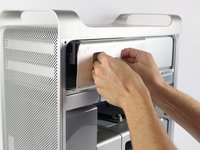
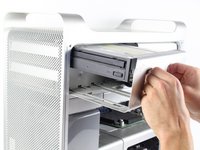
    3. Mac Pro First Generation Optical Drive Replacement: passo 3, immagine 1 di 3 Mac Pro First Generation Optical Drive Replacement: passo 3, immagine 2 di 3 Mac Pro First Generation Optical Drive Replacement: passo 3, immagine 3 di 3
      • Firmly grasp the handles of the shown compartment and pull out firmly to remove the optical drive bay.

      Chiedi a FixBot

      Aggiungi Commento

    4. Mac Pro First Generation Optical Drive Replacement: passo 4, immagine 1 di 1
      • Firmly hold each of the two connectors and pull them out of their respective sockets.

      Chiedi a FixBot

      Aggiungi Commento

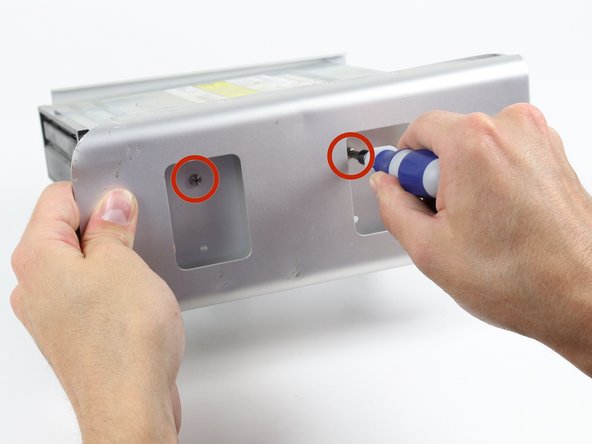
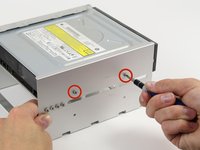
    5. Mac Pro First Generation Optical Drive Replacement: passo 5, immagine 1 di 2 Mac Pro First Generation Optical Drive Replacement: passo 5, immagine 2 di 2
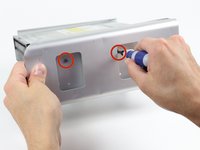
      • Unscrew the shown two 6-32 type screws on each side of the optical drive.

      Chiedi a FixBot

      Aggiungi Commento

    6. Mac Pro First Generation Optical Drive Replacement: passo 6, immagine 1 di 2 Mac Pro First Generation Optical Drive Replacement: passo 6, immagine 2 di 2
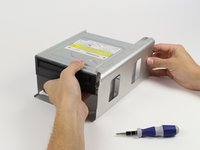
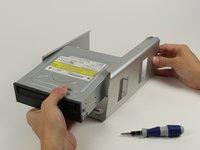
      • Firmly grasp the optical drive and pull it out of its enclosure.

      Chiedi a FixBot

      Aggiungi Commento

Conclusione

To reassemble your device, follow these instructions in reverse order.

Annulla: non ho completato questa guida.

Altre 21 persone hanno completato questa guida.

Derek Chan

Membro da: 10/13/14

1.428 Reputazione

Una guida realizzata

Team

Cal Poly, Team 6-24, Maness Fall 2014 Membro di Cal Poly, Team 6-24, Maness Fall 2014

CPSU-MANESS-F14S6G24

4 Membri

37 guide realizzate

10Commenti sulla guida

Thanks! It had been a long time since I'd been inside my towers! Easy-peasy!

Janie Wilson-Cook - Rispondi Condividi

I am having problems with the new optical drive not being able to eject and close without my help. Any thoughts?

footeking - Rispondi Condividi

Did you take off the front of the tray?

nbeijer - Rispondi Condividi

Awesome!!! Worked like a charm! Drive is totally busted. Do you have a link or a suggestion for an optical drive for a late 2009 Mac pro? Thanks either way!

Jay Haser - Rispondi Condividi

The unit holding the optical drive will NOT pull out at all and I and really pulling on it and wiggling it. All other videos show it popping out with little force. What am I doing wrong?

pipevape - Rispondi Condividi

Aggiungi Commento

Visualizza statistiche:

Ultime 24 ore: 3

Ultimi 7 giorni: 24

Ultimi 30 giorni: 134

Tutti i Tempi: 18,943