Introduzione
Use this guide to replace the motherboard in your Logitech M215.
Cosa ti serve
-
-
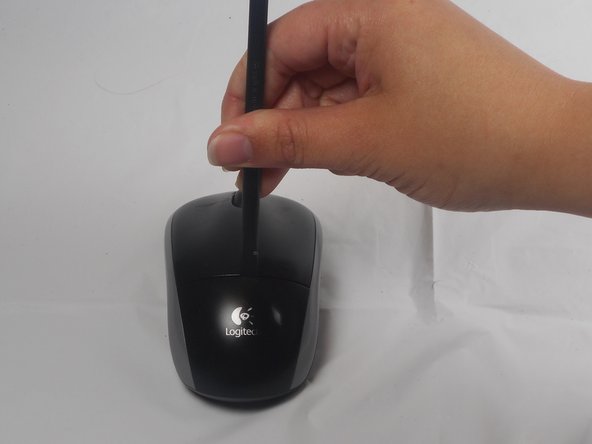
The battery compartment cover is located on the top of the mouse. The seam running horizontally across the mouse is the top of the cover.
-
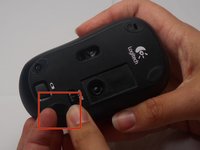
There is a button to pop off the cover. It is located on the bottom of the mouse. you may need to press hard on this button to pop the cover.
-
If the button does not work, you will need to pry off the cover. You can use your fingernails or a prying tool in order to do this, as seen in the third image.
 Chiedi a FixBot
-
-
-
Remember to insert the new battery in the same orientation as the old one. The positive (plus) end should be facing away from the buttons.
-
-
-
-
The pads on the underside of the mouse hide the screws. Remove these first. You may need to use your fingernails or a prying tool.
-
There will be two 0.5mm phillips head screws. Both will be underneath the bottom two pads.
-
-
-
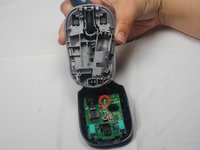
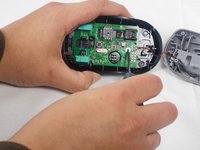
Unscrew the 0.25mm phillips head screw to release the circuit board.
-







To reassemble your device, follow these instructions in reverse order.
Annulla: non ho completato questa guida.
Altre 3 persone hanno completato questa guida.

Team

USF Tampa, Team 1-1, Watkins Winter 2015 Membro di USF Tampa, Team 1-1, Watkins Winter 2015
USFT-WATKINS-W15S1G1
4 Membri
28 guide realizzate
3Commenti sulla guida
thanks a lot!
bro whats the next step my guy
