Salta al contenuto principale
Unisciti alla Community delle riparazioni - Crea un account

Levoit LV-H132 LED Replacement

Cosa ti serve

  1. Levoit LV-H132 LED Replacement, LED: passo 1, immagine 1 di 2 Levoit LV-H132 LED Replacement, LED: passo 1, immagine 2 di 2
    • Pry off the plastic top using a metal spudger.

  2. Levoit LV-H132 LED Replacement: passo 2, immagine 1 di 2 Levoit LV-H132 LED Replacement: passo 2, immagine 2 di 2
    • Remove the three 1.2 mm screws with a Phillips #1 screwdriver.

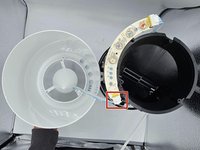
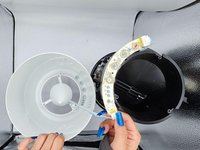
  3. Levoit LV-H132 LED Replacement: passo 3, immagine 1 di 2 Levoit LV-H132 LED Replacement: passo 3, immagine 2 di 2
    • Disconnect the top half from the bottom.

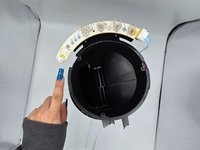
  4. Levoit LV-H132 LED Replacement: passo 4, immagine 1 di 3 Levoit LV-H132 LED Replacement: passo 4, immagine 2 di 3 Levoit LV-H132 LED Replacement: passo 4, immagine 3 di 3
    • Disconnect the circuit board cable.

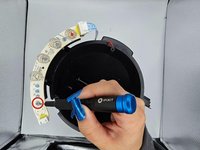
  5. Levoit LV-H132 LED Replacement: passo 5, immagine 1 di 2 Levoit LV-H132 LED Replacement: passo 5, immagine 2 di 2
    • Remove the two 5 mm screws with a Phillips #1 screwdriver.

  6. Levoit LV-H132 LED Replacement: passo 6, immagine 1 di 1
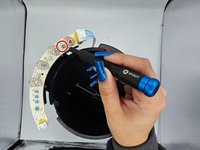
    • Desolder the joints holding the faulty LED and switch to the PCB.

    • Slide the faulty LED out and replace it with the functional one.

Conclusione

To reassemble your device, follow these instructions in reverse order.

Un'altra persona ha completato questa guida.

0Commenti sulla guida

Aggiungi Commento

Visualizza Statistiche:

Ultime 24 Ore: 0

Ultimi 7 Giorni: 10

Ultimi 30 Giorni: 30

Tutti i Tempi: 327