Introduzione
Use this guide to replace the WWAN card in your Lenovo ThinkPad T480s laptop.
The WWAN (wireless wide area network) card allows you to connect to the internet without relying on a local Wi-Fi connection. If your computer has a WWAN card installed and you are having trouble using the internet without Wi-Fi, you may have a faulty WWAN card or antenna.
If you are having trouble accessing a local Wi-Fi connection, you may need to troubleshoot or replace the Wi-Fi card or WLAN antennas.
Before attempting a replacement, make sure to disable the internal battery, power down your device, and disconnect from any external power sources.
Cosa ti serve
-
-
-
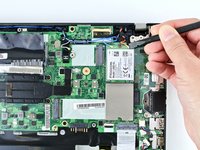
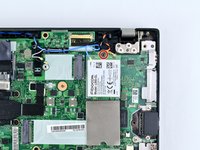
Flip the cardboard cover off of the WWAN card.
-
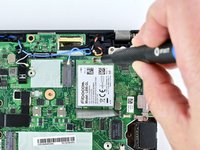
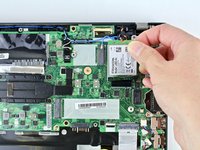
Using the spudger, release the coaxial antenna wires from the WWAN card.
-


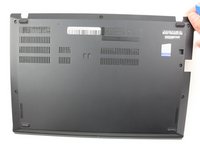
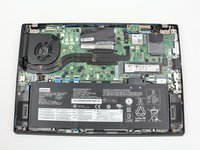


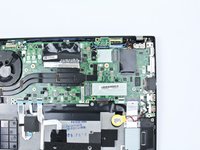
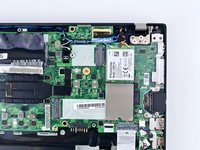




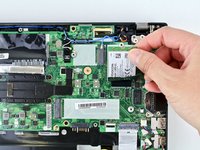
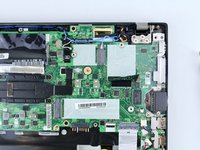
To reassemble your device, follow these instructions in reverse order.
Take your e-waste to an R2 or e-Stewards certified recycler.
Repair didn’t go as planned? Try some basic troubleshooting, or ask our Answers community for help.
Annulla: non ho completato questa guida.
Altre 3 persone hanno completato questa guida.



1Commento della guida
You can also install a secondary SSD into the WWAN slot, but it must fit these requirements:
- SSD size: M.2 2242,
- It must be M+B keyed, and
- (Hypothetically, only the SSD being B keyed is needed, but I haven't seen any NVMe SSDs that are only B-keyed.)
- It must be single-sided, with respect to surface-mount components.
Information came from this video for the ThinkPad T480, but the ThinkPad T480s is similar enough to the ThinkPad T480 for this to work.
