Salta al contenuto principale
Unisciti alla Community delle riparazioni - Crea un account

Lenovo Essential B570 RAM Replacement

Cosa ti serve

    1. Lenovo Essential B570 RAM Replacement, Battery: passo 1, immagine 1 di 1
      • Turn over laptop.

      • Switch open the left battery lock.

      • If you are replacing inner components of the laptop, it is recommended to remove the battery first to avoid damage to the laptop.

      Chiedi a FixBot

      Aggiungi Commento

    2. Lenovo Essential B570 RAM Replacement: passo 2, immagine 1 di 1
      • Hold the right battery lock open with one hand while removing the battery itself with the other.

      Chiedi a FixBot

      Aggiungi Commento

    1. Lenovo Essential B570 RAM Replacement, Back Panel: passo 3, immagine 1 di 1
      • Loosen the five Philips screws that secure the panel.

      • The screws do not actually fully remove from the panel. Loosening them as much as you can will be enough to disconnect them from the laptop.

      Chiedi a FixBot

      Aggiungi Commento

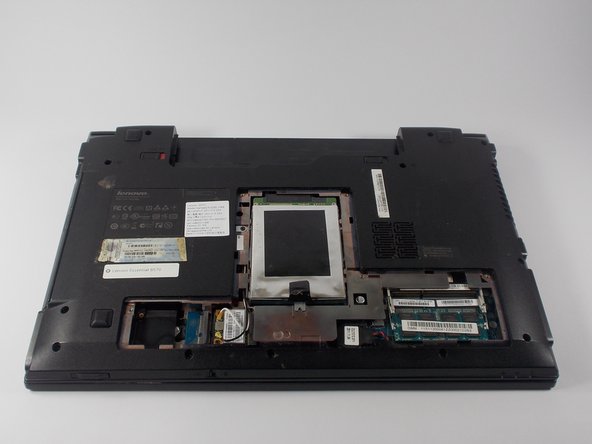
    2. Lenovo Essential B570 RAM Replacement: passo 4, immagine 1 di 3 Lenovo Essential B570 RAM Replacement: passo 4, immagine 2 di 3 Lenovo Essential B570 RAM Replacement: passo 4, immagine 3 di 3
      • Prop open the cover with a plastic opening tool.

      • If the cover does not come off easily, do not force it. Make sure all screws are loosened.

      Chiedi a FixBot

      Aggiungi Commento

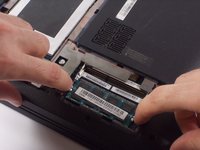
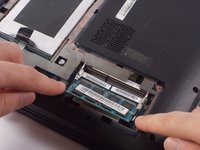
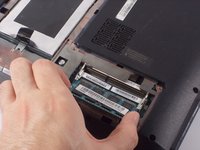
    1. Lenovo Essential B570 RAM Replacement, RAM: passo 5, immagine 1 di 2 Lenovo Essential B570 RAM Replacement, RAM: passo 5, immagine 2 di 2
      • Release your RAM by pulling its locks away from one another.

      Chiedi a FixBot

      Aggiungi Commento

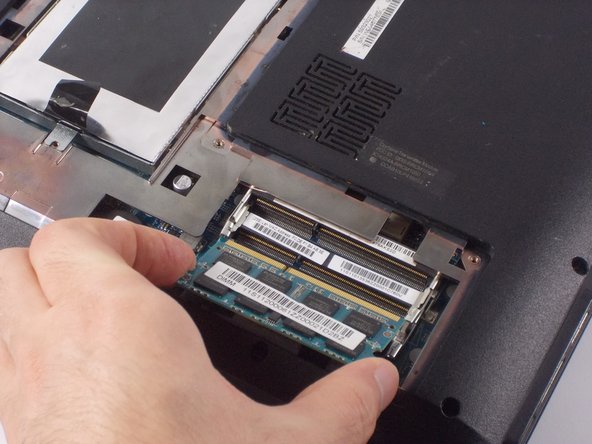
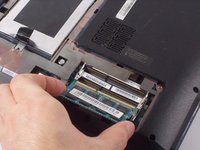
    2. Lenovo Essential B570 RAM Replacement: passo 6, immagine 1 di 2 Lenovo Essential B570 RAM Replacement: passo 6, immagine 2 di 2
      • Remove RAM by carefully pulling it away from its socket.

      Chiedi a FixBot

      Aggiungi Commento

Conclusione

To reassemble your device, follow these instructions in reverse order.

Annulla: non ho completato questa guida.

Un'altra persona ha completato questa guida.

0Commenti sulla guida

Aggiungi Commento

Visualizza statistiche:

Ultime 24 ore: 0

Ultimi 7 giorni: 8

Ultimi 30 giorni: 27

Tutti i Tempi: 1,305