Introduzione
This guide will explain how to replace the rear camera on the LG Treasure.
Cosa ti serve
-
-
-
Pull off the back cover from the phone using the groove on the bottom right side.
 Chiedi a FixBot
-
-
-
Remove the battery from the phone by lifting up on the bottom end of the battery.
-
-
-
-
-
-
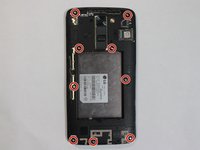
Remove all 9 of the 3 mm Phillips #000 screws from the digitizer.
-
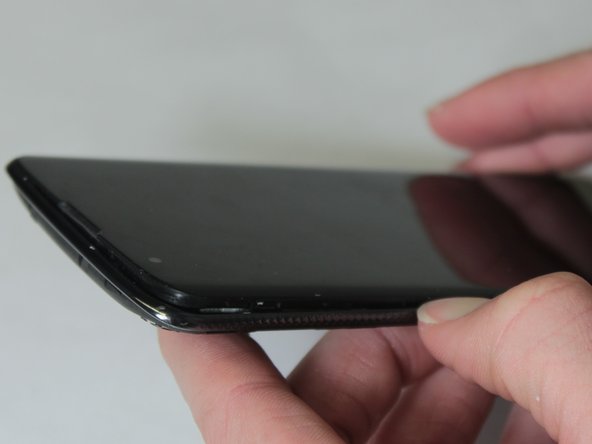
Work your way around the edge of the phone, gently prying the digitizer off the phone.
-
-
-
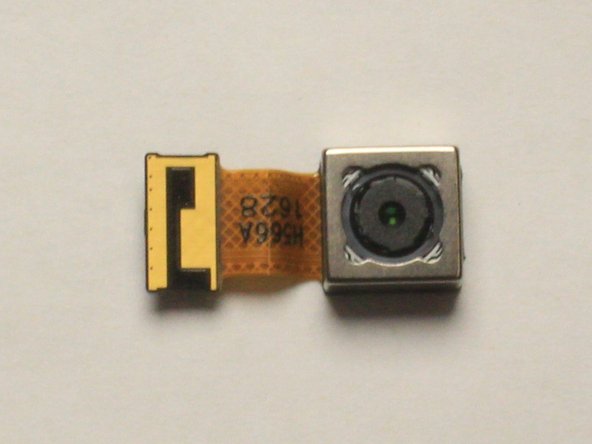
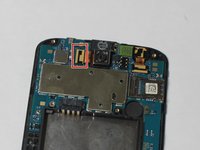
Pull up on the gold film-like connector which is to the left side of camera. Once you have pulled the connector loose you can then gently lift the rear camera out of the phone.
-
-




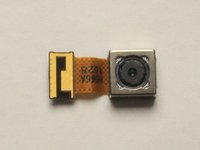
To reassemble your device, follow these instructions in reverse order.
Annulla: non ho completato questa guida.
Altre 2 persone hanno completato questa guida.

Team

UW Stout, Team S8-G5, Ogden Spring 2018 Membro di UW Stout, Team S8-G5, Ogden Spring 2018
UWSTOUT-OGDEN-S18S8G5
3 Membri
25 guide realizzate
