Salta al contenuto principale
Unisciti alla Community delle riparazioni - Crea un account

LG Chocolate 3 Side Buttons Replacement

Cosa ti serve

  1. LG Chocolate 3 Side Buttons Replacement, Battery: passo 1, immagine 1 di 1
    • Turn the phone off before starting the replacement process.

    • Place the phone face down.

    • Press your finger down on the indentation and slide the back plate off.

    Chiedi a FixBot
  2. LG Chocolate 3 Side Buttons Replacement: passo 2, immagine 1 di 3 LG Chocolate 3 Side Buttons Replacement: passo 2, immagine 2 di 3 LG Chocolate 3 Side Buttons Replacement: passo 2, immagine 3 di 3
    • Using your index finger lift and remove the battery from the phone.

    Chiedi a FixBot
  3. LG Chocolate 3 Side Buttons Replacement, Rear Case: passo 3, immagine 1 di 1
    • Use the pointed end of the spudger to pull out the plastic inserts that are located on the left and right-hand corners.

    • If needed, use the tip of a push pin instead of the spudger to remove the plastic inserts.

    Chiedi a FixBot
  4. LG Chocolate 3 Side Buttons Replacement: passo 4, immagine 1 di 1
    Strumento utilizzato in questo passaggio:
    Tweezers
    $4.99
    • Using a Phillips #00 screwdriver, remove the six 3mm long screws found along the edges of the phone.

    • If needed, use tweezers to remove loose screws from the recessed holes.

    • Screws are small, therefore, they should be placed in a secure location to prevent misplacement.

    Chiedi a FixBot
  5. LG Chocolate 3 Side Buttons Replacement: passo 5, immagine 1 di 2 LG Chocolate 3 Side Buttons Replacement: passo 5, immagine 2 di 2
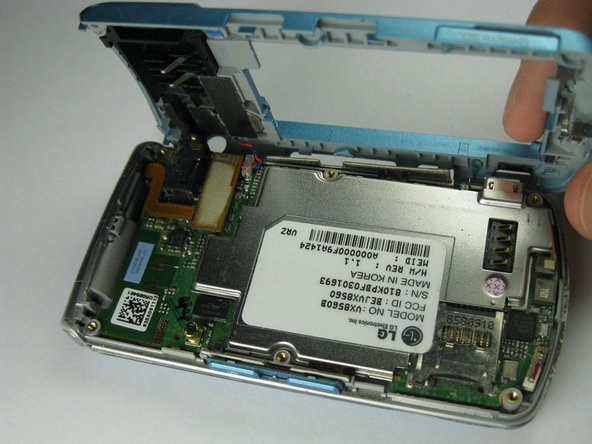
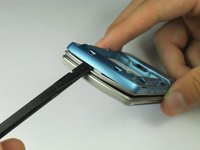
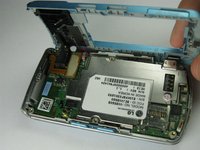
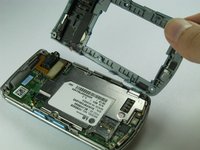
    • Pull the rear case up using the spudger.

    • The rear case is connected to the right side of the phone via red and blue cables, be careful not to pull these cables out.

    • The volume control buttons on the side might fall out of their sockets. Carefully replace them with a pair of tweezers before you reassemble the rear case.

    Chiedi a FixBot
  6. LG Chocolate 3 Side Buttons Replacement: passo 6, immagine 1 di 1
    • Use tweezers to pull the clear end of the red and blue speaker cables away from motherboard.

    Chiedi a FixBot
  7. LG Chocolate 3 Side Buttons Replacement: passo 7, immagine 1 di 2 LG Chocolate 3 Side Buttons Replacement: passo 7, immagine 2 di 2
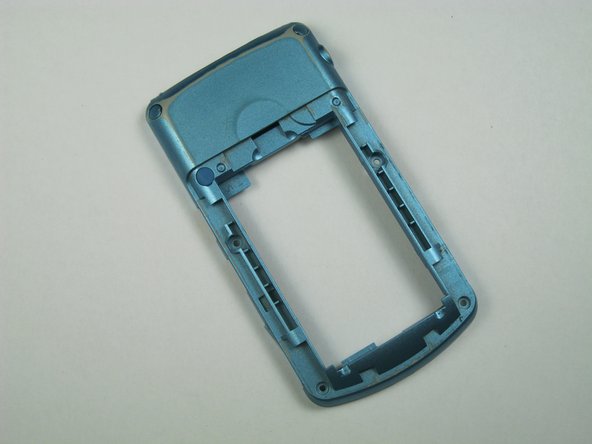
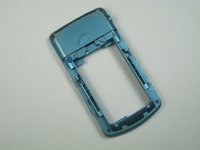
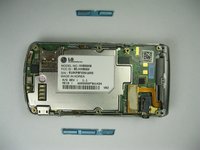
    • Carefully remove the rear case from the phone.

    Chiedi a FixBot
  8. LG Chocolate 3 Side Buttons Replacement, Side Buttons: passo 8, immagine 1 di 1
    Strumento utilizzato in questo passaggio:
    Tweezers
    $4.99
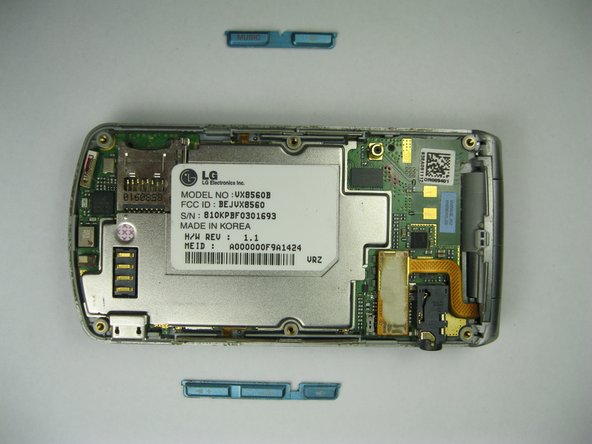
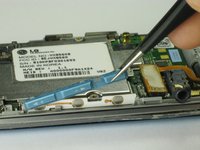
    • Use tweezers to remove the music button found on the side of the phone.

    Chiedi a FixBot
  9. LG Chocolate 3 Side Buttons Replacement: passo 9, immagine 1 di 2 LG Chocolate 3 Side Buttons Replacement: passo 9, immagine 2 di 2
    • Use tweezers to remove the volume control buttons on the opposite side of the phone.

    Chiedi a FixBot
Conclusione

To reassemble your device, follow these instructions in reverse order.

Team

Cal Poly, Team 12-35, Amido Spring 2013 Membro di Cal Poly, Team 12-35, Amido Spring 2013

CPSU-AMIDO-S13S12G35

5 Membri

12 guide realizzate

0Commenti sulla guida

Aggiungi Commento

Visualizza statistiche:

Ultime 24 ore: 2

Ultimi 7 giorni: 11

Ultimi 30 giorni: 52

Tutti i Tempi: 446