Introduzione
The buttons are needed to power your speaker on and off as well as complete other functions including putting the speaker into Bluetooth pairing mode. If the buttons are not working properly they may be broken or worn down and need replacement. This guide will show you how to replace the buttons in your JBL Charge 4.
Cosa ti serve
-
-
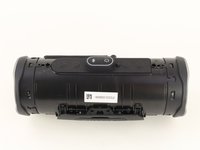
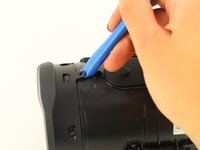
Flip your speaker over and insert the plastic opening tool into the slit on the grille.
-
Pry away from yourself towards the back of the speaker to release the clip.
-
Repeat this process for the clip on the other side.
 Chiedi a FixBot
-
-
-
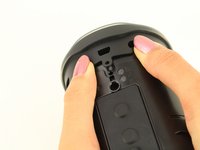
Remove the two 8mm Phillips #0 screws from the other edge of the grille.
-
-
-
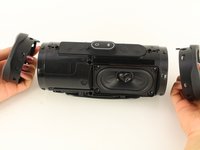
Pull apart both sides of the grille.
-
Lift the cover off of the speaker.
-
-
-
-
Using the plastic opening tool, lift the tab on top of the speaker to release the radiator from the clips.
-
Repeat this process on the other clips around the radiator to release it from the frame.
-
-
-
Push the radiator off of the frame of the device.
-
Repeat on the other side.
-
-
-
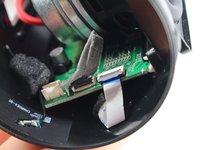
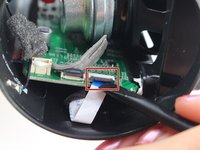
Lift up the tape covering the button control board ZIF connector on the left side of the motherboard.
-
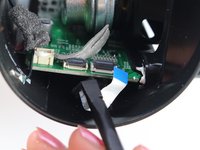
Flip up the black locking flap on the ZIF connector with the tip of the spudger or your fingernail to release the white ribbon cable.
-
-
-
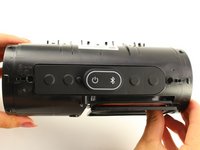
Flip the speaker over so the buttons are on the top.
-
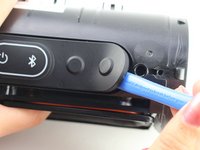
Using the plastic opening tool, pry up the rubber covering the button control board from the adhesive.
-
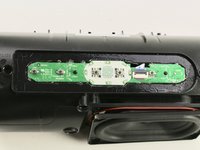
Remove the cover and set to the side.
-
-
-
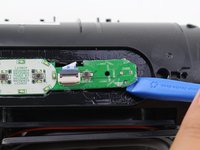
Using the plastic opening tool, pry up the button control board from the adhesive.
-
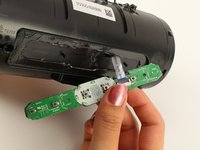
Gently lift off the button control board feeding the ribbon cable through the slot.
-










To reassemble your device, follow these instructions in reverse order.
Annulla: non ho completato questa guida.
Altre 14 persone hanno completato questa guida.

Team

Cal Poly, Team S1-G1, White Winter 2019 Membro di Cal Poly, Team S1-G1, White Winter 2019
CPSU-WHITE-W19S1G1
4 Membri
29 guide realizzate
2Commenti sulla guida
Hi - where can I buy the button control board?
How do I boot up JBL CHARGE 4
