Salta al contenuto principale
Unisciti alla Community delle riparazioni - Crea un account

InFocus IN3104 Color Wheel Replacement

Cosa ti serve

  1. InFocus IN3104 Color Wheel Replacement, Top Cover: passo 1, immagine 1 di 3 InFocus IN3104 Color Wheel Replacement, Top Cover: passo 1, immagine 2 di 3 InFocus IN3104 Color Wheel Replacement, Top Cover: passo 1, immagine 3 di 3
    • Turn the projector so that the lens is facing you.

    • On the left side of the projector, there is a screw and a knob inside of the small grate.

    • Use a Phillips #1 screwdriver to remove the 6 mm screw that secures top cover.

    • Remove the service cover.

    Chiedi a FixBot

    Aggiungi Commento

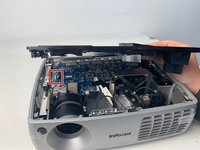
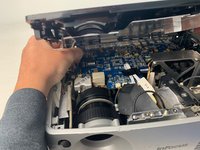
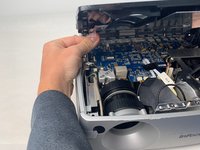
  2. InFocus IN3104 Color Wheel Replacement: passo 2, immagine 1 di 3 InFocus IN3104 Color Wheel Replacement: passo 2, immagine 2 di 3 InFocus IN3104 Color Wheel Replacement: passo 2, immagine 3 di 3
    • Use a Phillips #1 screwdriver to remove the seven 6 mm screws.

    • Use a Phillips #1 screwdriver to remove the two 5 mm screws.

    • Remove the top cover.

    • Do not pull the cover too hard. It may damage the wire that is connected to the motherboard.

    Chiedi a FixBot

    Aggiungi Commento

  3. InFocus IN3104 Color Wheel Replacement, InFocus IN3104 Metal Cover Disassembly: passo 3, immagine 1 di 2 InFocus IN3104 Color Wheel Replacement, InFocus IN3104 Metal Cover Disassembly: passo 3, immagine 2 di 2
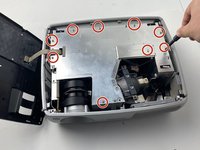
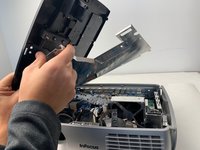
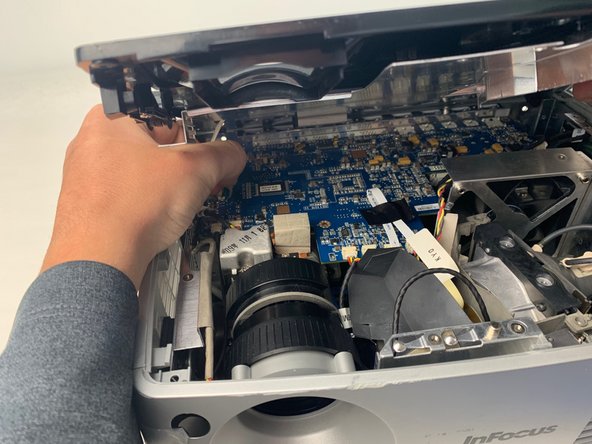
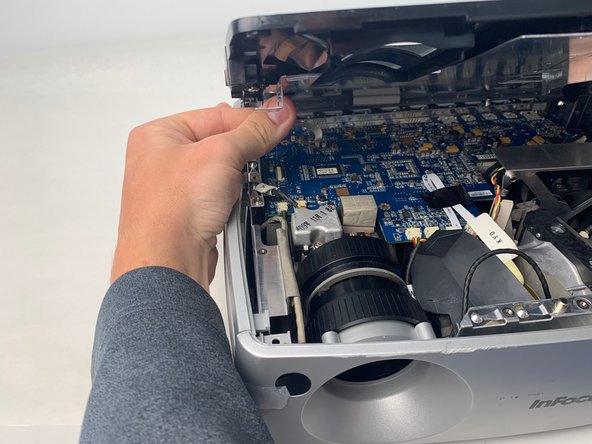
    • Use a Phillips #1 screwdriver to remove the nine 6 mm screws.

    • Lift up the metal cover and set it aside to reveal the motherboard.

    Chiedi a FixBot

    Aggiungi Commento

  4. InFocus IN3104 Color Wheel Replacement: passo 4, immagine 1 di 3 InFocus IN3104 Color Wheel Replacement: passo 4, immagine 2 di 3 InFocus IN3104 Color Wheel Replacement: passo 4, immagine 3 di 3
    • Carefully pry up the black plastic locking bar of the ZIF connector on the motherboard with a plastic spudger.

    • Pull out the blue-tipped, white ribbon cable from the connector.

    • Remove the metal cover.

    Chiedi a FixBot

    Aggiungi Commento

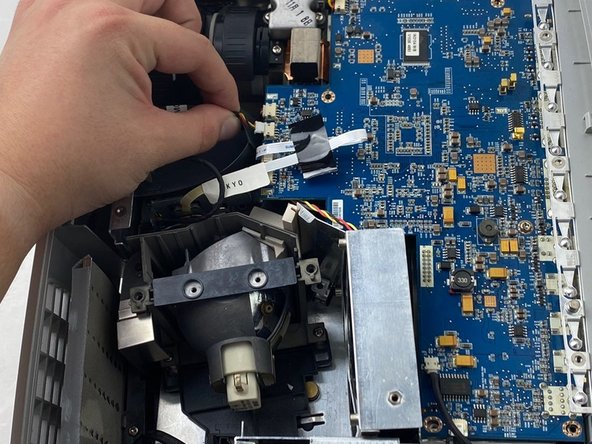
  5. InFocus IN3104 Color Wheel Replacement, Color Wheel: passo 5, immagine 1 di 3 InFocus IN3104 Color Wheel Replacement, Color Wheel: passo 5, immagine 2 di 3 InFocus IN3104 Color Wheel Replacement, Color Wheel: passo 5, immagine 3 di 3
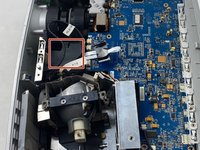
    • Unplug two cables from the edge of the motherboard labeled 80.87 MO and KYO.

    Chiedi a FixBot

    Aggiungi Commento

  6. InFocus IN3104 Color Wheel Replacement: passo 6, immagine 1 di 2 InFocus IN3104 Color Wheel Replacement: passo 6, immagine 2 di 2
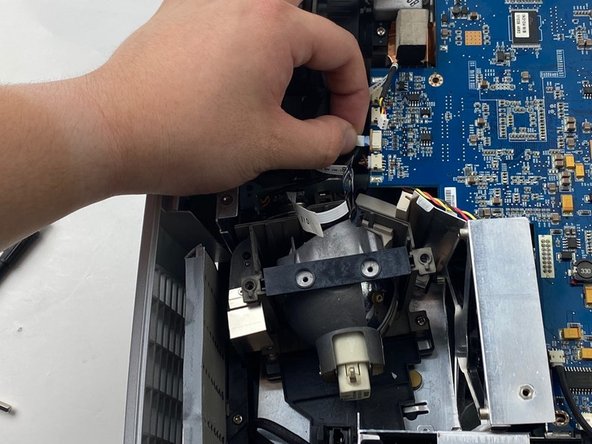
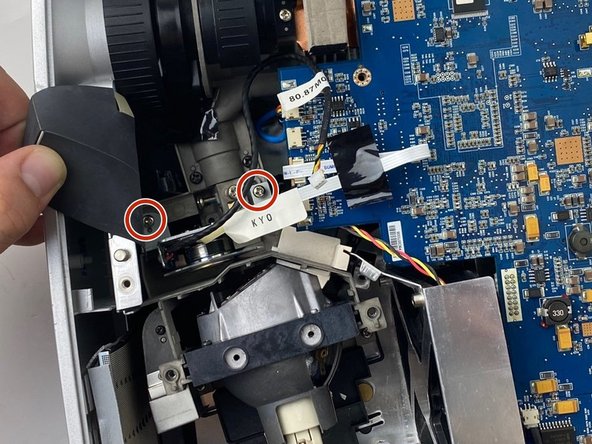
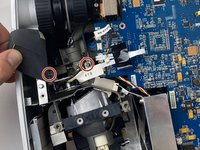
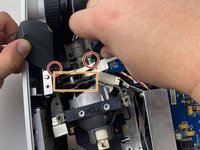
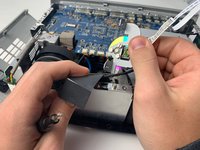
    • Carefully lift up the black paper cover. Do not completely remove it from the device.

    • Lift the paper cover up to reveal two 6mm screws.

    Chiedi a FixBot

    Aggiungi Commento

  7. InFocus IN3104 Color Wheel Replacement: passo 7, immagine 1 di 2 InFocus IN3104 Color Wheel Replacement: passo 7, immagine 2 di 2
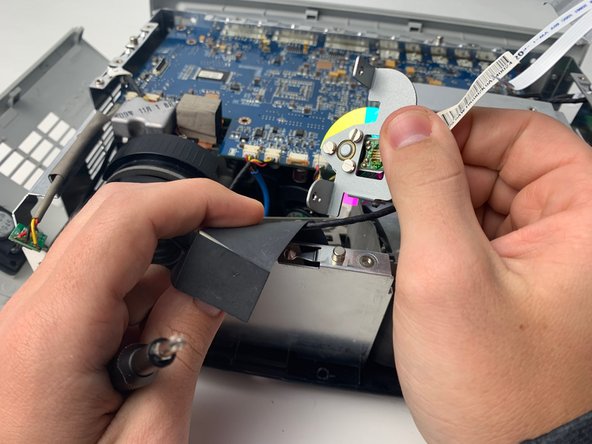
    • Use a Phillips #1 screwdriver to remove the two 6mm screws.

    • Remove the color wheel from the device by lifting it out of the projector.

    Chiedi a FixBot

    Aggiungi Commento

Conclusione

To reassemble your device, follow these instructions in reverse order.

Annulla: non ho completato questa guida.

0Commenti sulla guida

Aggiungi Commento

Visualizza statistiche:

Ultime 24 ore: 1

Ultimi 7 giorni: 13

Ultimi 30 giorni: 46

Tutti i Tempi: 783