Questa traduzione è stata generata automaticamente e non è stata ancora revisionata da una persona. Parli questa lingua? Dai un’occhiata.
Introduzione
Una batteria per laptop dovrebbe durare circa 2-4 anni. Col tempo, la batteria avrà bisogno di essere sostituita. Questo processo è molto semplice e può essere completato seguendo questa guida.
-
-
-
Assicurati che il computer portatile sia stato spento correttamente e scollegato dall'alimentazione.
-
Gira il computer in modo da poter vedere la levetta di rilascio della batteria situata vicino alla parte superiore del ThinkPad.
 Chiedi a FixBot
-
-
-
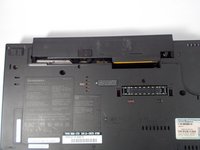
Fai scorrere la linguetta di rilascio con il dito verso il simbolo di sblocco.
-
-
-
-
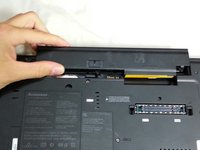
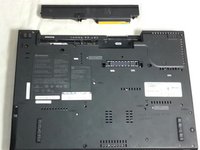
Tieni la linguetta in posizione di sblocco e spingi la batteria lontano dal computer per rimuoverla.
-
-
-
Inserisci la nuova batteria facendola scorrere finché non scatta in posizione.
-
Assicurati che la linguetta di blocco sia in posizione di bloccaggio.
-
-



Annulla: non ho completato questa guida.
Altre 5 persone hanno completato questa guida.

Team

Cal Poly, Team 8-58, Johann Spring 2013 Membro di Cal Poly, Team 8-58, Johann Spring 2013
CPSU-JOHANN-S13S8G58
4 Membri
60 guide realizzate
