Questa traduzione è stata generata automaticamente e non è stata ancora revisionata da una persona. Parli questa lingua? Dai un’occhiata.
Introduzione
Questa è una riparazione rapida che può migliorare notevolmente, o ripristinare completamente, la capacità di riprodurre DVD con un lettore Panasonic DVD-RV31. Con il normale utilizzo, un lettore DVD tende a sporcarsi e, occasionalmente, è necessario pulire la lente del laser per ripristinarne la funzionalità.
Non sono necessarie competenze particolari e non c'è nulla di insolito in questa riparazione; dovrebbe essere semplice da eseguire e soddisfacente una volta completata! L'unico strumento di riparazione richiesto è un panno in microfibra o un panno per la pulizia degli occhiali, da usare sulla lente per assicurarsi che non venga graffiata durante la pulizia.
Cosa ti serve
-
-
-
Espelli il vassoio portadischi dal lettore DVD prima di rimuovere l'alimentazione.
 Chiedi a FixBot
-
-
-
Solleva verso l'alto il coperchio frontale del vassoio portadischi tenendolo dritto (non inclinato, come mostrato nella foto). Questo permetterà di smontare più facilmente il lettore.
-
-
-
-
-
Rimuovi le tre viti che corrono lungo il bordo posteriore del coperchio della custodia.
-
Rimuovi le due viti da ciascun lato del coperchio della custodia.
-
-
-
Afferra i bordi del coperchio con le mani. Tira leggermente verso l'esterno, poi dritto verso l'alto.
-
-
-
-
-
-
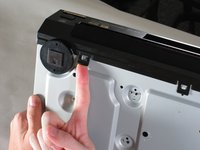
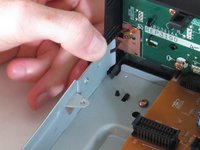
Solleva le cinque linguette che fissano il pannello frontale al telaio. Ce ne sono tre sul fondo e due sui bordi interni del pannello. Il pannello dovrebbe quindi sollevarsi dal lettore.
-
-
-
-
-
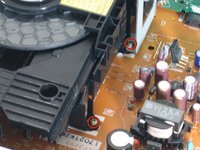
Individua le quattro viti che fissano il gruppo dell'unità disco. Ce ne sono due su ciascun lato.
-
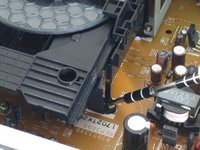
Usa un cacciavite stretto per rimuovere tutte e quattro le viti.
-
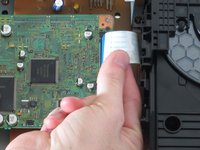
Rimuovi il cavo a nastro blu dal suo connettore. Nel fare ciò, fai attenzione a non danneggiare il connettore.
-
-
-
Solleva il gruppo dalla parte anteriore per estrarre la staffa metallica dalla scheda di alimentazione.
-
Tira verso l'alto la parte posteriore ed estrai l'unità.
-
-
-
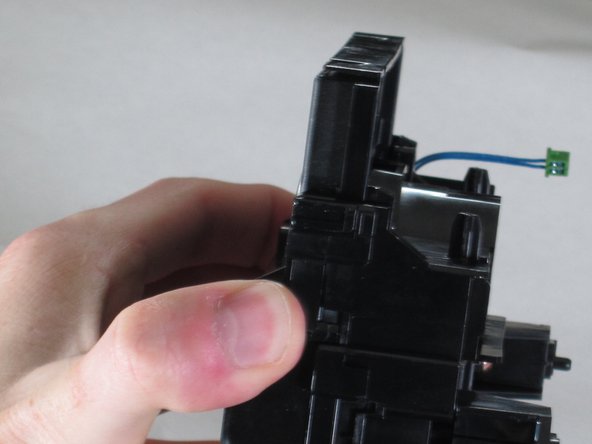
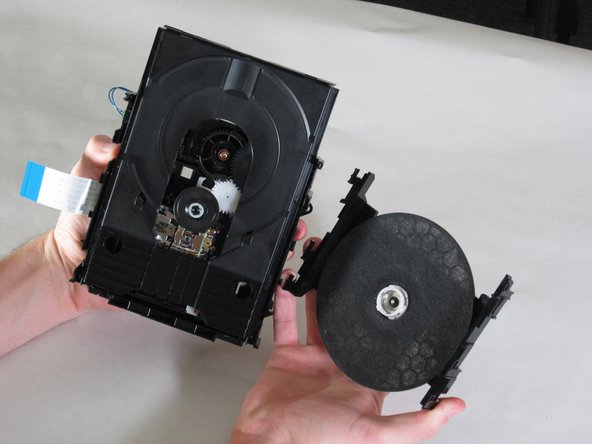
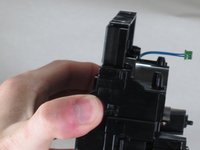
Con il gruppo dell'unità separato dal lettore, impugnalo come mostrato e tira i bordi della staffa lontano dall'unità disco.
-
Solleva la staffa e tienila da parte per il rimontaggio.
-
-
-
-
-
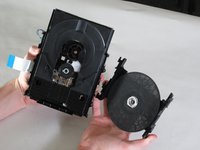
Afferra il ponte sopra la rotella e spingi le linguette sul lato come mostrato.
-
Tira con decisione verso il basso e lontano dall'alloggiamento del laser.
-
-
-
-
Strumento utilizzato in questo passaggio:Microfiber Cleaning Cloths$3.99
-
Assicurati di lavarti le mani prima di pulire la lente laser ottica.
-
Prendi un panno in microfibra o un panno per occhiali e spazzola delicatamente la lente.
-
-








Per rimontare il dispositivo, segui queste istruzioni in ordine inverso.
Annulla: non ho completato questa guida.
Altre 4 persone hanno completato questa guida.

Team

Cal Poly, Team 18-20, Garner Spring 2011 Membro di Cal Poly, Team 18-20, Garner Spring 2011
CPSU-GARNER-S11S18G20
4 Membri
132 guide realizzate
