Salta al contenuto principale

How To Replace Merangue 2-Line Engineering Scientific Calculator Battery

Cosa ti serve

  1. How To Replace Merangue 2-Line Engineering Scientific Calculator Battery, Calculator Battery: passo 1, immagine 1 di 1
    • Turn the calculator off by holding down the [Shift] button.

    • Then, press the [AC][OFF] button.

    • Always turn your calculator off before removing the battery to prevent potential malfunction.

  2. How To Replace Merangue 2-Line Engineering Scientific Calculator Battery: passo 2, immagine 1 di 2 How To Replace Merangue 2-Line Engineering Scientific Calculator Battery: passo 2, immagine 2 di 2
    • Flip the calculator so that the back case is facing you.

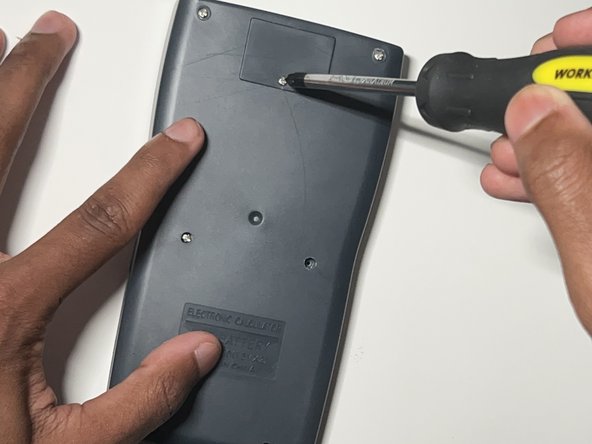
    • Use a Phillips #0 screwdriver to remove the single screw from the battery cover at the top of the back case.

    • Keep the screw in a safe place to use when replacing the battery cover later.

    • If the screw does not unfasten easily, do not force it to avoid stripping the screw. If the screw is already stripped refer to the Come rimuovere una vite danneggiata guide.

  3. How To Replace Merangue 2-Line Engineering Scientific Calculator Battery: passo 3, immagine 1 di 3 How To Replace Merangue 2-Line Engineering Scientific Calculator Battery: passo 3, immagine 2 di 3 How To Replace Merangue 2-Line Engineering Scientific Calculator Battery: passo 3, immagine 3 di 3
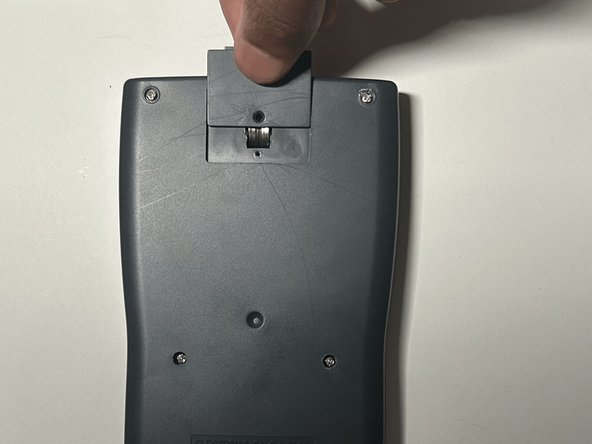
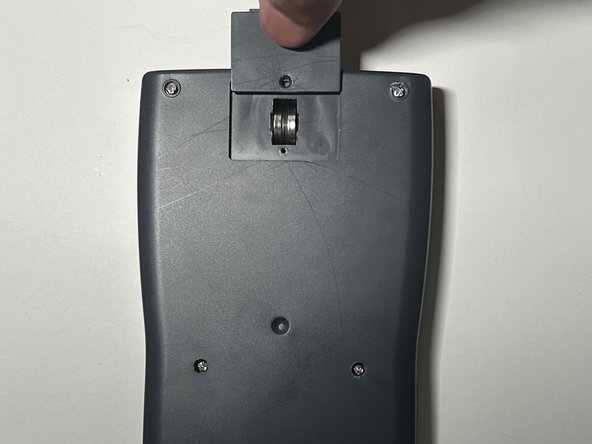
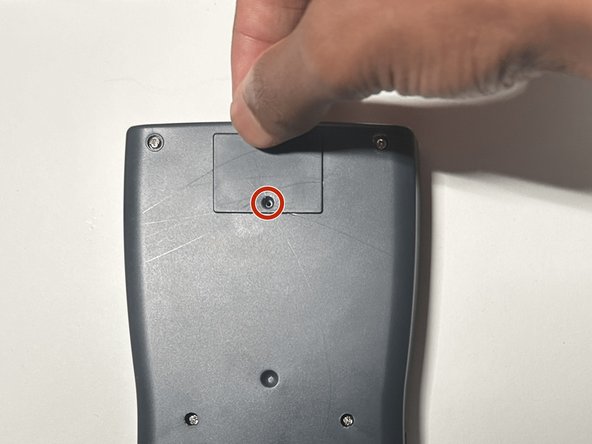
    • Gently apply pressure to the battery cover and slide it upward.

    • If it doesn't come off easily, try gently wiggling it but do not use excessive force.

  4. How To Replace Merangue 2-Line Engineering Scientific Calculator Battery: passo 4, immagine 1 di 3 How To Replace Merangue 2-Line Engineering Scientific Calculator Battery: passo 4, immagine 2 di 3 How To Replace Merangue 2-Line Engineering Scientific Calculator Battery: passo 4, immagine 3 di 3
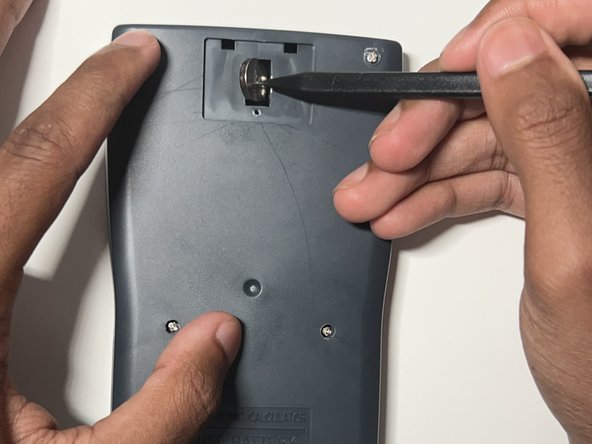
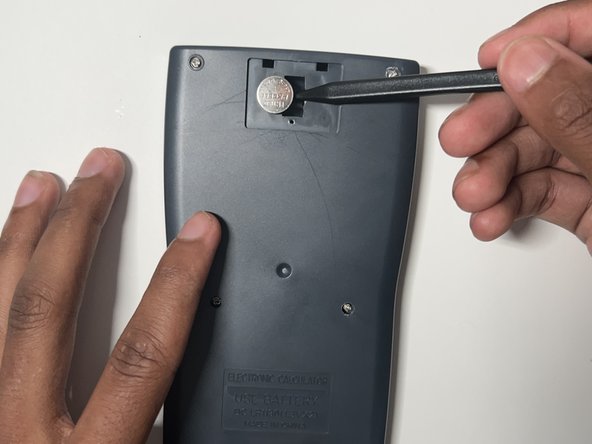
    • Insert a plastic spudger between the two batteries.

    • Use the plastic spudger to gently pry out the left and right batteries.

    • Do not use metal spudgers, as they can damage to the battery.

    • Do not use force when prying out the batteries to avoid damage.

  5. How To Replace Merangue 2-Line Engineering Scientific Calculator Battery: passo 5, immagine 1 di 1
    • Put on the nitrile gloves and remove the two batteries from the battery compartment.

    • To dispose of the battery properly consult the How to Recycle End-of-Life Electronics article.

    • Always wear a pair of gloves prior to handling the battery to reduce the risk of chemical burns.

  6. How To Replace Merangue 2-Line Engineering Scientific Calculator Battery: passo 6, immagine 1 di 1
    • Inspect the battery compartment for any sign of alkaline residue.

    • If the area is clean, skip to step 8.

  7. How To Replace Merangue 2-Line Engineering Scientific Calculator Battery: passo 7, immagine 1 di 3 How To Replace Merangue 2-Line Engineering Scientific Calculator Battery: passo 7, immagine 2 di 3 How To Replace Merangue 2-Line Engineering Scientific Calculator Battery: passo 7, immagine 3 di 3
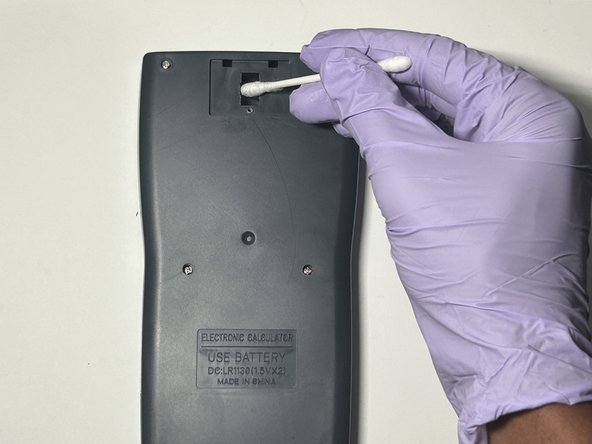
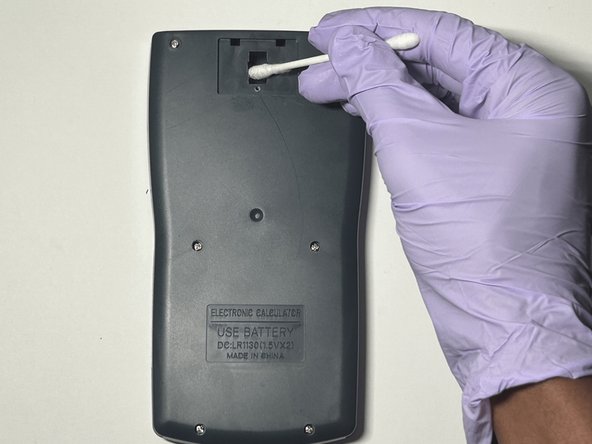
    • Dab a cotton swab in distilled white vinegar.

    • Gently clean the battery compartment in an up and down motion with the cotton swab.

    • Allow the compartment to dry completely for approximately two minutes before inserting the new batteries.

  8. How To Replace Merangue 2-Line Engineering Scientific Calculator Battery: passo 8, immagine 1 di 1
    • Insert the new LR 1130 batteries in both slots.

    • Make sure the + sign on the battery is facing down in its respective slot.

  9. How To Replace Merangue 2-Line Engineering Scientific Calculator Battery: passo 9, immagine 1 di 3 How To Replace Merangue 2-Line Engineering Scientific Calculator Battery: passo 9, immagine 2 di 3 How To Replace Merangue 2-Line Engineering Scientific Calculator Battery: passo 9, immagine 3 di 3
    • Slide the battery cover back into place.

    • Use a Phillips #0 screwdriver to secure the battery cover screw.

  10. How To Replace Merangue 2-Line Engineering Scientific Calculator Battery: passo 10, immagine 1 di 1
    • Reset the calculator by pressing the [ON] button.

    • Release the [ON] button and press [Shift].

    • Release the [Shift] button and press the [MODE] button.

    • Release the [MODE] button and press the [3] button to reset all.

    • Release the [3] button and press [=] to confirm the action.

    • Finally, release the [=] button and press the [AC] button to complete the reset.

Conclusione

You have now successfully replaced the battery of a Merangue 2-Line Engineering Scientific Calculator.

Altre 3 persone hanno completato questa guida.

Lakshan.14

Membro da: 07/02/24

235 Reputazione

1 Guida realizzata

Team

0Commenti sulla guida

Aggiungi Commento

Visualizza Statistiche:

Ultime 24 Ore: 1

Ultimi 7 Giorni: 10

Ultimi 30 Giorni: 33

Tutti i Tempi: 429