Questa traduzione è stata generata automaticamente e non è stata ancora revisionata da una persona. Parli questa lingua? Dai un’occhiata.
-
-
-
Applica pressione e fai scorrere verso l'alto per rimuovere la cover posteriore.
-
Solleva la cover posteriore allontanandola dal telefono.
 Chiedi a FixBot
-
-
-
-
Solleva la batteria verso l'alto sul lato superiore destro per rimuoverla.
-
Controlla la batteria per assicurarti che non ci siano angoli piegati.
-
-
-
-
-
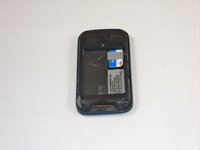
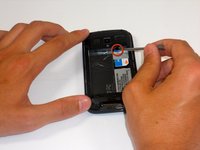
Inserisci lo stilo nello slot nero e fai leva delicatamente per far uscire un po' la scheda SIM.
-
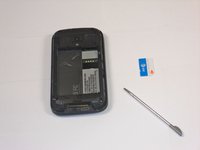
Fai scivolare fuori completamente la scheda SIM con il dito.
-
-


Per rimontare il dispositivo, segui queste istruzioni in ordine inverso.
Annulla: non ho completato questa guida.
Un'altra persona ha completato questa guida.

Team

Cal Poly, Team 9-64, Walters Spring 2011 Membro di Cal Poly, Team 9-64, Walters Spring 2011
CPSU-WALTERS-S11S9G64
5 Membri
108 guide realizzate
