Salta al contenuto principale
Unisciti alla Community delle riparazioni - Crea un account

HTC Droid DNA Front-Facing Camera Replacement

Cosa ti serve

  1. HTC Droid DNA Front-Facing Camera Replacement, Remove the SIM Card Tray: passo 1, immagine 1 di 1
    • Poke a paperclip into the hole to the right of the SIM Card Tray. The SIM Card Tray will automatically pop out.

    Chiedi a FixBot
  2. HTC Droid DNA Front-Facing Camera Replacement, Removing the SIM Card Tray: passo 2, immagine 1 di 2 HTC Droid DNA Front-Facing Camera Replacement, Removing the SIM Card Tray: passo 2, immagine 2 di 2
    • Pull out the SIM Card Tray with your fingers.

    Chiedi a FixBot
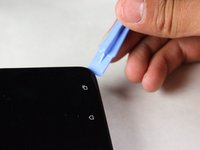
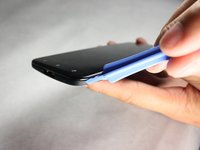
  3. HTC Droid DNA Front-Facing Camera Replacement, Loosen the Phone Casing: passo 3, immagine 1 di 2 HTC Droid DNA Front-Facing Camera Replacement, Loosen the Phone Casing: passo 3, immagine 2 di 2
    • Make sure the USB cover on the bottom of the phone is removed first.

    • Starting at a corner, slowly work your way around the edge of the sides with your prying tool to loosen the front panel.

    • Take your time. A lot of force is necessary to loosen the front panel.

    Chiedi a FixBot
  4. HTC Droid DNA Front-Facing Camera Replacement, Pull the Casing Apart: passo 4, immagine 1 di 1
    • Slowly pull the panel apart from the back of the phone.

    • Apply a moderate force to pry the panel from the back of the phone.

    Chiedi a FixBot
  5. HTC Droid DNA Front-Facing Camera Replacement, Remove the Black Tape: passo 5, immagine 1 di 1
    • Set the device down so that the bottom of the phone is facing to the right.

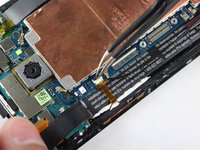
    • Gently take off the piece of black tape surrounding the motherboard.

    • Be careful not to rip the tape.

    Chiedi a FixBot
  6. HTC Droid DNA Front-Facing Camera Replacement, Remove the Yellow Tape: passo 6, immagine 1 di 1
    Strumento utilizzato in questo passaggio:
    Tweezers
    $4.99
    • Use your tweezers to take off the yellow tape on the bottom left corner of the phone.

    Chiedi a FixBot
  7. HTC Droid DNA Front-Facing Camera Replacement: passo 7, immagine 1 di 1
    • Rotate your phone 90 degrees clockwise so the bottom of the phone is facing you.

    • Use the T5 Torx screwdriver to remove the two 4mm screws located at the bottom of the phone.

    Chiedi a FixBot
  8. HTC Droid DNA Front-Facing Camera Replacement, Remove the Void Screw: passo 8, immagine 1 di 1
    • Use the Phillips #000 screwdriver to remove the single 2.7mm void screw on the bottom right.

    Chiedi a FixBot
  9. HTC Droid DNA Front-Facing Camera Replacement, Remove the Screw Retaining Bracket: passo 9, immagine 1 di 1
    • Rotate your phone back 90 Degrees counter-clockwise.

    • Use your tweezers to take off the small metal retaining bracket on the bottom right of the phone.

    Chiedi a FixBot
  10. HTC Droid DNA Front-Facing Camera Replacement, Remove the Connector Screws: passo 10, immagine 1 di 1
    • Remove the following Phillips #000 screws from the motherboard:

    • Four 1.6 mm screws

    • Two 1.5 mm screws

    Chiedi a FixBot
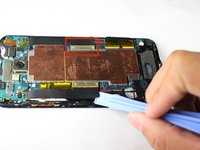
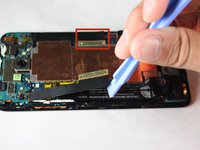
  11. HTC Droid DNA Front-Facing Camera Replacement, Unfasten the Connectors: passo 11, immagine 1 di 2 HTC Droid DNA Front-Facing Camera Replacement, Unfasten the Connectors: passo 11, immagine 2 di 2
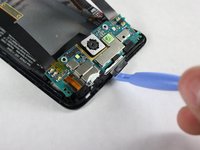
    • Use your pry tool to unfasten the connectors on both sides of the motherboard.

    • The connectors will still be attached to the green camera board at the top so DO NOT try to pull them off or bend them severely.

    Chiedi a FixBot
  12. HTC Droid DNA Front-Facing Camera Replacement, Remove the Yellow Tape: passo 12, immagine 1 di 1
    • Use your tweezers to remove the two pieces of yellow tape shown.

    Chiedi a FixBot
  13. HTC Droid DNA Front-Facing Camera Replacement, Flipping up the White Board: passo 13, immagine 1 di 2 HTC Droid DNA Front-Facing Camera Replacement, Flipping up the White Board: passo 13, immagine 2 di 2
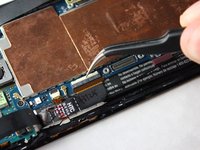
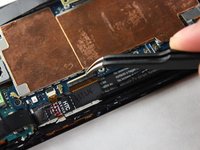
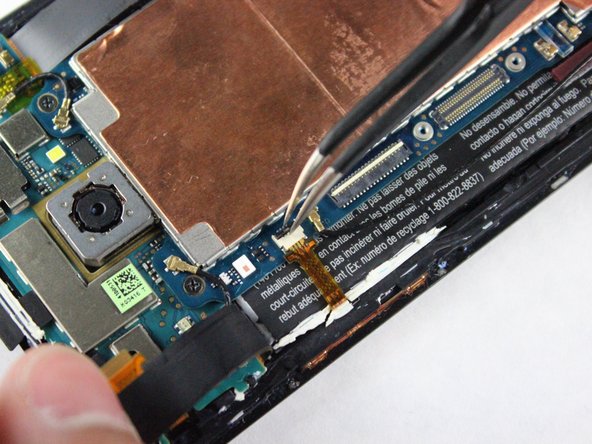
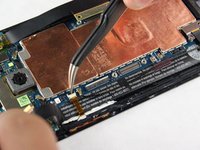
    • Use your tweezers to gently snap up the white board on the bottom right of the motherboard.

    Chiedi a FixBot
  14. HTC Droid DNA Front-Facing Camera Replacement, Disconnect the Connector: passo 14, immagine 1 di 1
    • Use your tweezers to disconnect the black connector on the bottom right of the motherboard.

    • Be careful not to bend the Flex Cable of the Connector.

    Chiedi a FixBot
  15. HTC Droid DNA Front-Facing Camera Replacement, Flipping up the White Board: passo 15, immagine 1 di 2 HTC Droid DNA Front-Facing Camera Replacement, Flipping up the White Board: passo 15, immagine 2 di 2
    • Use your tweezers to gently snap the other white board on the bottom right of the motherboard up.

    Chiedi a FixBot
  16. HTC Droid DNA Front-Facing Camera Replacement, Disconnect the Connector: passo 16, immagine 1 di 1
    • Use your tweezers to disconnect the other small connector on the bottom right of the motherboard.

    • Be careful not to bend the Flex Cables for the Connector.

    Chiedi a FixBot
  17. HTC Droid DNA Front-Facing Camera Replacement, Flipping up the White Board: passo 17, immagine 1 di 2 HTC Droid DNA Front-Facing Camera Replacement, Flipping up the White Board: passo 17, immagine 2 di 2
    • Rotate the phone 180 degrees.

    • Use your tweezers to gently snap up the white board on the top left of the motherboard.

    Chiedi a FixBot
  18. HTC Droid DNA Front-Facing Camera Replacement, Disconnect the Connector: passo 18, immagine 1 di 1
    • Use your tweezers to disconnect the cable on the top left of the motherboard.

    • Be careful not to bend the Flex Cable of the Connector.

    Chiedi a FixBot
  19. HTC Droid DNA Front-Facing Camera Replacement, Flipping up the Black Board: passo 19, immagine 1 di 2 HTC Droid DNA Front-Facing Camera Replacement, Flipping up the Black Board: passo 19, immagine 2 di 2
    • Use your tweezers to gently snap up the black board on the top left of the motherboard.

    Chiedi a FixBot
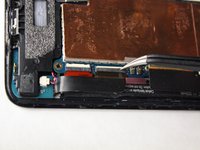
  20. HTC Droid DNA Front-Facing Camera Replacement, Disconnect the Small Ribbon Connector: passo 20, immagine 1 di 1
    • Use your tweezers to gently remove the yellow connector on the top left of the phone.

    Chiedi a FixBot
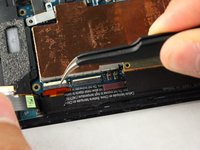
  21. HTC Droid DNA Front-Facing Camera Replacement, Remove the Black Wire: passo 21, immagine 1 di 1
    • Remove the long black wire on the left of the motherboard.

    Chiedi a FixBot
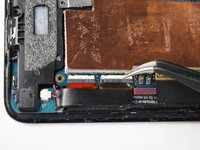
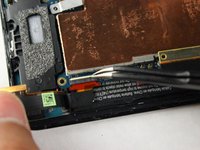
  22. HTC Droid DNA Front-Facing Camera Replacement, Remove the Two Black Wires: passo 22, immagine 1 di 1
    • Reorient the phone so that the green camera board is farthest from you.

    • Use your tweezers to remove the two wires located at the top of the board. The wires snap off very easily so not much force is needed.

    Chiedi a FixBot
  23. HTC Droid DNA Front-Facing Camera Replacement, Remove the Screws: passo 23, immagine 1 di 1
    • Use a Phillips #000 screwdriver to remove the two 3.9mm screws on top of motherboard.

    Chiedi a FixBot
  24. HTC Droid DNA Front-Facing Camera Replacement, Remove the Motherboard: passo 24, immagine 1 di 2 HTC Droid DNA Front-Facing Camera Replacement, Remove the Motherboard: passo 24, immagine 2 di 2
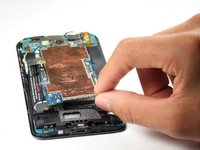
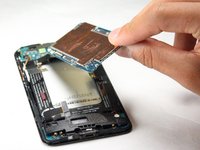
    • Now, use your fingers to slowly pull up the motherboard and remove it from the phone.

    Chiedi a FixBot
  25. HTC Droid DNA Front-Facing Camera Replacement, Remove Screws: passo 25, immagine 1 di 1
    • Use a Phillips #000 screwdriver to remove the two 2.1mm screws on the top of the camera board.

    Chiedi a FixBot
  26. HTC Droid DNA Front-Facing Camera Replacement, Loosen the Adhesive: passo 26, immagine 1 di 2 HTC Droid DNA Front-Facing Camera Replacement, Loosen the Adhesive: passo 26, immagine 2 di 2
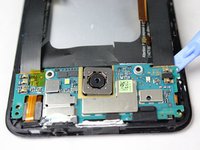
    • Use the pry tool along the bottom and sides of the camera board to loosen the adhesive.

    • The power button and headphone jack need to be carefully removed with the camera board or they could snap off of the camera board.

    Chiedi a FixBot
  27. HTC Droid DNA Front-Facing Camera Replacement, Remove Camera Board: passo 27, immagine 1 di 1
    • Slowly lift the camera board up and work on removing the remaining adhesive. You can then take the camera board off of the phone.

    Chiedi a FixBot
  28. HTC Droid DNA Front-Facing Camera Replacement, Remove Yellow Tape: passo 28, immagine 1 di 1
    Strumento utilizzato in questo passaggio:
    Tweezers
    $4.99
    • Use your tweezers to gently remove the yellow tape on the far left side of the camera board.

    Chiedi a FixBot
  29. HTC Droid DNA Front-Facing Camera Replacement, Release the White Connector Clip: passo 29, immagine 1 di 2 HTC Droid DNA Front-Facing Camera Replacement, Release the White Connector Clip: passo 29, immagine 2 di 2
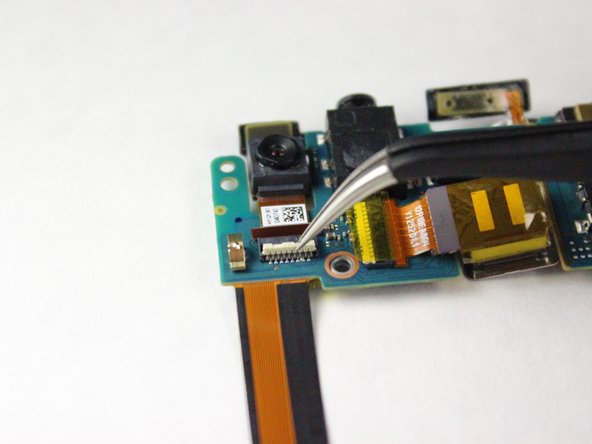
    • Use your tweezers to gently flip the white connector clip into the upright position.

    Chiedi a FixBot
  30. HTC Droid DNA Front-Facing Camera Replacement, Remove Front-Facing Camera: passo 30, immagine 1 di 1
    • Use your tweezers to gently pull the front facing camera off the camera board.

    Chiedi a FixBot
Conclusione

To reassemble your device, follow these instructions in reverse order.

Altre 4 persone hanno completato questa guida.

Team

Cal Poly, Team 4-43, Amido Fall 2014 Membro di Cal Poly, Team 4-43, Amido Fall 2014

CPSU-AMIDO-F14S4G43

4 Membri

10 guide realizzate

0Commenti sulla guida

Aggiungi Commento

Visualizza statistiche:

Ultime 24 ore: 0

Ultimi 7 giorni: 6

Ultimi 30 giorni: 36

Tutti i Tempi: 1,375