Questa traduzione è stata generata automaticamente e non è stata ancora revisionata da una persona. Parli questa lingua? Dai un’occhiata.
Introduzione
Un tappetino riflettente per documenti danneggiato può produrre immagini di scarsa qualità. Puoi sostituire questo tappetino in pochi semplici passaggi.
Cosa ti serve
-
-
-
Afferra la copertura dello scanner dalla parte anteriore del dispositivo e solleva il coperchio fino in fondo finché non rimane aperto da solo.
 Chiedi a FixBot
-
-
-
Usando entrambe le mani, afferra il coperchio su entrambi i lati vicino alle cerniere e sollevalo verso l'alto per sganciarlo da ciascuna cerniera.
-
-
-
-
-
-
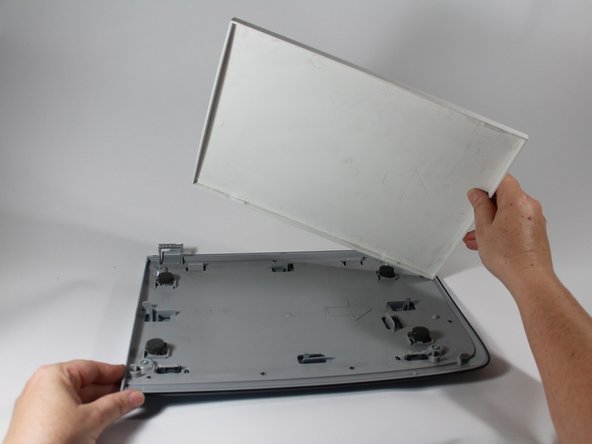
Una volta rimosso il coperchio, appoggialo su una superficie piana con il tappetino bianco rivolto verso l'alto.
-
Utilizzando l'estremità piatta di uno spudger in plastica, fai leva sul tappetino in uno degli angoli anteriori per staccarlo. Ripeti l'operazione per l'altro angolo anteriore.
-
-
-
Una volta che entrambi gli angoli anteriori sono stati liberati dalle clip di plastica, il resto del tappetino dovrebbe sollevarsi facilmente.
-
Ricicla o smaltisci il tappetino danneggiato.
-
-


Per rimontare il dispositivo, segui queste istruzioni in ordine inverso.

Team

New Mexico State, Team 1-4, Sheppard Spring 2014 Membro di New Mexico State, Team 1-4, Sheppard Spring 2014
NMSU-SHEPPARD-S14S1G4
3 Membri
48 guide realizzate
