Introduzione
This guide will take you through the process of replacing the bluetooth module in an HP Compaq nc6400 Laptop. You will need the correct replacement bluetooth module for your laptop to complete the installation.
Cosa ti serve
-
-
Locate the battery lock below the battery labeled one.
-
Slide the lock all the way to the left to release the left lock of the battery.
-
-
-
Locate the lock labeled two at the bottom right corner below the battery.
-
Slide and hold the lock to the left.
-
-
-
-
Once both the battery locks are unlocked, slide the battery out to remove.
-
-
-
Flip the computer top down and locate the second to-the-right 1.2 Philips #1 screw in the bottom-left corner.
-
Remove the screw.
-
-
-
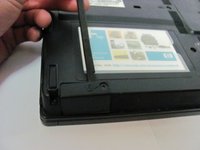
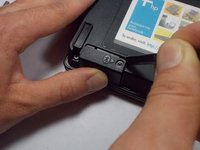
Lift the right side of the Bluetooth Module cover upwards.
-
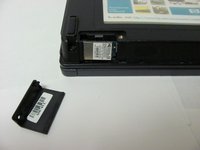
Slide the spudger under the lifted case, and slide it left towards the closed end. The case will pop open and be removed from the compartment.
-
-
-
Locate the Bluetooth Module after removing the cover.
-
Using the spudger, push the module to the right (i.e. towards the screw hole).
-
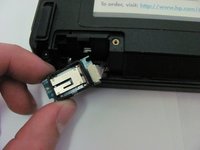
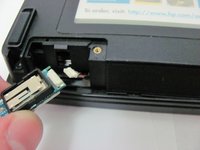
Pull outwards and remove bluetooth module and wire from casing.
-
-
-
Once the module and wire are completely outside of the casing, gently pull apart the wire from the module clip.
-

 Chiedi a FixBot




To reassemble your device, follow these instructions in reverse order.
Annulla: non ho completato questa guida.
Altre 3 persone hanno completato questa guida.

Team

Cal Poly, Team 14-6, Forte Fall 2013 Membro di Cal Poly, Team 14-6, Forte Fall 2013
CPSU-FORTE-F13S14G6
5 Membri
5 guide realizzate
1Commento della guida
Hi,
My HP nx9420 did not have the Bluetooth. I wish to install one. I got one from my old HP nx9420. it Part Number is 397922-001 but the actual laptop says it requires the 409993-001 are these module the same ?
thanks
Alain
