Salta al contenuto principale
Unisciti alla Community delle riparazioni - Crea un account

HP Chromebook 14-Q010DX Hard drive Replacement

Cosa ti serve

  1. HP Chromebook 14-Q010DX Hard drive Replacement, Keyboard and Touchpad: passo 1, immagine 1 di 2 HP Chromebook 14-Q010DX Hard drive Replacement, Keyboard and Touchpad: passo 1, immagine 2 di 2
    • Flip the laptop so the base of the laptop is facing you.

    • Using the #00 screwdriver, unscrew the 13 screws.

    Chiedi a FixBot
  2. HP Chromebook 14-Q010DX Hard drive Replacement: passo 2, immagine 1 di 3 HP Chromebook 14-Q010DX Hard drive Replacement: passo 2, immagine 2 di 3 HP Chromebook 14-Q010DX Hard drive Replacement: passo 2, immagine 3 di 3
    • Warning! When prying open a laptop it could require some force, but it also has fragile connectors underneath. Use caution so as to avoid breaking these connectors.

    • Start from the top right corner of the laptop and work clockwise with an iFixit opening tool or spudger to pry the keyboard from the frame of the laptop.

    Chiedi a FixBot
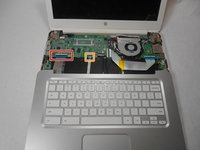
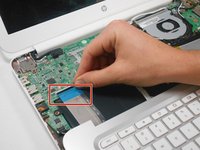
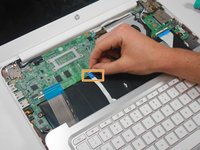
  3. HP Chromebook 14-Q010DX Hard drive Replacement: passo 3, immagine 1 di 3 HP Chromebook 14-Q010DX Hard drive Replacement: passo 3, immagine 2 di 3 HP Chromebook 14-Q010DX Hard drive Replacement: passo 3, immagine 3 di 3
    • Warning! Handle the flaps and ribbon cables with care to prevent damage.

    • Gently pull the keyboard in the opposite direction of the screen, so the wires beneath are exposed.

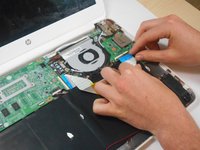
    • Lift the black flap and pull the blue ribbon gently towards you until it is disconnected.

    • Lift the white flap and pull the blue ribbon towards you until it is disconnected.

    Chiedi a FixBot
  4. HP Chromebook 14-Q010DX Hard drive Replacement: passo 4, immagine 1 di 1
    • Lift keyboard slightly and remove the strip gently to prevent damaging any parts.

    • The tape has no function other than to keep the wire tucked away.

    Chiedi a FixBot
  5. HP Chromebook 14-Q010DX Hard drive Replacement: passo 5, immagine 1 di 1
    • Set aside the detached keyboard.

    Chiedi a FixBot
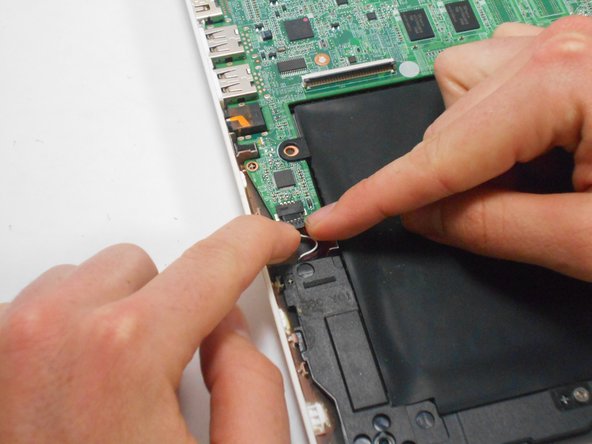
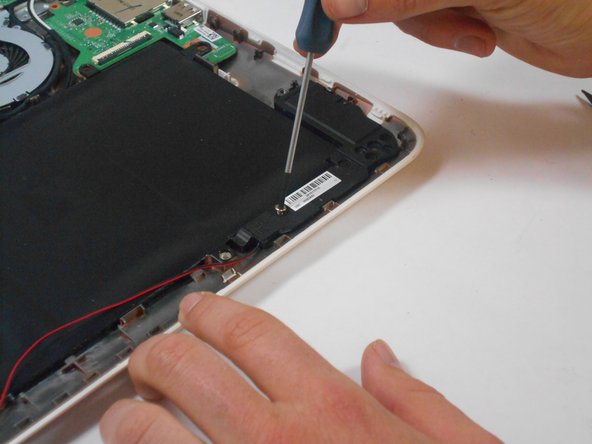
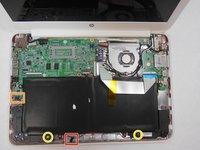
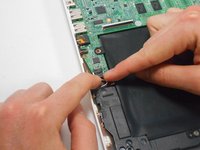
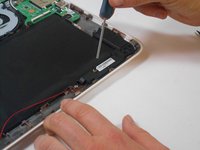
  6. HP Chromebook 14-Q010DX Hard drive Replacement, Speaker: passo 6, immagine 1 di 3 HP Chromebook 14-Q010DX Hard drive Replacement, Speaker: passo 6, immagine 2 di 3 HP Chromebook 14-Q010DX Hard drive Replacement, Speaker: passo 6, immagine 3 di 3
    • Undo the black tape located on the bottom from the frame of the laptop.

    • The tape has no function other than to keep the wire tucked away.

    • Using fingers or the spudger, slide out the black connector indicated on the left.

    • Use a #00 screwdriver to remove the two screws.

    Chiedi a FixBot
  7. HP Chromebook 14-Q010DX Hard drive Replacement: passo 7, immagine 1 di 2 HP Chromebook 14-Q010DX Hard drive Replacement: passo 7, immagine 2 di 2
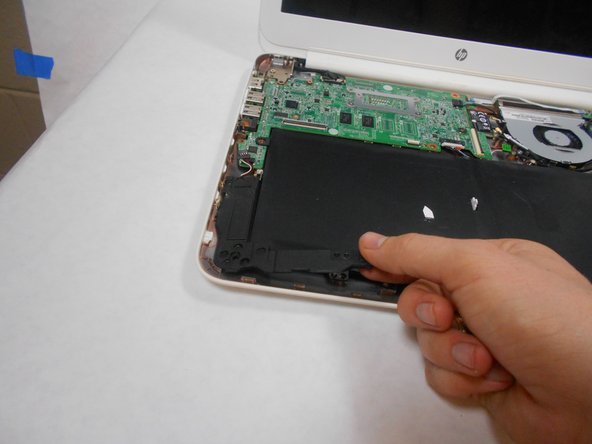
    • Gently remove the speakers.

    Chiedi a FixBot
  8. HP Chromebook 14-Q010DX Hard drive Replacement, Battery: passo 8, immagine 1 di 2 HP Chromebook 14-Q010DX Hard drive Replacement, Battery: passo 8, immagine 2 di 2
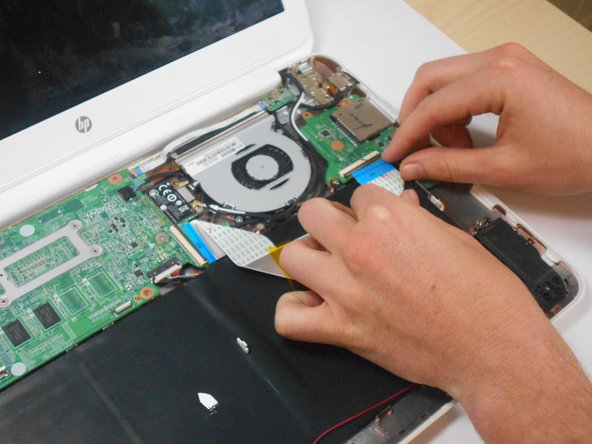
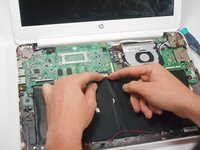
    • Note the shape that this wire strip is resting at and that the blue tip of the strip goes into the right connector for reassembly.

    • Lift the black flaps and gently pull the strip out.

    • Set the strip aside.

    Chiedi a FixBot
  9. HP Chromebook 14-Q010DX Hard drive Replacement: passo 9, immagine 1 di 3 HP Chromebook 14-Q010DX Hard drive Replacement: passo 9, immagine 2 di 3 HP Chromebook 14-Q010DX Hard drive Replacement: passo 9, immagine 3 di 3
    • Remove the screw.

    • Use your fingers to pull the white tab out of the black slot above the battery.

    Chiedi a FixBot
  10. HP Chromebook 14-Q010DX Hard drive Replacement: passo 10, immagine 1 di 1
    • Gently remove battery.

    Chiedi a FixBot
  11. HP Chromebook 14-Q010DX Hard drive Replacement, Bluetooth and Wireless Card: passo 11, immagine 1 di 2 HP Chromebook 14-Q010DX Hard drive Replacement, Bluetooth and Wireless Card: passo 11, immagine 2 di 2
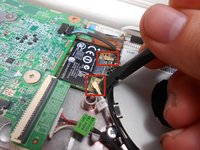
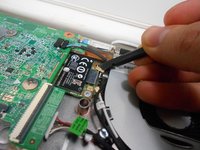
    • Using a spudger, remove the white and black cables from the card.

    Chiedi a FixBot
  12. HP Chromebook 14-Q010DX Hard drive Replacement: passo 12, immagine 1 di 2 HP Chromebook 14-Q010DX Hard drive Replacement: passo 12, immagine 2 di 2
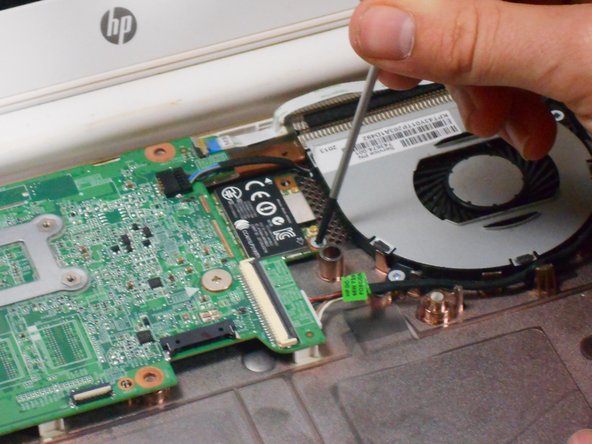
    • Remove screw from card.

    Chiedi a FixBot
  13. HP Chromebook 14-Q010DX Hard drive Replacement: passo 13, immagine 1 di 1
    • Gently pull card at a 45° angle to remove it.

    Chiedi a FixBot
  14. HP Chromebook 14-Q010DX Hard drive Replacement, USB/SD card: passo 14, immagine 1 di 2 HP Chromebook 14-Q010DX Hard drive Replacement, USB/SD card: passo 14, immagine 2 di 2
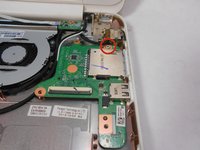
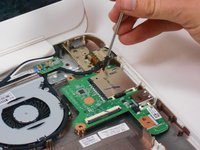
    • Remove screw indicated by the red circle at the top of the card port.

    Chiedi a FixBot
  15. HP Chromebook 14-Q010DX Hard drive Replacement: passo 15, immagine 1 di 1
    • Gently remove the USB/SD card port.

    Chiedi a FixBot
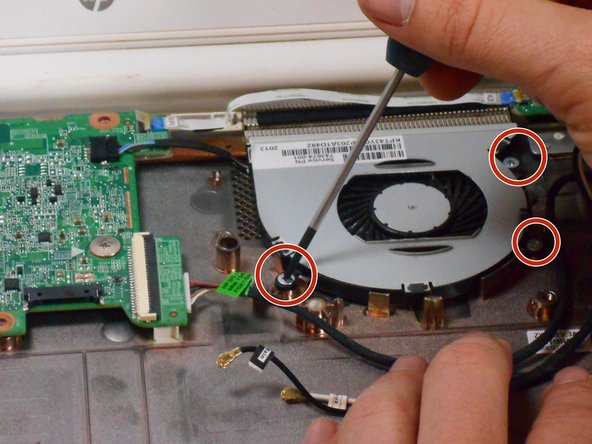
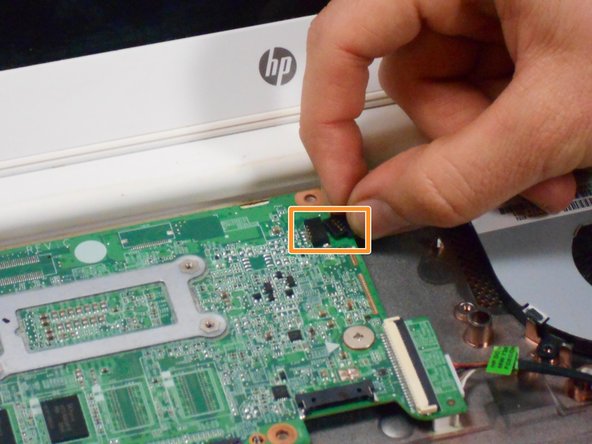
  16. HP Chromebook 14-Q010DX Hard drive Replacement, Fan replacement for a HP Chromebook: passo 16, immagine 1 di 3 HP Chromebook 14-Q010DX Hard drive Replacement, Fan replacement for a HP Chromebook: passo 16, immagine 2 di 3 HP Chromebook 14-Q010DX Hard drive Replacement, Fan replacement for a HP Chromebook: passo 16, immagine 3 di 3
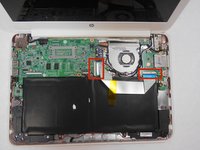
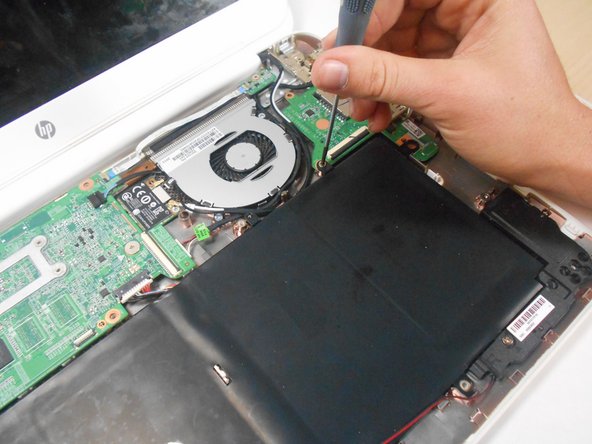
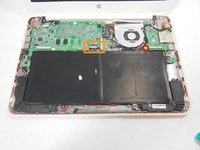
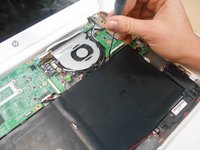
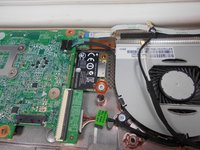
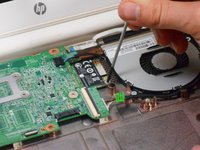
    • Remove the 3 screws around the fan.

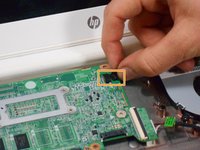
    • Using your fingers or the spudger, disconnect the cable connecting the fan to the motherboard.

    Chiedi a FixBot
  17. HP Chromebook 14-Q010DX Hard drive Replacement: passo 17, immagine 1 di 1
    • Once the cable connecting the fan to the motherboard is revomed gently remove fan with hands.

    Chiedi a FixBot
  18. HP Chromebook 14-Q010DX Hard drive Replacement, Motherboard: passo 18, immagine 1 di 2 HP Chromebook 14-Q010DX Hard drive Replacement, Motherboard: passo 18, immagine 2 di 2
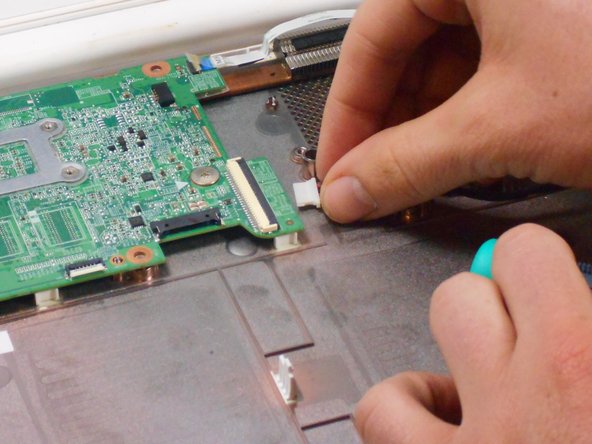
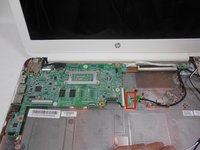
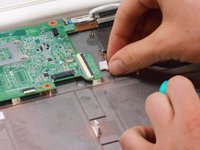
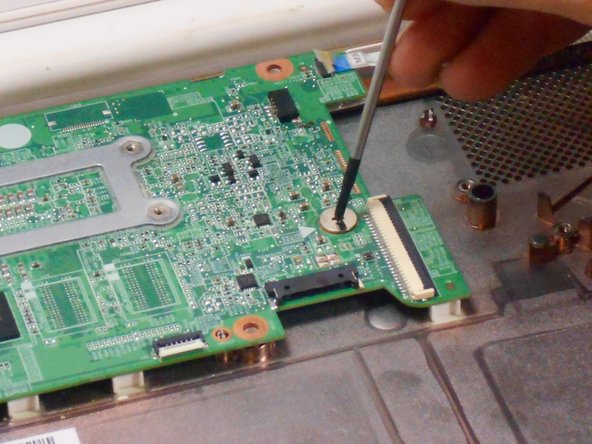
    • Using your fingers or spudger, pull out the connector.

    Chiedi a FixBot
  19. HP Chromebook 14-Q010DX Hard drive Replacement: passo 19, immagine 1 di 3 HP Chromebook 14-Q010DX Hard drive Replacement: passo 19, immagine 2 di 3 HP Chromebook 14-Q010DX Hard drive Replacement: passo 19, immagine 3 di 3
    • Remove all of the indicated screws.

    • Pull up on black strip to remove the monitor cord.

    Chiedi a FixBot
  20. HP Chromebook 14-Q010DX Hard drive Replacement: passo 20, immagine 1 di 1
    • Gently remove motherboard.

    Chiedi a FixBot
  21. HP Chromebook 14-Q010DX Hard drive Replacement, Hard drive: passo 21, immagine 1 di 1
    • Flip motherboard over.

    Chiedi a FixBot
  22. HP Chromebook 14-Q010DX Hard drive Replacement: passo 22, immagine 1 di 1
    • Remove the screw indicated by the red circle.

    Chiedi a FixBot
  23. HP Chromebook 14-Q010DX Hard drive Replacement: passo 23, immagine 1 di 1
    • Remove the hard drive by pulling the device from the black slot.

    Chiedi a FixBot
Conclusione

To reassemble your device, follow these instructions in reverse order.

Altre 14 persone hanno completato questa guida.

Kevin Piper

Membro da: 01/16/15

1.602 Reputazione

6 guide realizzate

Team

USF Tampa, Team 17-2, Watkins Winter 2015 Membro di USF Tampa, Team 17-2, Watkins Winter 2015

USFT-WATKINS-W15S17G2

4 Membri

8 guide realizzate

5Commenti sulla guida

Thanks so much for your clearly , detailed and easy to follow guide, nice job!

pedro munoz - Rispondi Condividi
Buenas tarde y despuesnde quitar el disco duro que se hace se cambia por otro igual o que modelo

chaffa_45 - Rispondi Condividi

Can you add more storage on the HP Chromebook 14 SMB about 500GB. I also want to know if the Chromebook can run Windows 10 without any problems.

Fire Alarm Collector - Rispondi Condividi

Useful. Wish I would have read it B4 I started this project.

Maria Jones - Rispondi Condividi

how do i upgrde my chrom browser?

Danielle Curtis - Rispondi Condividi

Aggiungi Commento

Visualizza statistiche:

Ultime 24 ore: 2

Ultimi 7 giorni: 17

Ultimi 30 giorni: 108

Tutti i Tempi: 22,315